7
Test Methods
22
Test 77 Water Balance
To determine Water Balance Index, select either
Palintest or Langelier from the System Mode
prior to commencing.
In both Palintest and Langelier test methods, three
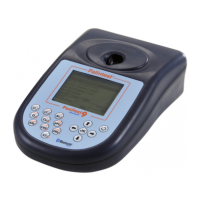
parameters are measured using the Pooltest 9
Bluetooth in a defined sequence with the result
for Water Balance displayed at the test conclusion.
Alkalinity (Alkaphot), Calcium Hardness (Calcicol)
and pH (Phenol Red) tests are required. Prepare
the test solutions as described in the individual
parameter test methods and proceed as follows:
Palintest Water Balance
1 Select Test 77 by pressing the Alkalinity key
(no. 7) twice or from the ‘Choose a Test’ list.
2 Carry out the Alkalinity test then select
‘Follow-On’ from the results screen.
3 Carry out the Calcium Hardness test then
select ‘Follow-On’ from the results screen.
4 Carry out the pH test then select ‘Follow-on’
from the results screen.
5 The Water Balance Index is calculated and
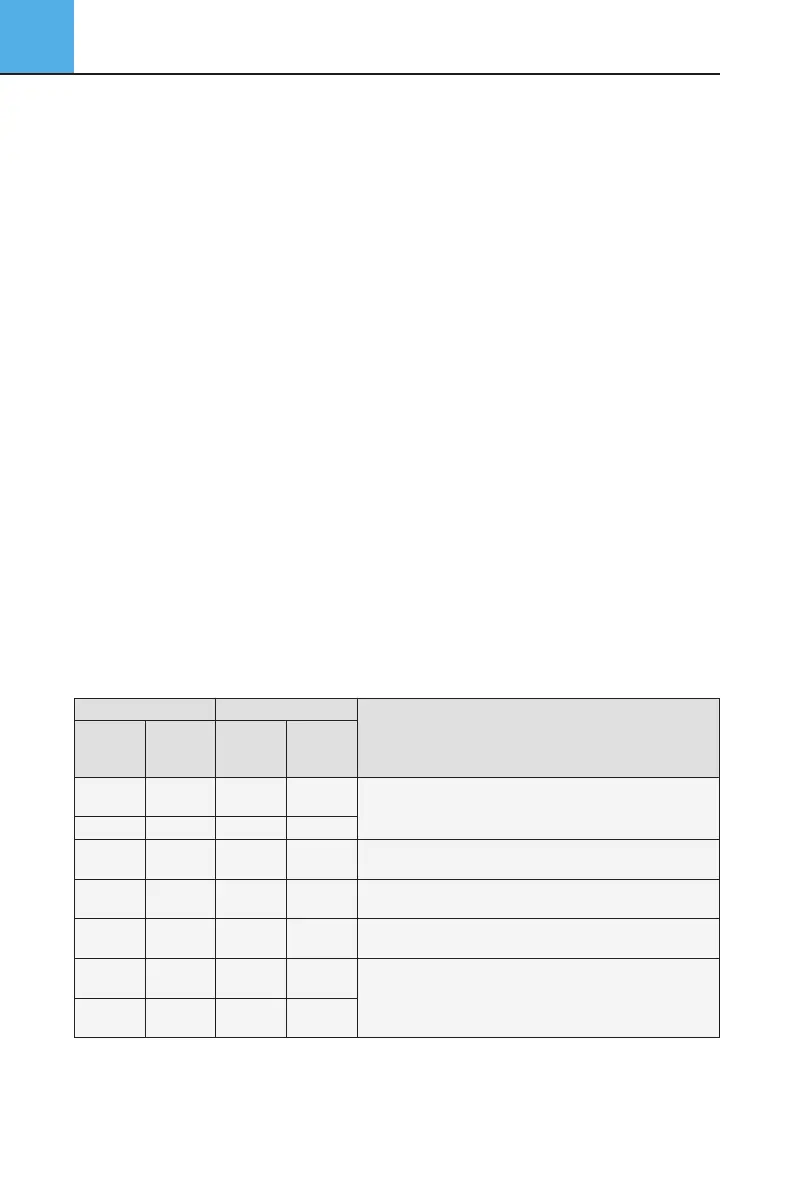
is displayed. See the table below for more
details of the results guidance
Note: the Palintest Water Balance test has been
calculated for an average heated swimming pool (82°F,
28°C). For unheated swimming pools, subtract 0.1
from the index value obtained. For higher temperature
pools and spas, add 0.1 to the index value obtained.
Langelier Saturation Index Water Balance
To complete the Langelier method, a separate Total
Dissolved Solids (TDS) meter is required to provide TDS
and temperature values which are entered manually.
Prepare the test solutions and proceed as follows:
1 Select Test 77 by pressing the Alkalinity key
(no. 7) twice or from the ‘Choose a Test’ list.
2 Carry out the Alkalinity test then select
‘Follow-On’ from the results screen.
3 Carry out the Calcium Hardness test then
select ‘Follow-On’ from the results screen.
4 Carry out the pH test then select
‘Follow-on’ from the results screen.
5 Manually enter the TDS reading (in mg/l or
ppm) taken using the numerical keys. Select
‘OK’ when the figure on screen is correct.
6 Manually enter the temperature using
the numerical keys and select ‘OK’.
7 The Langelier Saturation Index
is calculated and is displayed.
Index
<-1.5 Corrosive <9.6
Highly
Corrosive
Increase pH to 7.5 - 7.8. Increase Calcium Hardness
to at least 50mg/l. Increase Total Alkalinity to
100mg/l or higher as necessary. Retest Water Balance.
-0.6 to -1.5 Corrosive 9.6 to 10.5 Corrosive
-0.1 to -0.5 Corrosive 10.6 to10.9
Acceptable
Balance
Retest water regularly.
0.0
Ideal
Balance
11.0 to11.2
Ideal
Balance
No action required.
0.1 to 0.5
Scale
Forming
11.3 to11.6
Acceptable
Balance
Retest water regularly.
0.6 to 1.5
Scale
Forming
11.7 to12.6
Scale
Forming
>1.6
Scale
Forming
>12.7
Highly Scale
Forming
Decrease pH to 7.2 - 7.5. Decrease Total Alkalinity
to 150mg/l or lower as necessary. Retest Water Balance.
Water
Balance
Condition
Condition
Water
Balance
Condition
Recommendation
LANGELIER PALINTEST
Note: Always keep the pH, Total Alkalinity and Calcium Hardness levels within the limits recommended in
pool operating instructions and chemical suppliers’ recommendations. Seek specialist advice if corrosion
or scale formation is still apparent even though the water is shown to be in a balanced condition.
Water Balance Guidance
Pooltest9Bluetooth_ZI INST 7009B EN 29/7/15 12:03 Page 22


 To Next Page