Page 19 of 48
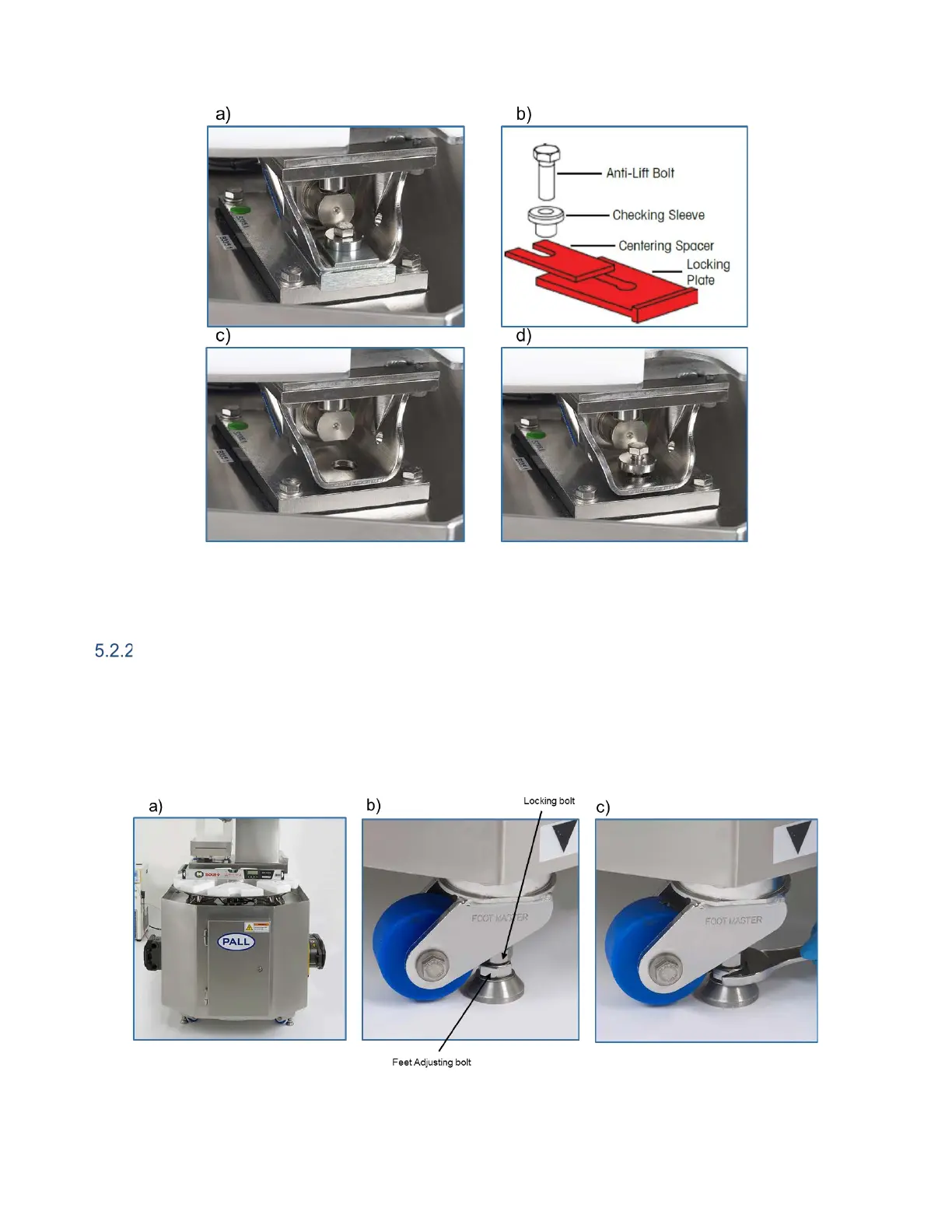
Figure 7: Load cell locking plate removal at system reception: a) Load cell with
locking plate in place, b) Locking plate and fixation elements, c) Locking plate and bolts removed, d) Checking
sleeve and anti-lift bolt in place.
Locking in Position and Levelling the System
Once the iCELLis 500+ control system is in its required position the wheels should be turned and feet
lowered to lock the casters (Figure 8). When performing this step, a spirit level should be used and
placed on the bioreactor docking station to ensure the hardware is leveled before use. When the
iCELLis 500+ control system is leveled, lock the feet by turning the locking bolt on the caster. The feet
should always be raised prior to moving the iCELLis 500+ control system.
Figure 8: Positioning the iCELLis 500+ control system: a) level placed on docking station,
b) and c) Wheel turned and feet lowered to lock casters.


 To Next Page