12
System Connections
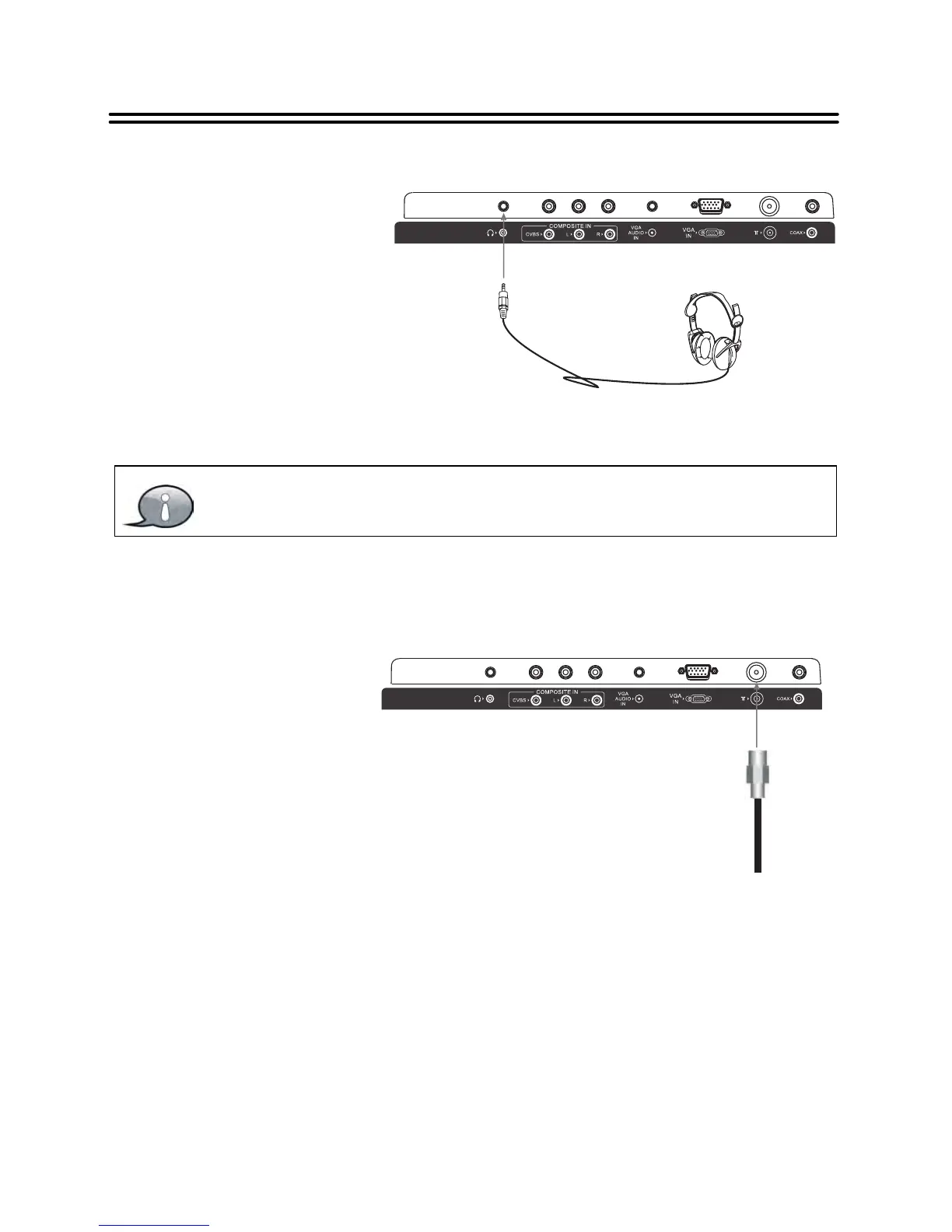
Connecting to Earphones
Excessively loud volume could damage your hearing. Turn down the volume
before you connect the earphones and then raise the volume to a comfortable
level.
Connecting to TV-Signal Input
1. Connect TV signal input source from the aerial to the RF jack on the rear pane l of the unit.
2. After connection, turn on the power of the unit.
3. Then press the INPUT button and the direction buttons to select DTV or ATV mode, press
the OK button to confirm and conduct program selection.
Connect earphones (headphones)
to the earphone jack on the rear
panel of the unit for listening to the
audio output in seclusion. The
internal speakers output will turn
off automatically after the
earphones have been connected.
Connect the TV signal cable
(th e an tenna c able , for
example) to the RF Jack on
the back of the unit so that
you can receive television
programs.


 To Next Page