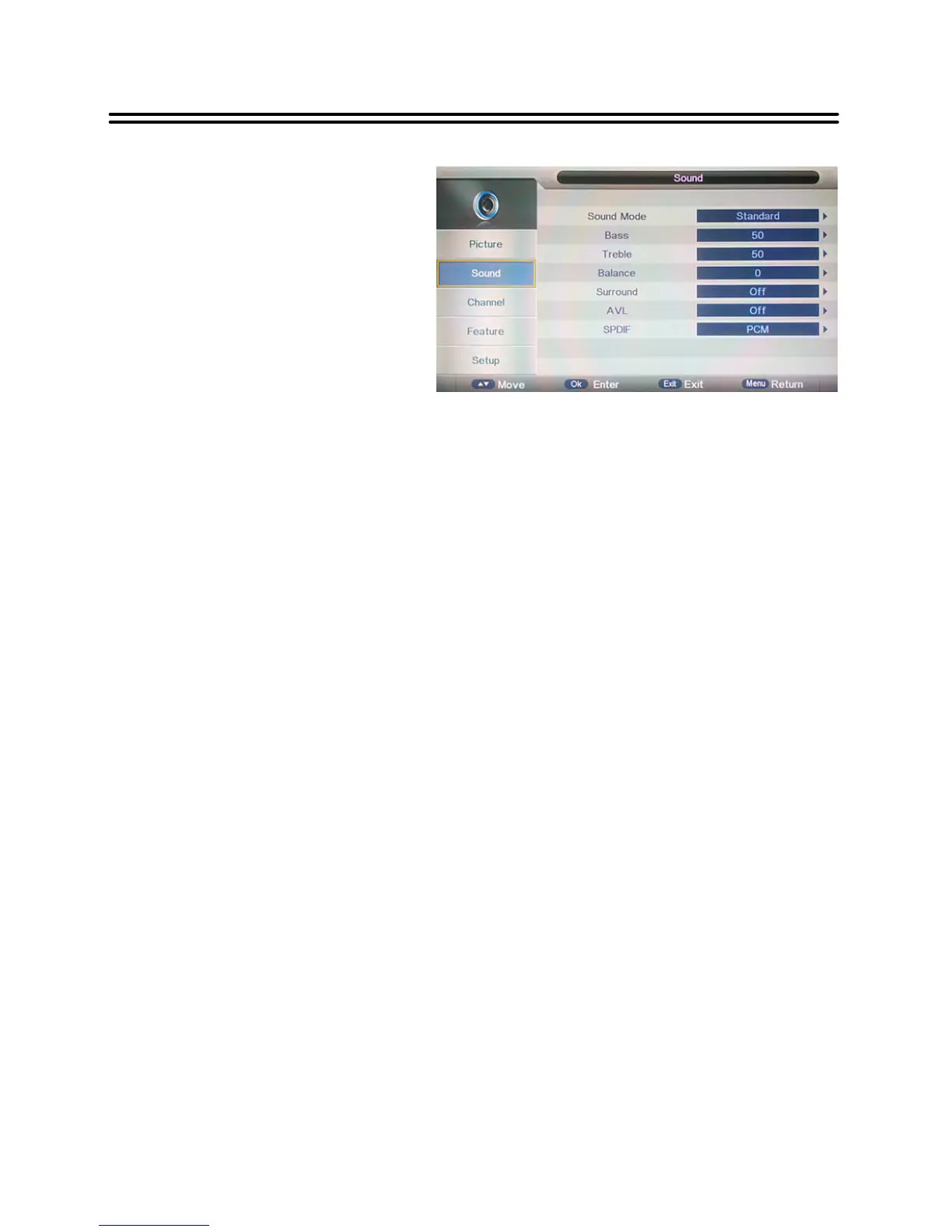
The sound settings include the options
for Sound Mode, Bass, Treble, Balance,
Surround, AVL and SPDIF.
Sound Mode
Press the ▲▼ buttons to select Sound Mode and then press OK or ►, the available Sound
Modes will be listed on the screen. With the ▲▼ buttons you can select Standard, Movie,
Music, Speech or User.
If you select User, you can set the levels of the Bass and Treble as you desired.
Bass & Treble
Press the ▲▼ buttons to select Bas s/Treble and then press OK or ► to enter the adjusting
bar.
With the ◄► buttons you can adjust the level of it.
Balance
Press the ▲▼ buttons to select Balance and then press OK or ► to enter the adjusting bar.
With the ◄► buttons you can adjust the level of balance.
Surround
Press the ▲▼ buttons to select Surround and then press OK or ►to list the available settings.
With the ▲▼ buttons you can select Off or On.
AVL
Some times different TV stations volume level may be different from each other; this f unction
will normalize audio level from all channels.
Press the ▲▼ buttons to select AVL and then press OK or ►.Usethe▲▼ buttons to select
On to activate this function or Off to deactivate this function.
SPDIF
Press the ▲▼ buttons to select SPDIF and press the OK or ►to list the available settings.
With the ▲▼ buttons you can select Off, PCM or Auto.



 To Next Page