27
NICAM Function
The unit supports NICAM function.
Under NICAM TV broadcast:
1.
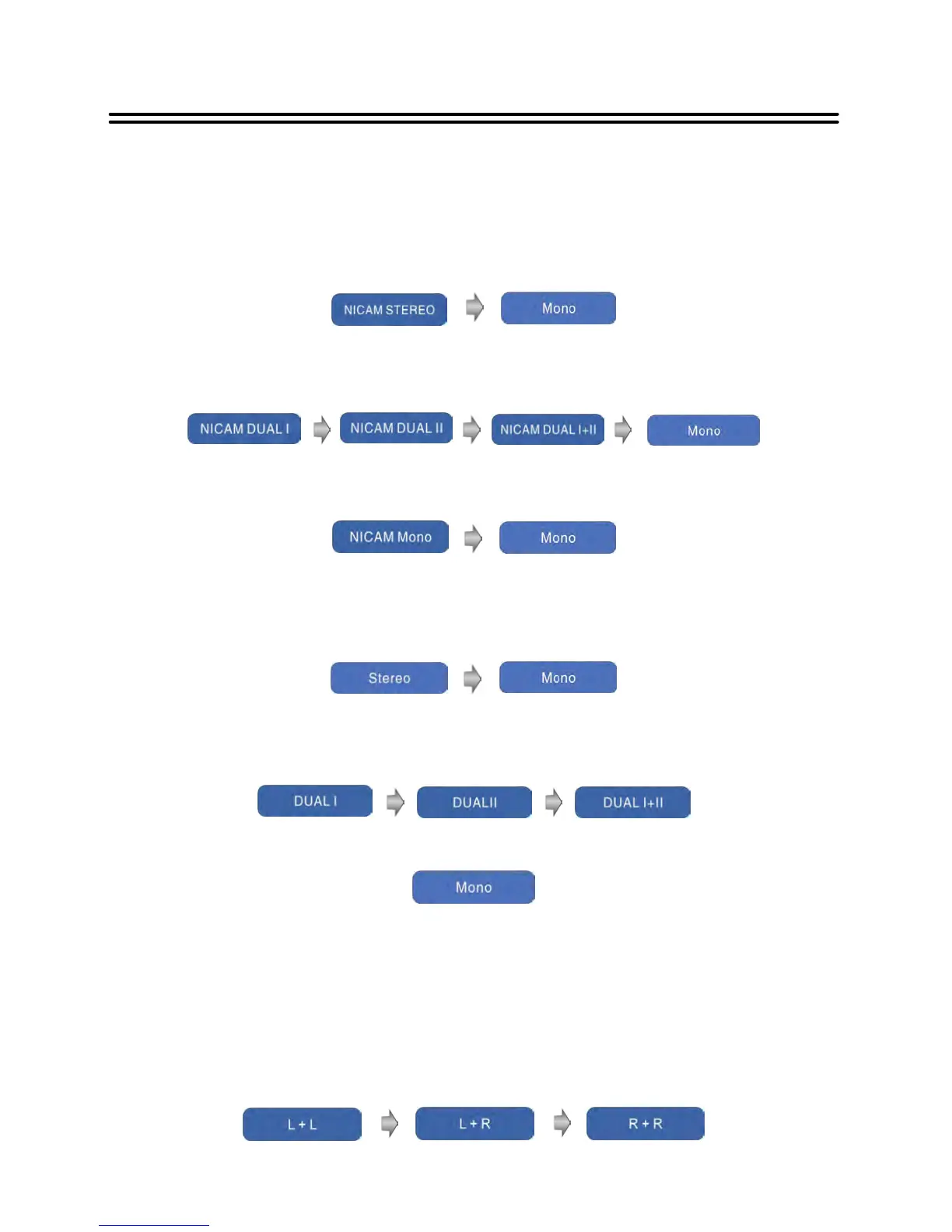
When receiving stereo audio signals, press the NICAM/A2 button on the remote control
repeatedly to select the sound tracks between NICAM STEREO and Mono, the screen will
show the corresponding display as shown below:
2.
When receiving bilingual audio signals, press the NICAM/A2 button on the remote control
repeatedly to shift the sound tracks between NICAM DUAL I, NICAM DUAL II, NICAM
DUAL I+II and Mono and the screen will show the corresponding display as shown below:
3. When receiving mono audio signals, press the NICAM/A2 button on the remote control
repeatedly to shift the sound tracks between NICAM Mono and Mono and the screen will
show the corresponding display as shown below:
Under A2 TV broadcast:
1.
When receiving stereo audio signals, press the NICAM/A2 button on the remote control
repeatedly to shift the sound tracks between Stereo and Mono and the screen will show
the corresponding display as shown below:
2.
When receiving bilingual audio signals, press the NICAM/A2 button on the remote control
repeatedly to shift the sound tracks between DUAL I, DUAL II and DUAL I+II and the
screen will show the corresponding display as shown below:
3. When receiving mono audio signals, press the NICAM/A2 button on the remote control to
display sound track Mono on the screen.
Under DTV mode:
When receiving DTV signal, press the NICAM/A2 button on the remote control to enter the
audio language selecting menu. Press the ▲▼button to select desired language and press
the OK button to confirm.
Under PC, HDMI, AV, YPBPR mode:
When receiving PC, HDMI, YPBPR, AV signal, press the NICAM/A2 button on the remote
control repea tedly to shift the sound tracks among L+L, L+R and R+R.


 To Next Page