48
VQT3Q78
Advanced
Recording
(Advanced)
3
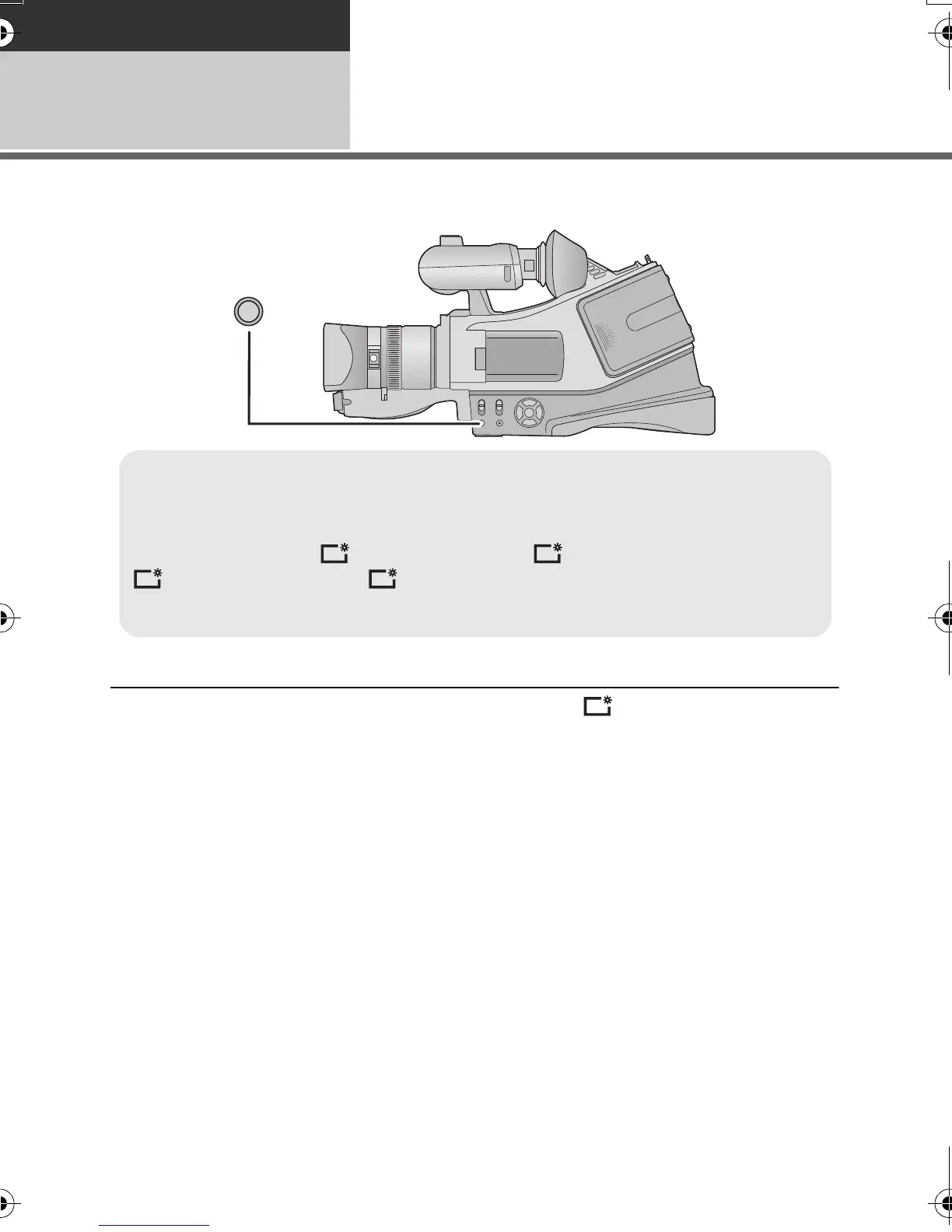
Power LCD
This makes it easier to view the LCD monitor in bright places including outdoors.
≥ These settings will not affect the images actually recorded.
≥ When the AC adaptor is in use, the LCD monitor is set to automatically.
≥ The recordable time will become shorter when you use this unit with the LCD monitor lit up.
Power LCD button
Each time the POWER LCD button is pressed, the indication changes by one setting in
the following order.
No display (Normal) # (Makes less bright) # *(Automatic adjustment) #
(Makes even brighter) # (Makes brighter)
* It is not displayed in the manual mode or in the playback mode.
AG-AC7P-VQT3Q78_mst.book 48 ページ 2011年5月18日 水曜日 午後1時40分





 To Next Page