24
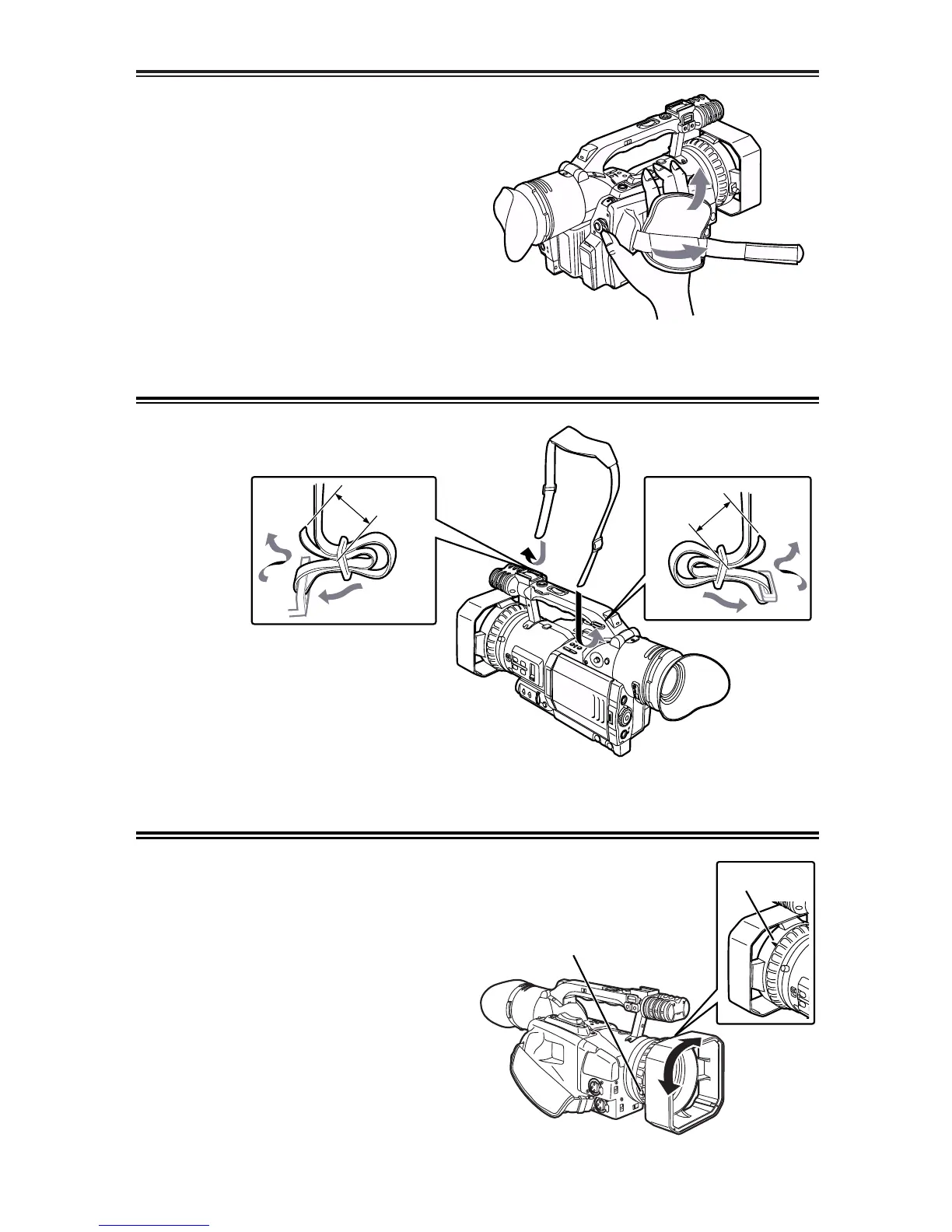
Adjusting the hand strap
1
Open the cover, and adjust the strap length.
Adjust the hand strap to match the size of your
hand.
2
Return the cover to its original position.
OEnsure that the cover is closed securely
and tightly.
Attaching the shoulder strap
20 mm or
more
Fixing screw
Mark
20 mm or
more
Mounting the lens hood
Removing the lens hood
OLoosen the fixing screw, and turn the lens
hood counterclockwise to remove.
Mounting the lens hood
OPosition the lens hood so that its mark is
facing upward, and fit the hood onto the lens.
OTurn the lens hood clockwise, and secure it
using the fixing screw.
It is recommended that the shoulder strap be
attached to ensure that you do not drop the
camera recorder.













 To Next Page