29
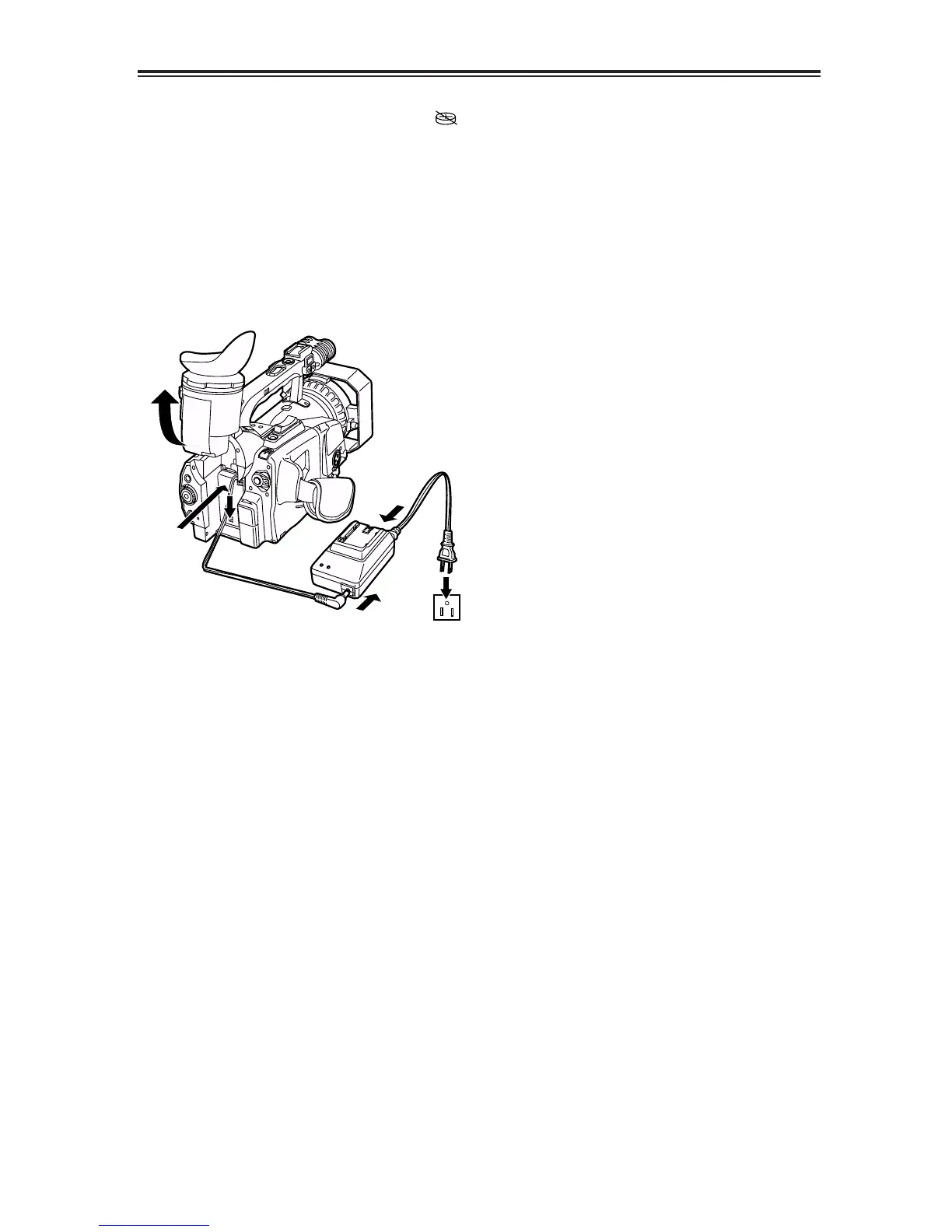
Charging the internal battery
The date and time are stored in the memory
using the internal battery. When the “”
display appears in the viewfinder and on the
LCD monitor screens, it means that the internal
battery has run down.
Recharge it by following the steps below.
Upon completion of charging, reset the date and
time.
1
Connect the AC adapter to the camera
recorder.
3
Leave the camera recorder’s POWER switch
at the OFF position.
4
Keep the camera recorder like this for about
4 hours.
OThe internal battery is charged during this
time.













 To Next Page