Audio V Fade Function (AJ-D650 only)
When editing tapes, the edit point splicing selection (setting menu No. 309 and 310)
information is recorded on the tape. This information is then sensed during playback, and V
fade or cut processing is automatically performed for these sections. [However, only when
the playback fade selection (No. 719) is AUTO.]
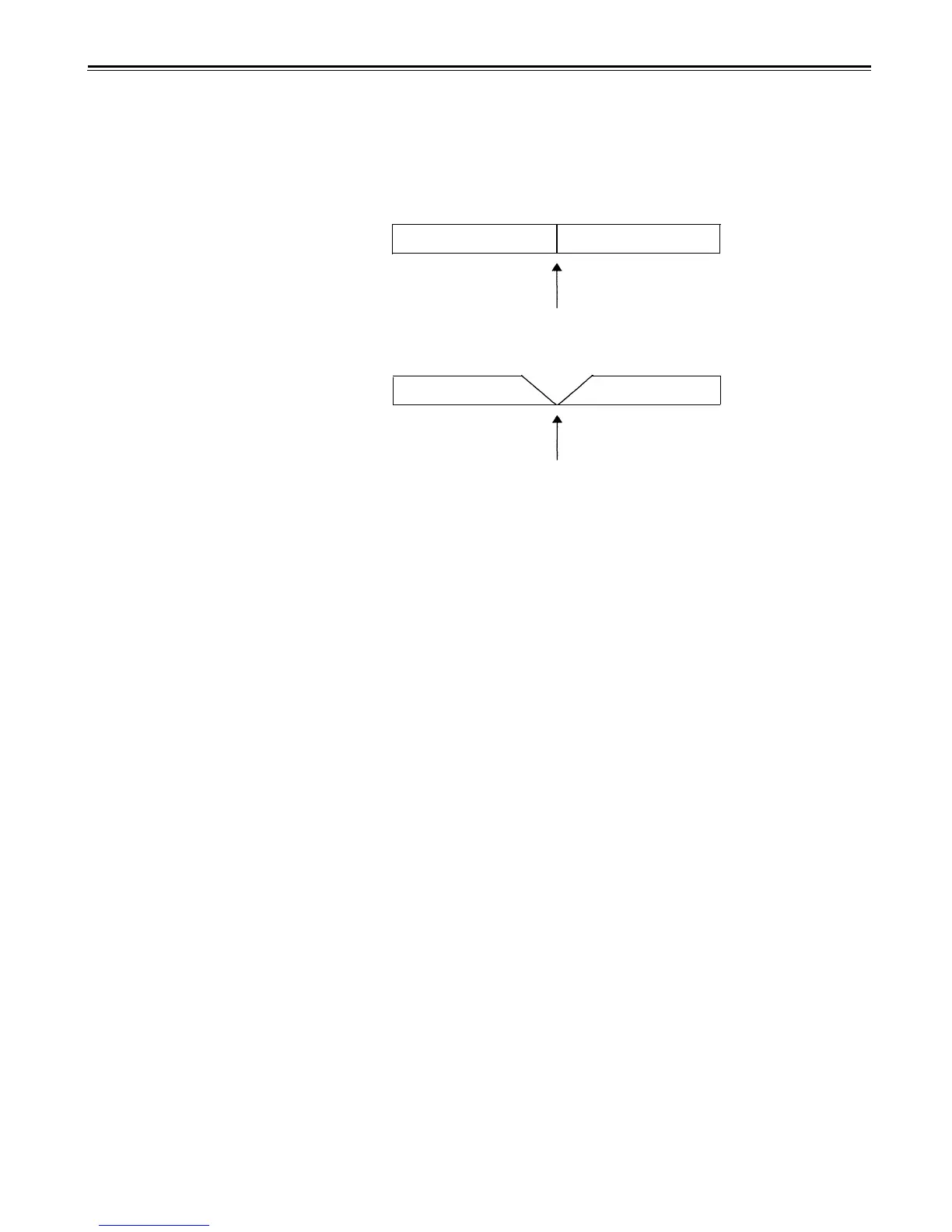
When the edit point splicing selection (setting menu No. 309 and 310) is CUT
Audio signal A
Audio signal B
Noise may appear at the edit splice.
When the edit point splicing selection (setting menu No. 309 and 310) is FADE
Audio signal A
Audio signal B
V fade is performed instantaneously to eliminate the noise.
<Notes>
• When the playback fade selection (No. 719) is CUT, cut processing is performed for all
splices.
• When the playback fade selection (No. 719) is FADE, V fade processing is performed for
all splices.
–44–





 To Next Page