This document provides operating instructions for the Panasonic AK-UC4000G and AK-UC4000GS 4K Studio Cameras.
Device Description
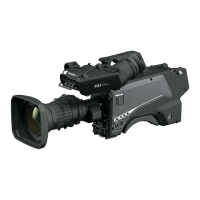
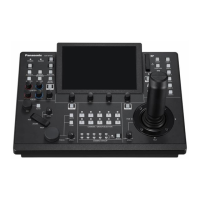
The Panasonic AK-UC4000G and AK-UC4000GS are 4K Studio Cameras designed for professional video production. They are part of a system that includes a lens, viewfinder, Camera Control Unit (CCU), and Remote Operation Panel (ROP). The cameras are built to capture high-quality 4K images and offer extensive customization and control options.
Function Description
The camera's primary function is to capture video, with capabilities for 4K resolution. It integrates into a studio system, allowing for remote control and signal processing via a CCU and ROP. The camera supports various video output formats and offers advanced image settings.
Important Technical Specifications
General:
Power: DC 12 V (external power supply); AC 240 V, 50 Hz/60 Hz (when connected to AK-UCU600P/PS/E/ES CCU).
Power Consumption: 119 W (max, external 12 V, including supply to external devices); 360 W (max, when connected to AK-UCU600P/PS/E/ES CCU).
Ambient Operating Temperature: -10 °C to 45 °C (14 °F to 113 °F). Preheating is required below 0 °C (32 °F).
Storage Temperature: -20 °C to 60 °C (-4 °F to 140 °F).
Ambient Operating Humidity: 85% or less (relative humidity).
Weight: Approx. 4.5 kg (9.90 lbs.) (body only, excluding accessories).
Dimensions (W×H×D): 151 mm × 267 mm × 371.5 mm (5-31/32 inches × 10-17/32 inches × 14-21/32 inches) (excluding protrusions).
<USB2.0> terminal (host): Type A connector, DC 5 V, 0.5 A.
Build-up terminal: 20-pin × 1.
Usage Features
Viewfinder Attachment: Supports various viewfinders including 1.5-inch HD, 3.45-inch color, and 9-inch LCD viewfinders. Viewfinders can be easily attached and removed.
Microphone Connectivity: Allows mounting microphones on the viewfinder using a microphone holder and connecting them to the <MIC 1> terminal (front). Supports phantom power (48 V) for compatible microphones.
External DC Power Supply: Can be powered by an external DC source (10.8 V to 17 V), ensuring flexibility in various shooting environments. Users must verify voltage and amperage compatibility.
Data Management: Supports SD memory cards for saving/loading camera settings (User files, Scene files, Operation files, Reference files) and loading CAC (Chromatic Aberration Compensation) files.
Menu Operations: Comprehensive menu system accessible via the
Web Screen Control: Allows remote configuration and monitoring via a web browser on a computer. Users can adjust network settings, view live IP images (H.264 or JPEG), and manage camera settings from a web interface.
Image Quality and Format Control: Extensive options for setting frame frequency, shutter speed, gain, iris, white balance, black balance, detail, dynamic range stretcher (DRS), and color correction. Supports HDR mode and various system formats (e.g., 2160/59.94p, 1080/50p).
Intercom System: Features two intercom channels with adjustable volume levels, PGM mixing, and call functions.
User-Assignable Buttons: Multiple buttons (1-4) on the camera body and additional user switches on the Build-up Unit can be assigned custom functions for quick access to frequently used settings.
Tally Lamps: Front and rear tally lamps indicate camera status (red for recording, green for on-air).
Shoulder Pad: Ergonomically designed shoulder pad for comfortable carrying.
Maintenance Features
Cooling Fan: Equipped with an internal cooling fan. The fan is a consumable part and should be replaced after approximately 50,000 hours of use by a dealer.
Optical Fiber Connector Cleaning: Regular cleaning of the optical fiber connector is crucial to prevent deterioration of optical signal transmission.
Internal Cleaning: Panasonic recommends internal cleaning of the camera approximately once a year to prevent dust build-up, which can lead to fire or failure.
Firmware Updates: Firmware can be updated using an SD memory card. Instructions and update files are available on the Panasonic Pro-AV website.
Troubleshooting: The manual provides extensive troubleshooting guides for common operational issues, IP image display problems, and web screen access issues.
Warning Displays: The camera displays various warning messages on the viewfinder screen for issues such as preheating, fan stops, high internal temperature, DC output overcurrent, and errors in auto functions (AWB, ABB, ASU).
Operating Time Check: The operating time of the camera head can be checked through the [DIAGNOSTIC] menu under [HOUR METER].
Default Reset: Allows resetting camera configurations to default settings, excluding network settings.
Network Settings Backup/Restore: Network-related settings can be saved to a computer and uploaded back to the camera, facilitating easy configuration management.
Software Version Display: The [DIAGNOSTIC] menu provides information on the software versions of various camera components (CPU, Network, FPGA, etc.).

 Need help?
 General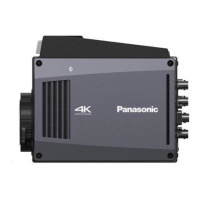


 To Next Page