EasyManua.ls Logo

Panasonic AK-HC3900G - User Manual

Panasonic AK-HC3900G
82 pages
Print Icon
To Next Page IconTo Next Page
Loading...
Operating Instructions
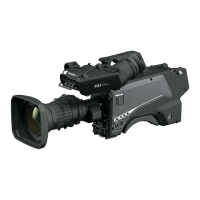
HD Studio Camera
ENGLISH
DVQP2413ZA
W1020MZ0 -FJ
Model No. AK-HC3900G
Model No. AK-HC3900GS
Before operating this product, please read the instructions carefully and save this manual for future use.
Before using this product, be sure to read “Read this first!” (pages 2 to 5).
GJ
GSJ

Questions and Answers

  • D
    Douglas SullivanAug 7, 2025
    What to do if Panasonic Digital Camera cannot be operated from the ROP (AK?HRP1000G) that is connected via IP?
    • P
      Patricia McdowellAug 8, 2025
      If your Panasonic Digital Camera isn't responding to the ROP (AK?HRP1000G) via IP, ensure the camera is powered on. Check if a valid IP address is configured for the camera and that you've selected the correct camera for operation. Verify the connection between the camera and the ROP (AK?HRP1000G), referring to the AK?HRP1000G Operating Instructions for guidance. If issues persist, the ROP (AK?HRP1000G) might need an upgrade to support the camera.

Panasonic AK-HC3900G Specifications

General IconGeneral
Sensor Type3MOS
Resolution1920 x 1080
Horizontal Resolution1000 TV Lines
Frame Rate25p
OutputHD-SDI
Optical FilterClear, 1/4ND, 1/16ND, 1/64ND
Video Formats1080i
ConnectorsHDMI

Related product manuals