EasyManua.ls Logo

Panasonic AK-UB300G - User Manual

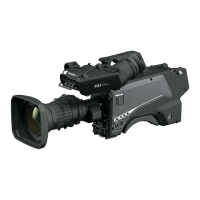
Panasonic AK-UB300G
110 pages
Print Icon
To Next Page IconTo Next Page
Loading...
Operating Instructions
Multi-Purpose Camera
ENGLISH
DVQP1279ZA
W1116HM0 -YI
Model No. AK-UB300G
Before operating this product, please read the instructions carefully and save this manual for future use.
Before using this product, be sure to read “Read this first!” (pages 3 to 6).

Table of Contents

Questions and Answers

  • S
    Steven GreenJul 31, 2025
    What to do if the message about ActiveX control appears on Panasonic AK-UB300G Digital Camera in Internet Explorer 8.0?
    • C
      Chase OlsenJul 31, 2025
      If the information bar indicating the message 'This site might require the following ActiveX control:'nwcv4SSetup.exe' from 'Panasonic System Networks Co.,Ltd.' appears on Internet Explorer 8.0, click the information bar and select [Install ActiveX Control…]. Then, a security warning screen will appear. Click the [install(I)] button.
  • S
    Susan HughesAug 4, 2025
    What to do if 'WebVideo Module' add-on message appears on Panasonic AK-UB300G Digital Camera in Internet Explorer?
    • S
      simpsonkimberlyAug 4, 2025
      If the information bar indicating the message 'This webpage wants to run the following add-on: 'WebVideo Module' from 'Panasonic System Networks Co.,Ltd.' appears on Internet Explorer 9.0/10.0/11.0, select [Grant(A)].
  • T
    Tracey WaltonAug 8, 2025
    What to do if 'nwcv4SSetup.exe' add-on message appears on Panasonic AK-UB300G Digital Camera in Internet Explorer?
    • J
      jwallaceAug 9, 2025
      If the information bar indicating the message 'This website wants to install the following add-on: 'nwcv4SSetup.exe' from 'Panasonic System Networks Co.,Ltd.' appears on Internet Explorer 9.0/10.0/11.0, select [install(I)]. A security warning screen will appear, then click the [install(I)] button.
  • S
    Shannon WrightAug 12, 2025
    How to allow pop-ups for Panasonic Digital Camera on Internet Explorer 8.0?
    • T
      Tracy MullenAug 13, 2025
      If the information bar indicates '[Pop-up blocked. To see this pop-up or additional options click here…].' on Internet Explorer 8.0 with your Panasonic Digital Camera, click the information bar and select [Always Allow Pop-ups from This Site(A)…]. When the [Allow pop-ups from this site?] screen appears, click the [Yes(Y)] button.
  • J
    Jason VillanuevaAug 17, 2025
    What to do if the display layout is corrupted on Panasonic AK-UB300G Digital Camera?
    • W
      William ColemanAug 17, 2025
      If the display layout is corrupted, or some buttons on the screen cannot be operated when using your Panasonic Digital Camera, configure the settings so that the camera is not displayed in compatibility view. To do this, select [Tools(T)] - [Compatibility View Settings(B)] on the menu bar of Internet Explorer.
  • J
    John KingAug 21, 2025
    How to remove unnecessary scroll bar on Panasonic AK-UB300G Digital Camera?
    • A
      April FreyAug 21, 2025
      To fix the issue of unnecessary status or scroll bars appearing on a pop-up window with your Panasonic Digital Camera, open the security setting screen on Internet Explorer and select [internet]. Then, click the [Custom Level…] button. Next, select [Enable] in [Allow script-initiated windows without size or position constraints] of [More], and click the [OK] button. Finally, click the [Yes(Y)] button on the warning screen that appears.
  • J
    james73Aug 26, 2025
    How to fix shifted camera images on Panasonic Digital Camera?
    • J
      Jennifer ThompsonAug 26, 2025
      When multiple web browsers are running and displaying H.264 images, if one of the web browsers shows shifted multiple camera images with your Panasonic Digital Camera, it may be due to certain combinations of the computer’s display adapter and driver. First, update the display adapter driver to the latest version. If the problem persists, adjust the function of [Hardware Acceleration].

Summary

Panasonic AK-UB300 G Operating Instructions

Essential Safety Precautions

Critical warnings and cautions for safe operation, handling, and environment.

General Safety Guidelines

Numbered safety instructions covering usage, cleaning, electrical safety, and servicing.

Chapter 1: Overview

Before Using the Camera

Essential pre-operation checks and environmental considerations for optimal performance.

Chapter 3: Operation

Shooting Adjustments

Covers essential adjustments like lens flange back, iris gain, white balance, and black balance.

Chapter 5: Connecting to External Devices

Remote Camera Controller Setup

Explains how to connect and control the camera using AW-RP50N/AW-RP50E/AW-RP120G controllers.

IP Connection via LAN Terminal

Details how to establish a network connection using the LAN terminal for remote control.

Chapter 6: Web Screen

Network Configuration using EASY IP Setup

Guides users through setting up the camera's network parameters via the EASY IP Setup software.

Accessing and Displaying the Web Interface

Steps to start a web browser and access the camera's interface, including login procedures.

Setup Screen Access and Configuration

Guides on logging into setup, and configuring basic, image, network, user, and maintenance settings.

Chapter 7: UB300 Setting Tool

Installation and Uninstallation Procedures

Provides step-by-step instructions for installing and removing the UB300 Setting Tool on Windows and Macintosh.

Tool Operation and Interface Overview

Explains how to start the tool, navigate its top screen, and access different function menus.

Connection and Firmware Update Screens

Details the connection setting screen and the firmware update interface for managing camera software.

Chapter 8: Maintenance

Troubleshooting Operations

Provides solutions for common operational problems, including power, connectivity, and IP access issues.

Warning Displays and Indicators

Lists and explains camera warning messages for AWB, ABB, black shading, fan, temperature, and voltage.

Updating Camera Firmware

Directs users to a website for the latest firmware updates and operating instructions.

Panasonic AK-UB300G Specifications

General IconGeneral
Product TypeDigital Camera
ModelAK-UB300G
ManufacturerPanasonic
Sensor TypeMOS
Lens MountB4
Remote ControlYes
Optical ZoomDependent on lens
Focus RangeDependent on lens
Video Output3G-SDI
Image SensorMOS
Resolution3840 x 2160
OutputHD/SD SDI
LensInterchangeable
Image StabilizationYes
ISO Sensitivity200 - 2000
Video Recording4K/HD
FocusAuto/Manual
Storage MediaSD/SDHC/SDXC
BatteryLithium-ion
Dimensions (W x H x D)134 mm (W) x 145 mm (H) x 263 mm (D)

Related product manuals