EasyManua.ls Logo

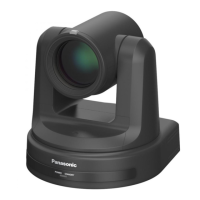
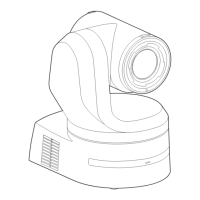
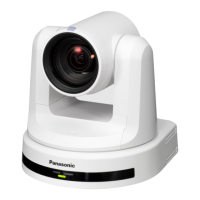
Panasonic AW-HE130W - User Manual

Panasonic AW-HE130W
126 pages
Print Icon
To Next Page IconTo Next Page
Loading...
VQT5L27
XX1014KT0 -PS
ENGLISH
Model No.
AW-HE130W
Model No.
AW-HE130K
Operating Instruction
HD Integrated Camera
Before operating this product, please read the instructions carefully and save this manual for future use.
zAbout the instruction manuals
•Operating Instructions (this document):
This manual describes how to operate and configure settings for the unit.
•Installation Instructions:
This manual includes information on installation and system configurations for the unit.
Be sure to read this before installing the unit to ensure proper installation.

Table of Contents

Other manuals for Panasonic AW-HE130W

Questions and Answers

  • T
    Todd TuckerAug 1, 2025
    How to troubleshoot Panasonic Digital Camera when there is no power?
    • L
      Lorraine SullivanAug 1, 2025
      To resolve the 'no power' issue with your Panasonic Digital Camera, ensure the AC adapter is securely connected to both the camera and the AC outlet. Also, verify that the LAN cable is properly connected to the IP control LAN connector. If using a PoE+ device, confirm its network cable is correctly connected. Power might be limited if the total power limit is exceeded on power supply devices with multiple PoE+ terminals, so check the PoE+ power supply device's operating instructions. If connected to a controller, ensure it's properly connected according to its operating instructions. If you're using a wireless remote, also check the troubleshooting steps for remote control issues.
  • M
    Melissa SheltonAug 5, 2025
    What to do if Panasonic AW-HE130W cannot be operated by remote control or controller?
    • B
      brookeroyAug 5, 2025
      If your Panasonic Digital Camera isn't responding to either the wireless remote control or the controller, check if the power is on. If the unit’s status display lamp is off or lights up orange, the unit’s power is not on. Also, the safe mode function or limiter functions may have been activated. Ensure that the unit you want to operate has been selected properly.
  • C
    Cynthia ShahAug 10, 2025
    Why is my Panasonic Digital Camera wireless remote control not working?
    • S
      Sarah AlexanderAug 10, 2025
      If the wireless remote control isn't working with your Panasonic Digital Camera, check if the batteries have run down or are installed with reversed polarities. Replace the batteries if needed. Also, ensure the IR ID switches are set correctly. If there's a fluorescent light or plasma monitor nearby, make sure it's not interfering with the wireless remote control signal light-sensing area.
  • S
    Stephanie GoodmanAug 15, 2025
    Why are the pictures from my Panasonic Digital Camera too light or too dark?
    • K
      Kimberly CraigAug 15, 2025
      If the pictures from your Panasonic Digital Camera are too light or too dark, select the auto setting for the iris. Alternatively, select the manual setting and adjust the iris manually. Also, if the analog video signal cables are too long, this can cause signal attenuation, resulting in dark pictures.
  • T
    Todd KirkAug 20, 2025
    Why can't I access the web setting screen on my Panasonic AW-HE130W?
    • L
      Lori ChambersAug 20, 2025
      If you can't access the web setting screen on your Panasonic Digital Camera, first check that a category 5 or above LAN cable is connected to the LAN connector for IP control. Ensure the LED of the LAN connector is lit, indicating a proper connection. Verify that the camera's power is on and a valid IP address has been set. Also, confirm you're accessing the correct IP address by using the Windows command prompt to ping the camera's IP address. Finally, ensure that 554 has not been set as the HTTP port number, as this port is reserved. Use any other port number except for the reserved ones: 20, 21, 23, 25, 42, 53, 67, 68, 69, 110, 123, 161, 162, 554, 995, 10669, 10670, 59000 to 59999, 60000 to 61000.
  • S
    shannon21Aug 26, 2025
    Why do the images darken on my Panasonic AW-HE130W Digital Camera when the mobile terminal is idle?
    • J
      james68Aug 26, 2025
      If the images from your Panasonic Digital Camera darken when the mobile terminal is not operated for a certain period, disable the power-saving mode of the mobile terminal. This will allow the images to be displayed indefinitely.

Panasonic AW-HE130W Specifications

General IconGeneral
Camera TypePTZ Camera
Image Sensor1/3-type MOS
Sensor TypeMOS
Digital Zoom10x
Video Resolution1920 x 1080
Operating Temperature0 °C to 40 °C (32 °F to 104 °F)
Horizontal Resolution1000 TV lines
Effective Pixels2.1 Megapixels
Lens20x optical zoom
ApertureF1.6
Minimum Illumination0.5 lx (F1.6, 50 IRE)
Pan/Tilt RangePan: ±170°, Tilt: +90°/-30°
Video OutputHDMI, SDI, IP
Video Format1080/59.94i, 1080/50i, 1080/29.97p, 1080/25p, 720/59.94p, 720/50p
Network ProtocolsHTTP
Power SupplyAC 100 V - 240 V

Related product manuals