EasyManua.ls Logo

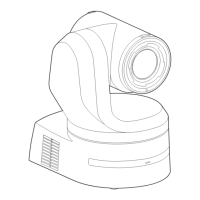
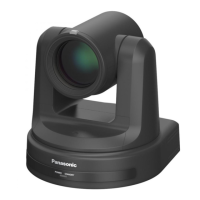
Panasonic AW-HE20KP - User Manual

Panasonic AW-HE20KP
126 pages
Print Icon
To Next Page IconTo Next Page
Loading...
DVQP2730XA
W0222AM2082 -AV-PS
ENGLISH
Model No.
AW-HE20KP
Model No.
AW-HE20WP
Model No.
AW-HE20KE
Model No.
AW-HE20WE
Model No.
AW-HE20KED
Model No.
AW-HE20WED
Operating Instruction
Operations and Settings
HD Integrated Camera
Operations and Settings
Operating Instructions
This "Operations and Settings" describes how to operate the unit and how to
establish its settings.
For more information on how to perform basic operation and installation, refer to
the Operating Instructions "Basics".

Table of Contents

Other manuals for Panasonic AW-HE20KP

Questions and Answers

  • P
    Patricia CainAug 11, 2025
    How to troubleshoot no power on my Panasonic Camcorder?
    • T
      Tracy MooreAug 11, 2025
      First, ensure the AC adapter is securely connected to the AC outlet and that the power plug of the AC adapter is properly connected. Also, verify that the network cable for the PoE+ (IEEE802.3at) compatible power supply device and the unit are correctly connected. Power may not be supplied if the total power limit is exceeded on power supply devices that allow connections to multiple PoE+ terminals. Finally, check if the unit is properly connected to the controller.
  • K
    Kevin FosterAug 16, 2025
    What to do if I cannot access my Panasonic Camcorder from a web browser?
    • R
      Rhonda ThompsonAug 17, 2025
      Check that a LAN cable of category 5e or above is connected to the LAN connector for IP control and that the [LINK] LED of the LAN connector for IP control is lit. Ensure the power is on and a valid IP address has been set in the unit. Verify that the same IP address setting is not being used by another unit and that the subnet mask setting matches the network subnet of the connection destination. Also, check if the 'Use a proxy server' setting has been selected by the web browser.
  • C
    Christopher SmithAug 23, 2025
    What to do if my Panasonic Camcorder cannot access from a web browser because of IP address?
    • A
      Amy SmithAug 23, 2025
      Ensure that you have accessed the correct IP address. Also, verify that the correct default gateway has been set for the unit.
  • P
    paularussellAug 29, 2025
    How to fix Panasonic Camcorder when it cannot be operated using the wireless remote control?
    • J
      jhurleyAug 29, 2025
      Check if the remote control batteries are depleted or installed with reversed polarities. Verify that the correct Remote Control ID is selected in the menu settings. If there's a fluorescent light or plasma monitor nearby, ensure the wireless remote control signal light-sensing area isn't exposed to its light. Also, confirm that wireless control on the web screen menu is not set to 'Off'.
  • R
    Rebecca GlennSep 3, 2025
    What to do if Panasonic Camcorder cannot be operated using the controller?
    • R
      Robin KingSep 3, 2025
      Ensure the unit is properly connected to the controller. It might also be necessary to upgrade the controller's version to ensure it supports the unit.

Summary

Read this first!

Caution for AC Mains Lead

Safety guidelines for using the AC power cord and plug.

EMC Notice for the Purchaser;User

Information on Electromagnetic Compatibility (EMC) compliance.

Disposal of Old Equipment

Instructions for the proper disposal of the product.

Disclaimer of Warranty

Legal terms and limitations of the product warranty.

Getting Started

Required Personal Computer Environment

Specifies the necessary PC hardware and software for unit operation.

Network Settings

Use the Easy IP setup Software to Establish the Unit’s Settings

Guides network configuration using the Easy IP setup software.

Basic Shooting Operation

Power on and Power Off the Camera Unit

Details the procedure for powering the camera unit on and off.

Advanced Operations

Preset Memories

Explains how to register and recall camera positions and settings.

Adjust the White Balance

Describes methods for adjusting white balance for accurate color reproduction.

Menu Operation

Operations Table

Quick reference for menu operations using the remote control.

System Menu

Priority Mode

Configures priority for video output types (HDMI/USB, IP, Video Conference).

Maintenance Settings

Language

Allows selection of the system language for the unit's interface.

Troubleshooting

Specification

Panasonic AW-HE20KP Specifications

General IconGeneral
BrandPanasonic
ModelAW-HE20KP
CategoryDigital Camera
LanguageEnglish

Related product manuals