EasyManua.ls Logo

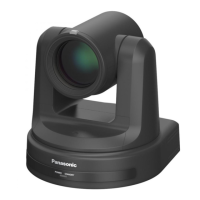
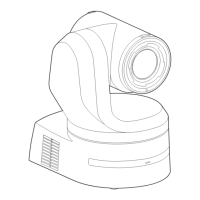
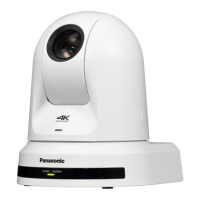
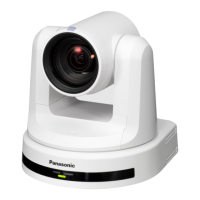
Panasonic AW-HE20WP - User Manual

Panasonic AW-HE20WP
126 pages
Print Icon
To Next Page IconTo Next Page
Loading...
DVQP2730XA
W0222AM2082 -AV-PS
ENGLISH
Model No.
AW-HE20KP
Model No.
AW-HE20WP
Model No.
AW-HE20KE
Model No.
AW-HE20WE
Model No.
AW-HE20KED
Model No.
AW-HE20WED
Operating Instruction
Operations and Settings
HD Integrated Camera
Operations and Settings
Operating Instructions
This "Operations and Settings" describes how to operate the unit and how to
establish its settings.
For more information on how to perform basic operation and installation, refer to
the Operating Instructions "Basics".

Table of Contents

Other manuals for Panasonic AW-HE20WP

Questions and Answers

  • R
    Roberta Hopkins MDAug 10, 2025
    How to troubleshoot no power on my Panasonic Camcorder?
    • J
      Jeffery CookAug 10, 2025
      First, ensure the AC adapter is securely connected to the AC outlet and that the power plug of the AC adapter is properly connected. Also, verify that the network cable for the PoE+ (IEEE802.3at) compatible power supply device and the unit are correctly connected. Power may not be supplied if the total power limit is exceeded on power supply devices that allow connections to multiple PoE+ terminals. Finally, check if the unit is properly connected to the controller.
  • K
    Katherine WoodsAug 15, 2025
    What to do if I cannot access my Panasonic Camcorder from a web browser?
    • M
      Mary MartinezAug 15, 2025
      Check that a LAN cable of category 5e or above is connected to the LAN connector for IP control and that the [LINK] LED of the LAN connector for IP control is lit. Ensure the power is on and a valid IP address has been set in the unit. Verify that the same IP address setting is not being used by another unit and that the subnet mask setting matches the network subnet of the connection destination. Also, check if the 'Use a proxy server' setting has been selected by the web browser.
  • R
    Rachel SmithAug 21, 2025
    What to do if my Panasonic Camcorder cannot access from a web browser because of IP address?
    • D
      davidrichardsonAug 21, 2025
      Ensure that you have accessed the correct IP address. Also, verify that the correct default gateway has been set for the unit.
  • S
    Sara CallahanAug 28, 2025
    How to fix Panasonic Camcorder when it cannot be operated using the wireless remote control?
    • M
      Michael WoodAug 28, 2025
      Check if the remote control batteries are depleted or installed with reversed polarities. Verify that the correct Remote Control ID is selected in the menu settings. If there's a fluorescent light or plasma monitor nearby, ensure the wireless remote control signal light-sensing area isn't exposed to its light. Also, confirm that wireless control on the web screen menu is not set to 'Off'.
  • C
    Cameron ClarkSep 3, 2025
    What to do if Panasonic Camcorder cannot be operated using the controller?
    • E
      ehermanSep 3, 2025
      Ensure the unit is properly connected to the controller. It might also be necessary to upgrade the controller's version to ensure it supports the unit.

Panasonic AW-HE20WP Specifications

General IconGeneral
Camera TypePTZ Camera
Zoom12x optical zoom
Power SupplyDC 12V
Focal Lengthf=3.9 mm to 46.8 mm
Pan/Tilt RangePan: ±170°, Tilt: -30° to +90°
IP ProtocolIPv4, IPv6
Operating Temperature0 °C to 40 °C (32 °F to 104 °F)
Effective PixelsApprox. 2.07 megapixels
Video OutputHDMI
Network ProtocolRTSP
Digital Zoom12x
Horizontal Resolution1000 TVL

Related product manuals