182
Please refer to the following sheet for detailed information.
It is to import the local setup files to the system.
It is to export the corresponding WEB setup to your local PC.
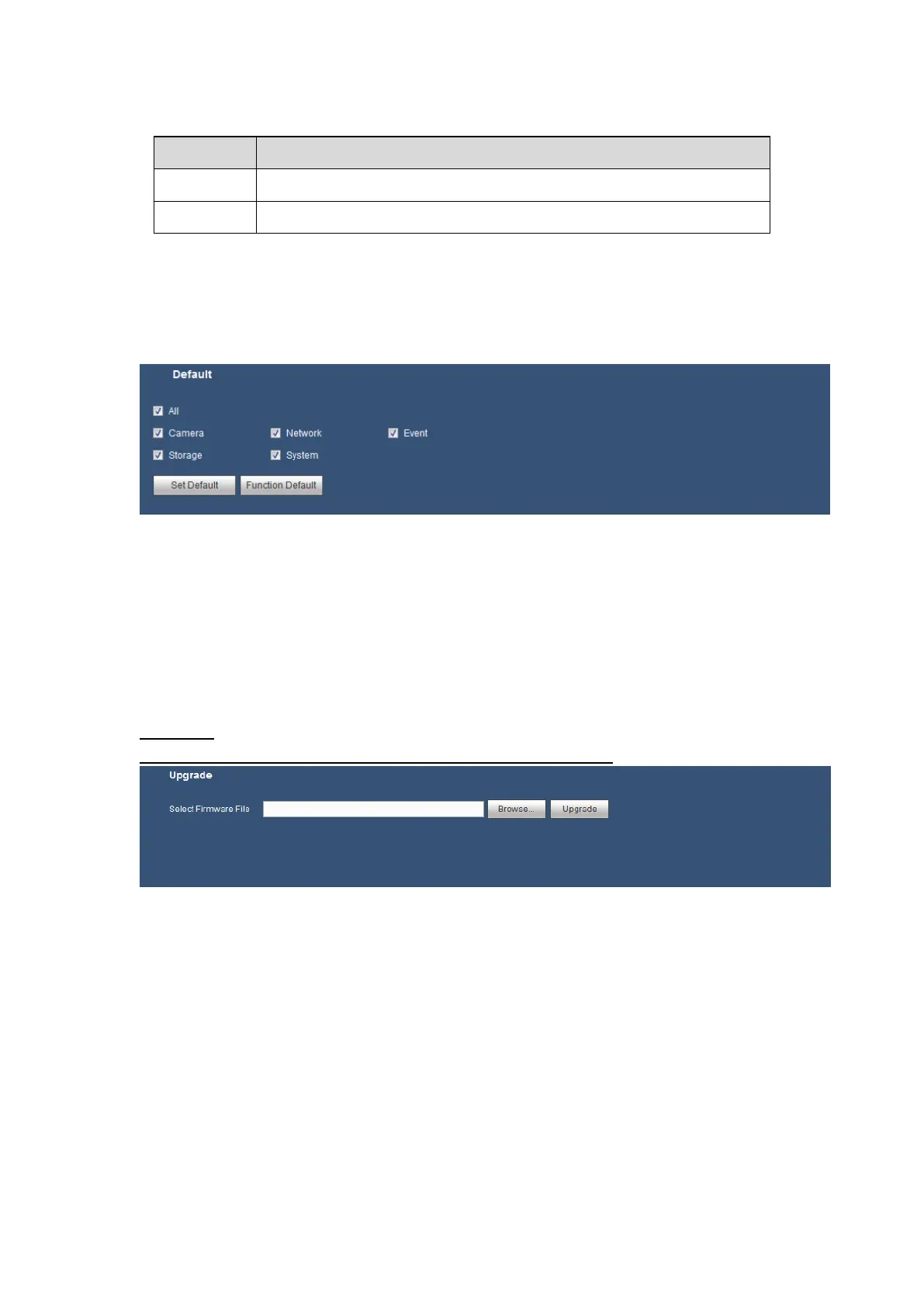
5.8.5.9 Default
The default setup interface is shown as in Figure 5-86.
Here you can select Channel/Network/Event/Storage/System. Or you can select the All
box to select all items.
Figure 5-86
5.8.5.10 Upgrade
The upgrade interface is shown as in Figure 5-87.
Please select the upgrade file and then click the upgrade button to begin upgrade. Please
note the file name shall be as *.bin. During the upgrade process, do not unplug the power
cable, network cable, or shutdown the device.
Important
Improper upgrade program may result in device malfunction!
Figure 5-87
.
5.9 Info
5.9.1 Version
The version interface is shown as in Figure 5-88.
Here you can view record channel, alarm input/output information, serial number, software
version, release date and etc. Please note the following information is for reference only.







 To Next Page