EasyManua.ls Logo

Panasonic AG-CPD15P - User Manual

Panasonic AG-CPD15P
140 pages
Print Icon
To Next Page IconTo Next Page
Loading...
Model No.
AG-CPD15P
Operating Instructions
S0806K8088 -M
Printed in Japan
ENGLISH
VQT1A18-7
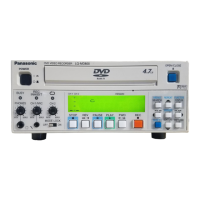
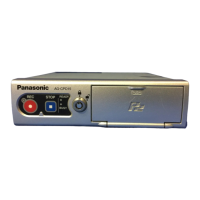
Memory Card Video Recorder
Before operating this product, please read the instructions carefully and save this
manual for future use.
Car Use only
Before use
Operation on the Memory
Card Video Recorder
Additional Information
on Operation
Operation Using the Remote
Control Panel (separately sold)
Administrator Operations on the
Remote Control Panel (separately sold)
Menu Screen of the Remote
Control Panel (separately sold)
Troubleshooting
and Reference
Toughbook Arbitrator

Table of Contents

Questions and Answers

  • E
    Erica BrooksSep 9, 2025
    Why does Panasonic AG-CPD15P power get turned off automatically?
    • G
      Grant GilmoreSep 9, 2025
      Your Panasonic DVR might be turning off automatically because: The operating environment is hotter than the recommended temperature. If so, wait for it to cool down before using the unit. Also, if you have set a PowerOff Time and are running the recorder with the ignition switch at LOCK (OFF), turn the ignition switch on and reboot the recorder.
  • J
    Julia FrancisAug 23, 2025
    What to do if my Panasonic AG-CPD15P power does not come on?
    • A
      aaronjonesAug 23, 2025
      Check that the power cable (included in the separately sold Cable Kit) is correctly connected.
  • T
    taylor50Aug 25, 2025
    Why does my Panasonic AG-CPD15P DVR recorder restart without a reset?
    • A
      Alison OconnorAug 25, 2025
      There are two possible reasons: * If you remove the P2 card during P2 card access (when the [BUSY] lamp is lit), the P2 card slot may become inoperative. In this case, the recorder restarts automatically, and the card slot becomes operative again. * When auto maintenance is set to “ON”, the recorder reboots at the set interval.
  • R
    Ryan HendersonAug 27, 2025
    Why does my Panasonic DVR power get turned off automatically?
    • J
      Jesse KellerAug 27, 2025
      If the operating environment is hotter than the recommended temperature, the unit may turn off for safety reasons. If this happens, wait for the operating environment to cool down before using the unit. Also, if you have set a [PowerOff Time] and are running the recorder with the ignition switch at LOCK (OFF), turn the ignition switch on and reboot the recorder.
  • K
    kennedymatthewAug 27, 2025
    How to fix distorted video on Panasonic AG-CPD15P DVR?
    • M
      Mrs. Stacy WilliamsAug 28, 2025
      Make sure that the Color Camera and video monitoring equipment are connected properly. Also, ensure that both the video input connector selection and the input selection made with the Remote Control Panel are the same. Finally, verify that the video outputs settings are correct for the connected equipment. Connect a monitor to the [VIDEO OUT] connector on the rear panel of the Memory Card Video Recorder and check the picture.
  • J
    Joshua SanchezAug 29, 2025
    How to fix distorted sound on Panasonic AG-CPD15P?
    • H
      hilldonnaAug 29, 2025
      Verify that the cable connection to the audio input is correct. Ensure that both the audio input connector selection and the input selection made with the Remote Control Panel are the same. Also, confirm that the audio outputs settings are correct for the connected equipment. Refer to the Operating Instructions for the connected device.
  • C
    Christopher MccormickSep 18, 2025
    Why information from equipment connected via the [GPIO/ SERIAL] connector is not recorded in the meta data file of Panasonic AG-CPD15P?
    • S
      Shannon BellSep 18, 2025
      If information from equipment connected via the [GPIO/ SERIAL] connector is not being recorded in the meta data file of your Panasonic DVR, the communications settings of the connected device may not match those of the recorder’s [GPIO / SERIAL] connector. Check this.
  • S
    Suzanne ParkerSep 18, 2025
    Why P2 card slot cover cannot be closed on Panasonic AG-CPD15P?
    • J
      James HendersonSep 19, 2025
      If the P2 card slot cover on your Panasonic DVR cannot be closed: Is a P2 card inserted correctly in a P2 card slot? Is the Eject button folded to the right?
  • J
    jessicasmithSep 7, 2025
    What to do if Panasonic DVR power does not come on?
    • G
      Gary BrownSep 8, 2025
      If your Panasonic DVR's power does not come on, check whether the power cable (included in the separately sold Cable Kit) is connected correctly.
  • D
    Danielle NavarroSep 4, 2025
    Why P2 card slot cover cannot be closed on my Panasonic DVR?
    • E
      Edward RasmussenSep 5, 2025
      The P2 card slot cover cannot be closed if the P2 card is not inserted correctly in a P2 card slot, or if the Eject button is not folded to the right. Check if a P2 card is inserted correctly in a P2 card slot and if the Eject button is folded to the right.

Summary

Before Use

Usable Memory Cards

Information on compatible memory cards for the recorder.

Important Operational Notes

Key precautions and advice before operating the unit.

Memory Card Recorder Operation

P2 Card Handling

Procedures for inserting and removing P2 cards from the recorder.

Recorder Power and Recording Management

Turning the unit on/off, basic controls, and recording methods.

Advanced Operation and Configuration

Recording Features and System Setup

Recording modes, video/audio sources, and system configuration options.

Text File Integration and Error Handling

Using text files for settings and managing recording errors.

Remote Control Panel Operation

Remote Control Panel Overview and Menu Navigation

Description of controls and basic menu interaction.

Live Video, Playback, and File Management

Viewing live video, adjusting settings, and managing recorded files.

File Restoration and System Information

Restoring files and displaying product details.

Administrator Setup and Operations

Administrator Login and Setup Procedures

Steps to log in and configure administrator settings.

Recording, Camera, and System Settings

Configuring recording, camera, OSD, and other system parameters.

Radar, GPS, Maintenance, and Service Operations

Configuring external data, system upkeep, and service functions.

Remote Control Panel Menu Navigation

Menu Structure and Access Overview

Overview of the menu system and how to access functions.

Setup;Info and Administrator Menu Navigation

Navigating sections related to setup, info, and admin.

Troubleshooting and Technical Reference

Connector Signals and Indicator Status

Pin assignments and status lamp meanings.

Troubleshooting Common Issues and Error Messages

Solutions for common problems and a list of error codes.

Software Licenses and Product Specifications

Legal terms and technical details of the unit.

Panasonic AG-CPD15P Specifications

General IconGeneral
CategoryDVR
InterfaceUSB 2.0
Video InputsComposite
Audio InputsXLR (2 channels)
LCD Monitor3.5 inch
Power SupplyDC 12V

Related product manuals