EasyManua.ls Logo

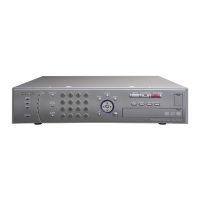
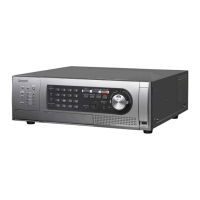
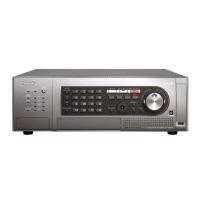
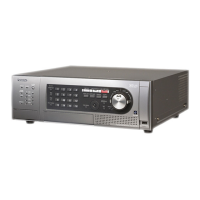
Panasonic WJ-ND400 - User Manual

Panasonic WJ-ND400
233 pages
Print Icon
To Next Page IconTo Next Page
Loading...
Before attempting to connect or operate this product,
please read these instructions carefully and save this manual for future use.
Network Disk Recorder
Operating Instructions
Model No. WJ-ND400
1
2
3
4
5
6
7
8
9
www.voicesonic.com
Phone: 877.289.2829
Panasonic I-Pro Network Cameras

Table of Contents

Other manuals for Panasonic WJ-ND400

Questions and Answers

  • N
    Nicholas RobinsonSep 12, 2025
    Why is the refresh of live images unstable on my Panasonic WJ-ND400 DVR?
    • J
      jonesmatthewSep 12, 2025
      If the refresh of live images is unstable on your Panasonic DVR, lower the value/rate related to network performance, such as the live transmission rate and the recording rate. If the cameras use different compression formats, the performance may be poor (image update is unstable). The settings may exceed the performance limit of network cable or the recorder's network.
  • D
    Debra HarrisonAug 25, 2025
    Why is the live image not displayed on my Panasonic DVR?
    • Z
      zjenningsAug 25, 2025
      If the live image is not displayed on your Panasonic DVR, check the settings for [NW camera] and live video on the setup menu. Verify the IP address, subnet mask, and default gateway settings for both the recorder and the network camera. If the camera's compression format is set to M-JPEG and when saving from the recorder's setup menu or measuring from the program settings repeatedly, a few minutes of live image are not recorded and instead a black screen appears, wait about 10 minutes. If the camera image may not be displayed in MPEG-4 format images via the Internet, refer to your network administrator because it affects the router settings and other network devices.
  • T
    Taylor SmithAug 27, 2025
    Why is audio not recorded or played correctly on my Panasonic WJ-ND400?
    • G
      gutierrezmarcusAug 27, 2025
      If audio is not being recorded or played correctly on your Panasonic DVR, check if "Mic input" is selected for "Audio mode" and if "32 kbps" is selected for "Audio bit rate" on the setup menu of the network camera. If audio may not play when playing the most recent images while recording images or audio, stop and then start playing the images again.
  • C
    Carlos HendersonAug 27, 2025
    How to fix buttons on browser window not displayed correctly Panasonic WJ-ND400?
    • A
      Alexandria McgeeAug 28, 2025
      If the buttons on the browser window of your Panasonic DVR are not displayed correctly, use the initial font settings. The browser's display may have troubles if you change the font settings from the initial settings.
  • K
    Kimberly WhiteAug 29, 2025
    What to do if SD memory data is not displayed on Panasonic WJ-ND400 DVR rec event list?
    • M
      Matthew ClarkAug 29, 2025
      If the SD memory data is not displayed on the rec event list of your Panasonic DVR, filter the rec event list by using [SD memory] of the rec event search and then select rec event list to play images. Also, check the time set for the camera.
  • R
    richdeborahAug 31, 2025
    What to do if image is not being refreshed on Panasonic DVR?
    • M
      Melissa CarterAug 31, 2025
      If the image is not being refreshed on your Panasonic DVR, press [F5] on the keyboard to acquire the image again. This can happen due to congestion on the network.
  • J
    Joshua BrownNov 20, 2025
    How to fix Panasonic WJ-ND400 if I cannot access it from a browser?
    • J
      Jonathan EdwardsNov 20, 2025
      If you cannot access your Panasonic DVR from a browser, first check that the 10BASE-T, 100BASE-TX, or 1000BASE-TX cable is connected to the network port. If the network port connection indicator doesn't light up, ensure it does. Also, consult your system administrator to verify the IP address is valid and different from other devices. To check if you are accessing a valid IP address, use the procedure: ping "recorder IP address". When reply is returned from the recorder, the connection is normal. Ensure the recorder's IP address matches the network's subnet. When the recorder and the client (PC) are on the same subnet, set the same subnet for the IP address. For accessing the recorder on the same subnet, setting the recorder's address to "Don’t Use Proxy For These Addresses" is recommended...
  • A
    Aaron DennisSep 13, 2025
    Why are live and recorded MPEG-4 images not displayed normally on Panasonic WJ-ND400?
    • M
      mhooverSep 13, 2025
      If live and recorded images in MPEG-4 format are not displayed in a normal manner on your Panasonic DVR, display and recording may be unavailable for up to one minute directly after the recorder is turned on while cameras are active or a LAN cable is connected to the camera port.
  • C
    crosbyaaronSep 10, 2025
    What to do if cannot play SD memory data on Panasonic WJ-ND400?
    • C
      ccurtisSep 10, 2025
      If you cannot play SD memory data on your Panasonic DVR, and the recording consists of only a few frames, they may not be played back normally. When this happens, click "NEXT IMAGE" / "PREV IMAGE" to display the images.
  • N
    Nicole GibsonSep 6, 2025
    Why cannot I close confirmation window on Panasonic WJ-ND400 DVR?
    • K
      Kimberly JohnstonSep 7, 2025
      If you cannot close the confirmation window when the basic operation window opens on your Panasonic DVR, check the user name and password.

Summary

Preface

System Requirements for a PC

Specifies the necessary PC hardware and software for operating the network disk recorder.

Recording and playing images

Recording images and audio

Explains how to manually record images and audio from network cameras.

Playback

Covers methods for playing back recorded images and audio files.

Managing

Checking logs

Error log

Provides instructions for viewing logs of malfunctions and errors on the recorder.

Copying recorded images

Deleting images

Downloading images

Transmitting data

Checking system;disk information

Troubleshooting

Problems

Lists common problems and their remedies for troubleshooting the recorder.

Message display

Explains how to resolve issues related to messages displayed in the browser's information bar.

Panasonic WJ-ND400 Specifications

General IconGeneral
HDD size3.5 \
HDD interfaceSerial ATA
Number of HDDs supported54
Compatible memory cardsSD
Ethernet LAN (RJ-45) ports1
Supported network protocolsTCP/IP, UDP/IP, HTTP, FTP, SMTP, DHCP, DNS, DDNS, NTP, SNMP, RTP
Power consumption (typical)170 W
CertificationUL, FCC, CE, C-UL, GOST, DOC
Operating temperature (T-T)5 - 45 °C
Operating relative humidity (H-H)5 - 90 %
Weight and Dimensions IconWeight and Dimensions
Weight13000 g

Related product manuals