To Next Page
S
seanroseSep 23, 2025
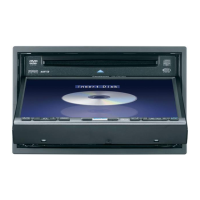
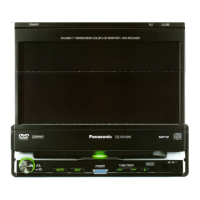
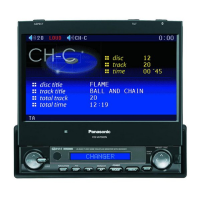
What if no disc is in the player of Panasonic CQ-VD7005N?
- JJames AndersenSep 23, 2025
Insert disc into the disc slot.

What if no disc is in the player of Panasonic CQ-VD7005N?
Insert disc into the disc slot.
Why is there no sound coming from my Panasonic CQ-VD7005N?
If no sound is coming from your Panasonic Car Video System, first check if MUTE is set to ON and set it to OFF. If that's not the issue, the speaker lines might be wired incorrectly, have a break, or have poor contact. Check the wiring according to the wiring diagram.
How to fix poor reception or noise on Panasonic CQ-VD7005N Car Video System?
If you're experiencing poor reception or noise with your Panasonic Car Video System, check the antenna installation and wiring to ensure they are correct. Also, make sure the antenna ground is securely connected to the chassis. If you are using a film antenna, check the wiring of the antenna power lead, as no power may be supplied to the antenna amplifier.
What causes noise in my Panasonic CQ-VD7005N and how to eliminate it?
If you are experiencing noise with your Panasonic Car Video System, it could be due to an electromagnetic-wave generator, such as a cellular phone, being too close to the unit or its electrical lines. Keep such devices away from the unit and its wiring. Also, check the ground lead to ensure it is securely connected to an unpainted part of the chassis.
What to do if there is no sound from speakers in Panasonic Car Video System?
If there is no sound coming from the speakers of your Panasonic Car Video System, check the speaker wiring for breaks, short circuits, poor contact, or incorrect wiring.
Why does Panasonic Car Video System receive different programs from set up PTY?
When the station changed between programs, your Panasonic Car Video System might not have received the PTY code. The system searches for and tunes into an appropriate program after receiving a corresponding PTY code, so wait for a while.
Why can't I turn on my Panasonic Car Video System with the remote control?
If you cannot turn on the power of your Panasonic Car Video System using the remote control, check the ACC selection and ensure it is set to ON. You can also press the [SRC] (PWR) button on the main unit to turn on the power.
Why can't Panasonic CQ-VD7005N receive AF station when AF indicator is on?
If your Panasonic Car Video System cannot receive an AF station even when the AF indicator is lit, there might be little difference in receiving conditions between the current and AF stations, or the AF list update failed. Wait until the AF list is successfully updated. For unstable reception, manually tune in to a stable station.
How to correct reversed speaker channels on Panasonic CQ-VD7005N?
If the speaker channels are reversed between right and left on your Panasonic Car Video System, the speaker wiring is likely reversed. Perform the speaker wiring according to the wiring diagram.
Why can't I store preset stations on my Panasonic CQ-VD7005N?
If your Panasonic Car Video System is unable to store preset stations, the battery lead might have poor contact or is not always powered. Ensure the battery lead is securely connected and try presetting stations again.
 General
| Brand | Panasonic |
|---|---|
| Model | CQ-VD7005N |
| Category | Car Video System |
| Language | English |