8.9. Test Running
8.9.1. Connect the power supply
1. Connect the power supply cord to independent power
supply.
•
• •
•
Circuit breaker is necessary.
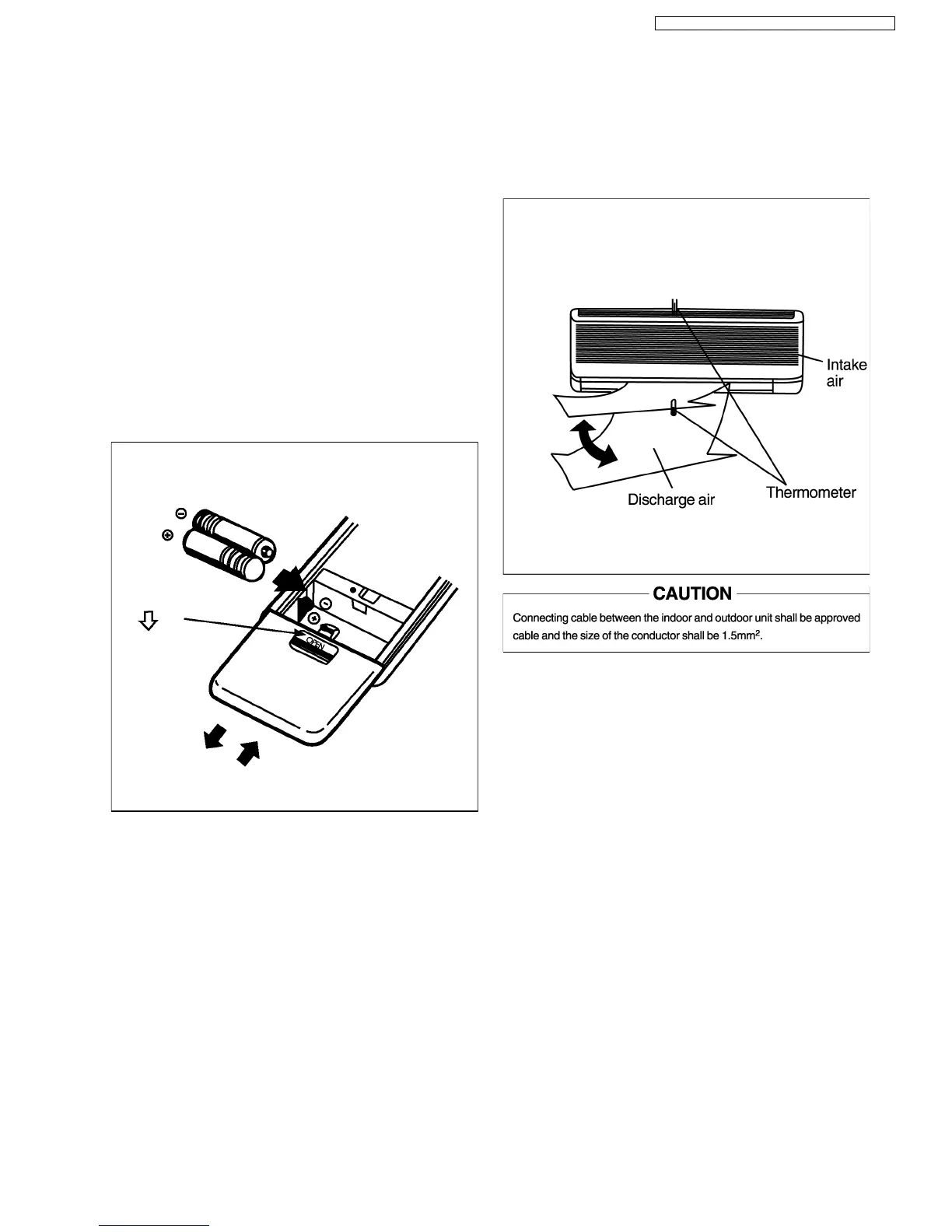
2. Prepare the remote controller
•
• •
•
Insert two batteries
•
• •
•
Remove the cover from the back of the remote
controller.
Insert two batteries
•
• •
•
Be sure that the (+) and (-) directions are correct.
•
• •
•
Be sure that both batteries are new.
•
• •
•
Re-attach the cover.
•
• •
•
Slide the cover back into position.
3. Operate the unit at cooling mode operation for 15 minutes
or more.
8.9.2. Evaluation of the performance
1. Operate the air conditioner for 15 minutes.
2. Measure the temperature of the intake and discharge air.
3. Ensure the difference betwan the intake temperature and
the discharge is more than 8°C in cooling operation, or
more than 14°C in heating operation.
39
CS-SA9CKP CU-SA9CKP5 / CS-SA12CKP CU-SA12CKP5



 To Next Page