EasyManua.ls Logo

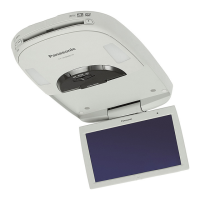
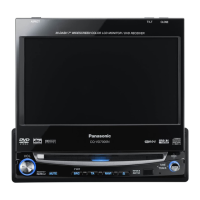
Panasonic CY-VHD9500U - User Manual

Panasonic CY-VHD9500U
50 pages
Print Icon
To Next Page IconTo Next Page
Loading...
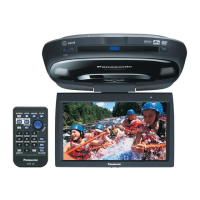
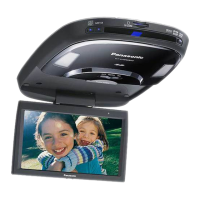
Overhead 9q Widescreen Color LCD Monitor with Built-in DVD/SD Player
Moniteur plafond couleur à ÉCL de 9 po (grand-écran) avec lecteur DVD/SD intégré
Monitor LCD de 9q a color de pantalla ancha con reproductor incorporado de DVD/SD
para instalación aérea
CY-VHD9500U
Please read these instructions carefully before using this product and save this manual for future use.
Prière de lire ces instructions attentivement avant d’utiliser Ie produit et garder ce manuel pour l’utilisation ultérieure.
Lea con atención estas instrucciones antes de utilizar el producto y guarde este manual para poderlo consultar en el futuro.
Operating Instructions
Manuel d’instructions
Manual de instrucciones

Other manuals for Panasonic CY-VHD9500U

Questions and Answers

  • K
    katie63Jul 30, 2025
    Why does the picture not appear on my Panasonic CY-VHD9500U Car Video System monitor?
    • V
      Victoria PittmanJul 30, 2025
      The picture might not appear due to several reasons: * A VCR or camcorder might not be connected correctly; ensure they are properly connected. * Cables might not be correctly connected; double-check all cable connections. * The ground lead's contact might be poor; ensure it's securely connected to an unpainted part of the chassis. * Alternator noise from the car could be interfering; try changing the wiring position of the ground lead. * Consider mounting a noise filter on the power supply.
  • K
    Karen MyersAug 6, 2025
    What to do if disc is unejectable from my Panasonic CY-VHD9500U?
    • H
      heather84Aug 6, 2025
      If a disc is stuck in your Panasonic Car Video System, it could be due to the following reasons: * The unit might not be sufficiently secured. Ensure the unit is securely mounted with the mounting parts, referring to the installation instructions. * The microcontroller in the unit might be operating abnormally due to noise or other factors. Try unplugging the power cord and plugging it back in.
  • L
    Lindsey BarreraAug 14, 2025
    What to do if my Panasonic Car Video System has no power?
    • E
      Emily CollinsAug 14, 2025
      If your Panasonic Car Video System has no power, check the following: * Ensure the MAIN POWER switch is set to ON. * Verify the power cord (battery, ACC, and ground) is correctly wired. * Check for a blown fuse; if blown, determine the cause and replace it, consulting your dealer if necessary.
  • C
    Christine DanielsAug 22, 2025
    Why is there no sound from my Panasonic Car Video System?
    • N
      Nicholas BrownAug 22, 2025
      If sound is not generated from your Panasonic Car Video System, consider these possibilities: * Ensure the headphone volume isn't set to zero; increase the volume. * Verify all cables are correctly connected. * Confirm the headphones are powered on. * Replace the batteries in the IR wireless headphones if they're depleted. * Ensure the ground lead has a secure connection to an unpainted part of the chassis. * Use the headphones within 2.5 meters of the unit, removing any obstructions between the unit and the headphones.

Summary

Safety Information Overview

Driving and Operational Safety

Covers safe operation while driving, driver distraction, and product use.

Environmental and Product Condition Cautions

Addresses risks from wetness, dust, heat, and product abnormalities.

Child Safety Precautions

Warns about keeping small parts like SD cards away from children.

Installation and Wiring Safety

Vehicle Integration & Installation Location

Warns about driver vision impairment and unsafe installation locations.

Professional Installation & Component Safety

Emphasizes professional installation, battery safety, fuse usage, and avoiding car parts.

System Interaction, Security & Cord Management

Covers car system interaction, security, and safe cord routing.

Operational Safety and Product Handling

Safe Usage and Volume Control

Advises on safe volume levels, disc handling, and preventing finger entrapment.

Environmental and Power Management Cautions

Addresses temperature effects, light exposure, battery precautions, and power management.

Installation and Electrical Connection Safety

Dome Light Bulb Replacement & Electrical Connections

Safety for bulb replacement and electrical connections.

Installation Placement & Cord Safety

Warns against cord damage and improper monitor positioning.

Further Operational and Usage Cautions

Battery Installation and Care

Details proper battery installation, caution, and usage for the unit and accessories.

More Operational and Installation Cautions

Child Safety & Product Integrity Warnings

Reinforces warnings about children and product misuse.

Troubleshooting Overview and Common Problems

Installation Guide Introduction

Safety Installation Diagram

Illustrates safe installation dimensions and angles for the overhead unit.

Installation Warning

Emphasizes professional installation by qualified technicians for safety.

Wiring and Connection Procedures

Identifying Vehicle Wires

Guides on how to identify and label car wires for correct connections.

Connecting Power, Ground, and Dome Leads

Details connecting power, battery, ground, and dome light leads.

Final Installation Checks and Testing

Covers making final connections and performing checks for proper operation.

Installation Procedures - Mounting Plates

Attaching Mounting Plates to Ceiling

Guides on attaching the slide plates and base plate to the ceiling reinforcement.

Installation Procedures - Wiring and Headliner

Headliner Cutting and Reassembly

Covers cutting the headliner for access and reattaching it.

Preparing Main Unit for Attachment

Main Unit Front Cover Removal

Guides on removing the main unit's front cover.

Attaching Under Cover for Fitment

Explains attaching the under cover for proper fitment if space is required.

Final Main Unit Attachment

Connecting Wires and Securing Main Unit

Details connecting wires, using cord clamps, and securely attaching the main unit.

Electrical Connections Diagrams

Simple System Wiring Diagram

Shows the wiring diagram for a simple system setup.

Advanced Electrical Connections

Troubleshooting - Disc and Audio Issues

Monitor, DVD, CD, MP3 Playback Problems

Lists problems and solutions for monitor display and disc playback.

Remote Control Unit Operations

Troubleshooting - Common Issues

Power, Sound, and Noise Interference

Addresses issues like no power, no sound, and common noise interference.

Monitor Angle and Dome Light Problems

Covers troubleshooting for monitor angle adjustment and dome light functionality.

Troubleshooting - Media Playback Errors

Disc Playback and SD Card Recognition Issues

Lists problems related to DVD, CD, MP3 playback and SD card file recognition.

Troubleshooting - Component Specifics

Troubleshooting - Error Messages and Maintenance

Product Specifications

Panasonic CY-VHD9500U Specifications

General IconGeneral
Display TypeLCD
Resolution800 x 480 pixels
Power Supply12V DC
TouchscreenYes
DVD PlayerYes
SiriusXM ReadyYes
Aspect Ratio16:9
Video SystemNTSC/PAL
Built-in SpeakersNo
Remote ControlYes
Video Formats SupportedDVD, DivX, MPEG-1, MPEG-2
Audio Formats SupportedMP3, WMA
Speaker Output50W x 4

Related product manuals