Basic
- 64 -
[PLAYBACK] Mode: ¸
Deleting Pictures
Once deleted, pictures cannot be recovered.
•
Pictures on the built-in memory or the card, which are being played back will be deleted.
• You can also delete pictures from the [PLAYBACK] mode Menu. (P180)
To delete a single picture
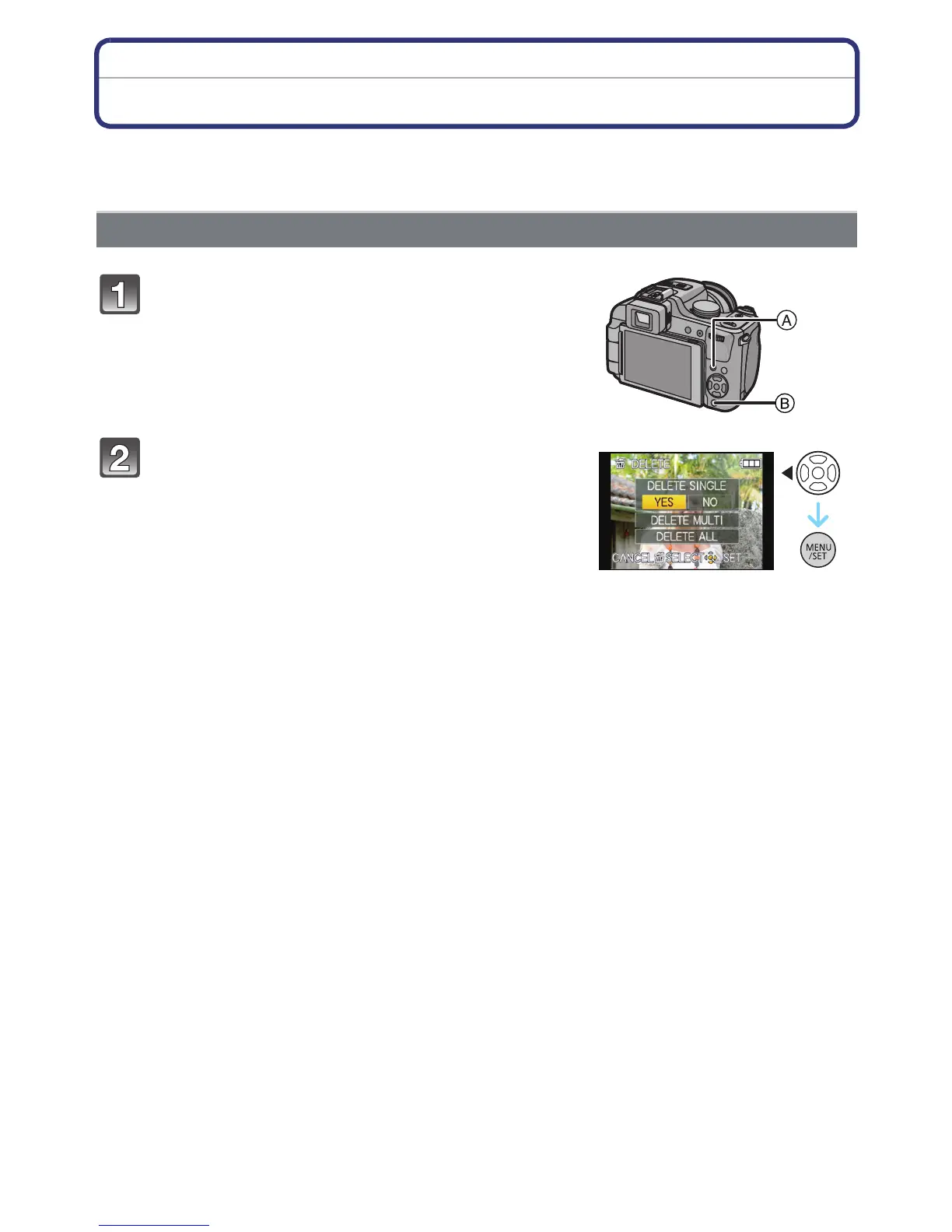
Select the picture to be deleted, and then
press [‚].
A [DISPLAY] button
B [
‚] button
Press 2 to select [YES] and then press
[MENU/SET].




 To Next Page