Advanced (Recording pictures)
- 88 -
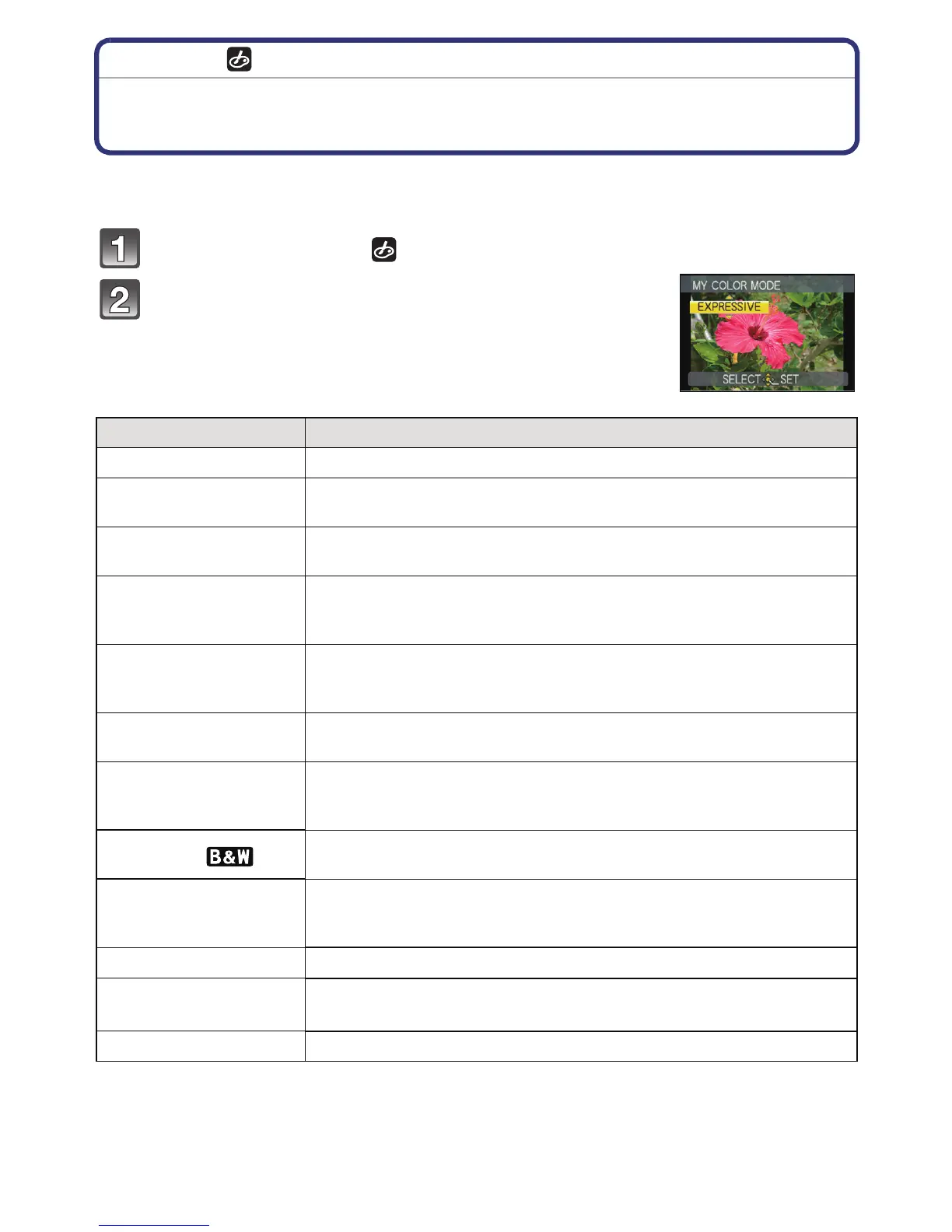
[REC] mode:
Taking pictures while adjusting colour
( My Colour Mode)
You can take pictures with a desired effect by previewing the subject on the LCD monitor
or viewfinder and setting the desired effect.
Set the mode dial to [ ].
Press 3/4 to select an item.
¢For [CUSTOM] settings, refer to page 90.
Item Effect
[EXPRESSIVE] This is a pop art style image effect that emphasises the colour.
[RETRO]
This is a soft image effect that gives the appearance of a tarnished
photograph.
[PURE]
This is an image effect that uses a cool, bright light to give a feeling
of freshness. (The image will come out bright and slightly bluish.)
[ELEGANT]
This is an image effect that creates a tranquil atmosphere and
projects a feeling of stateliness.
(The image will come out slightly dark and amberish.)
[MONOCHROME]
This is an image effect that captures the subject using tones
characteristic of black and white photography, and with a whisper of
colour.
[HIGH DYNAMIC]
This is an image effect that pictures dark and bright areas with
appropriate brightness and with natural colour.
[DYNAMIC ART]
This is an impressive image effect that pictures dark areas to bright
areas with appropriate brightness, together with enhancements on
colours.
[DYNAMIC]( )
This is a black and white image effect that pictures dark and bright
areas with appropriate brightness.
[SILHOUETTE]
This is an image effect that enhances the subject in the shade as a
black silhouette by utilising the background colours of the sky or
sunset etc.
[PIN HOLE]
Picture is taken darker and with soft focus around the subjects.
[FILM GRAIN]
Picture is taken with a grainy texture as though blasted with
sand.
[CUSTOM]
¢
The colour effects can be set according to your preferences.




 To Next Page