Advanced (Recording pictures)
- 66 -
Advanced (Recording pictures)
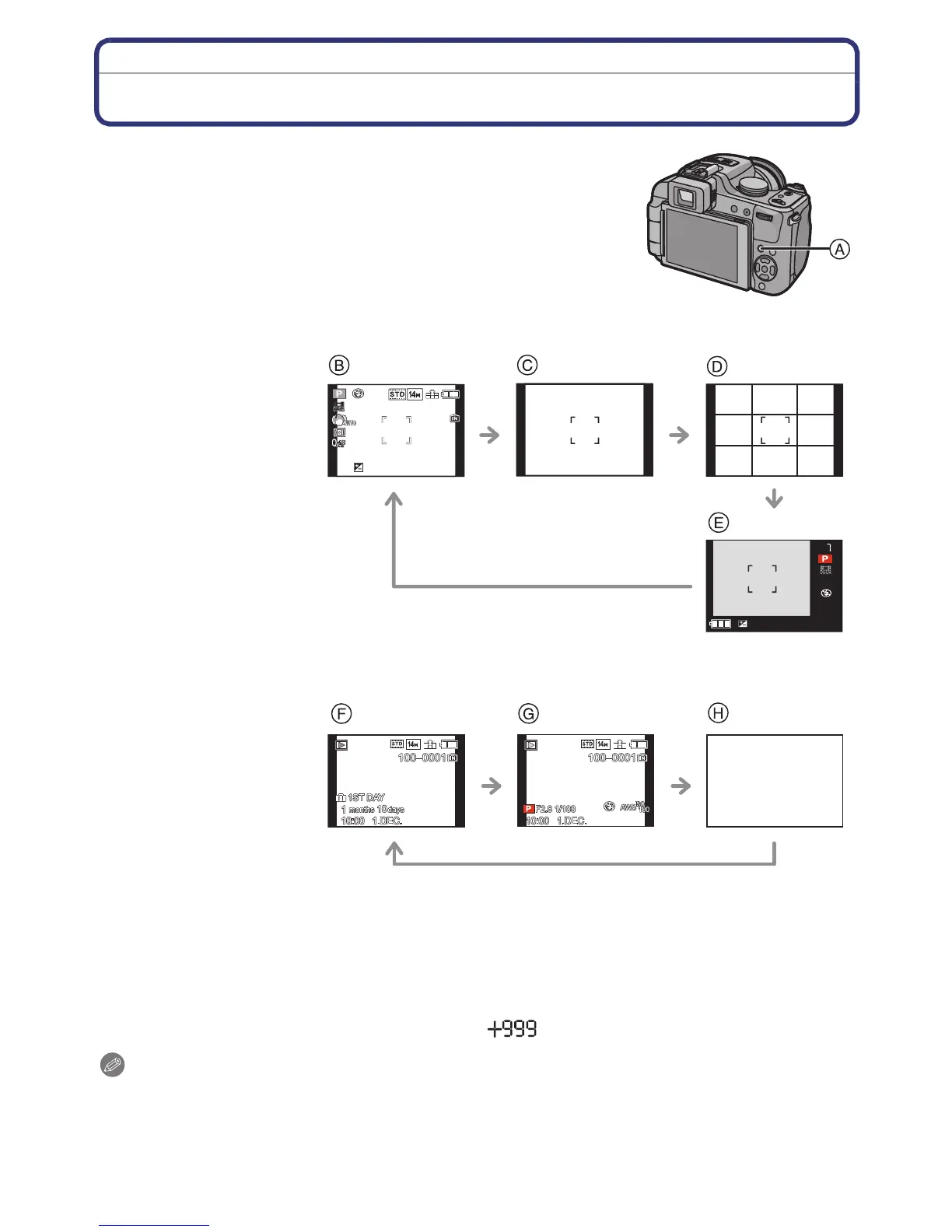
About the LCD Monitor/Viewfinder
∫ Selecting the screen to be used
Press [DISPLAY] to change.
A [DISPLAY] button
• When the menu screen appears, the [DISPLAY] button is not
activated. During Playback Zoom (P62), while playing back
motion pictures (P157) and during a slide show (P160), you can
only select “Normal display F” or “No display H”.
In Recording Mode
In Playback Mode
¢1 If the [HISTOGRAM] in [SETUP] menu is set to [ON], histogram will be displayed.
¢2 You can switch between available recording time and number of recordable pictures by
setting [REMAINING DISP.] in [SETUP] menu.
¢3 Set the pattern of the guide lines displayed by setting [GUIDE LINE] in [SETUP] menu. You
can also set whether or not to have the recording information displayed when the guide lines
are displayed.
¢4 When the number of pictures remaining is more than 1000 or the time remaining in recording
motion pictures is more than 1000 seconds, [ ] is displayed.
Note
•
[NIGHT PORTRAIT] (P95), [STARRY SKY] and [FIREWORKS] in Scene Mode (P96), the
guide line is grey.
• In [PHOTO FRAME] in Scene Mode, the guideline is not displayed. (P105)
B Normal display
¢
1, 2
C No display
D No display (Recording
guide line)
¢1, 3
E Out-of-frame display
¢4
F Normal display
G Display with recording
information
¢
1
H No display
7
7
1/71/71/7
20102010
2010
20102010
2010
1/71/71/7





 To Next Page