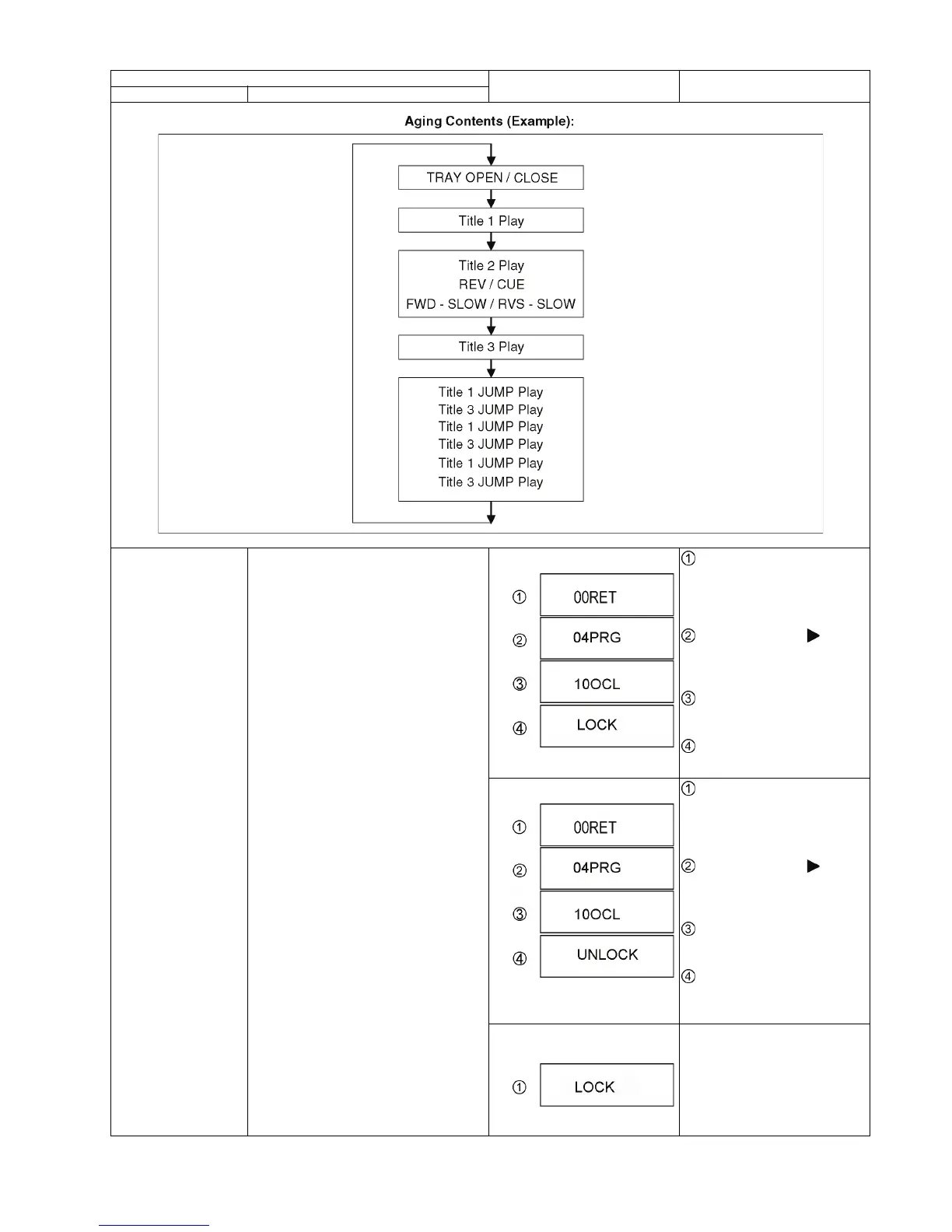
23
Demonstration
lock / unlock
Ejection of the disc is prohibited.
The lock setting is effective until unlocking the
tray and not released by Main unit initializa-
tion of service mode.
*When lock the tray.
"LOCK" is displayed for 3 seconds.
While the unit is on, press and
hold [OK], [B] and [Y] on the remote
control at the same time for more
than 5 seconds.
-"00RET" is displayed on the TV.
Repeatedly press
[ ] on the
remote control or [POWER] on the
unit until "04PRG" is displayed on
the TV.
Press and hold [STOP] on the
remote control until "10OCL" is dis-
played on the TV.
Press [OK] on the remote con-
trol or [OPEN/CLOSE] on the unit.
*When lock the tray.
"UNLOCK" is displayed for 3 sec-
onds.
While the unit is on, press and
hold [OK], [B] and [Y] on the remote
control at the same time for more
than 5 seconds.
-"00RET" is displayed on the TV.
Repeatedly press
[ ] on the
remote control or [POWER] on the
unit until "04PRG" is displayed on
the TV.
Press and hold [STOP] on the
remote control until "10OCL" is dis-
played on the TV.
Press [OK] on the remote con-
trol or [OPEN/CLOSE] on the unit.
*When press [OPEN/CLOSE] key
while the tray being locked.
Display "LOCK" on the screen.
Press [OPEN/CLOSE] key while the
tray is being locked.
Item
TV display Key operation
Mode name Description










 To Next Page