EasyManua.ls Logo

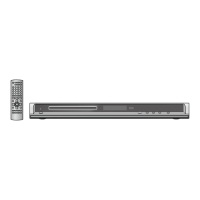
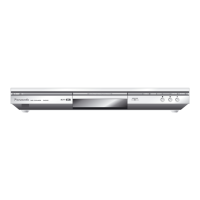
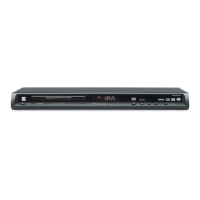
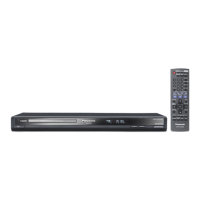
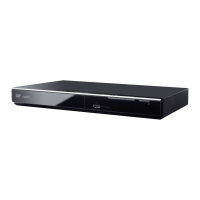
Panasonic DVD-S325 - User Manual

Panasonic DVD-S325
24 pages
Print Icon
To Next Page IconTo Next Page
Loading...
Operating Instructions
DVD/CD PLAYER
Model No. DVD-S325
Getting startedOperationsReference
RQTC0102-B
Region number
Asia
The player plays DVD-Video marked with
labels containing the region number 3 or
ALL”.
Others
The player plays DVD-Video marked with
labels containing the region number 2 or
ALL”.
Example:
Dear customer
Thank you for purchasing this product. Before connecting, operating or adjusting this
product, please read the instructions completely. Please keep this manual for future
reference.
Table of contents
Getting started
Accessories/Safety precautions ................................................................2
Caution for AC Mains Lead .........................................................................3
Discs that can be played .............................................................................4
STEP 1 Connection to a television ............................................................5
STEP 2 The remote control .........................................................................6
STEP 3 Setting up the unit ..........................................................................7
Operations
Basic play .....................................................................................................8
Convenient functions ................................................................................10
Displaying current playback condition/Quick replay/
Skipping about 30 seconds forward/Zoom/Enjoying advanced surround/
Repeat play/A-B repeat play ....................................................................................10
Playback control/Changing subtitles/Changing soundtracks/
Angle select/Still picture rotation/Dialogue enhancer/
Transfer mode/Changing picture mode ....................................................................
11
Playing data discs .....................................................................................12
About DivX VOD contents ........................................................................13
Changing the play sequences ..................................................................14
Program play/Random play ......................................................................................14
Using On-Screen Menus ...........................................................................15
On-Screen Menu 1/On-Screen Menu 2 ...................................................................15
Changing the player settings ...................................................................16
Reference
Tips for making data discs .......................................................................18
Glossary .....................................................................................................19
Troubleshooting guide ..............................................................................20
Maintenance ...............................................................................................22
Specications ............................................................................................22
Index ........................................................................................... Back cover
E GCU

2
ALL
2
4
1
Unless otherwise indicated, illustrations in these operating instructions are the model
for Continental Europe.
Example:
GCS GCA GC
3
ALL
3
4
1

Questions and Answers

  • D
    Darryl RichardsonAug 15, 2025
    What to do if my Panasonic DVD Player displays “ERR H ??”, “ERR U11”, or other error messages?
    • C
      Carrie BrownAug 15, 2025
      If your Panasonic DVD Player is showing error messages, try these steps: First, turn the unit off and then back on, or disconnect and reconnect the AC power. Ensure the disc is inserted correctly and is not dirty. If the disc isn't the issue, make sure you're using a compatible disc for your region. The region number on the DVD-Video must match your unit's region number (or be marked “ALL”). Finally, make sure that you inserted a disc that the unit can play.
  • L
    Lauren MartinAug 20, 2025
    Why is my Panasonic DVD-S325 picture distorted or not fitting the screen?
    • D
      Denise BridgesAug 20, 2025
      If you're experiencing picture issues with your Panasonic DVD Player, ensure it's not connected through a video cassette recorder. If progressive output is selected, but your TV isn't compatible, press and hold [RETURN] until the picture displays correctly to revert to “INTERLACE” settings. Adjust the “TV ASPECT” in the “VIDEO” tab or use your TV's aspect ratio settings. You can also change the zoom setting or restore the zoom ratio to “NORMAL.” If playing a PAL disc, be sure your TV supports that video system, or set Transfer mode to “AUTO.” Note that picture may stop if the DivX files are greater than 2GB.
  • J
    Joseph WuAug 26, 2025
    How to troubleshoot sound issues with my Panasonic DVD-S325?
    • C
      Connor WilsonAug 26, 2025
      If you're having sound problems with your Panasonic DVD Player, first try setting Advanced surround to “OFF.” If using a digital amplifier without a decoder, ensure “DOLBY DIGITAL” and “MPEG Except Asia” are set to “PCM” and “DTS” is set to “OFF” in the “AUDIO” tab. Remember that audio effects might not work when outputting bitstream signals from the COAXIAL terminal or may have less effect with some discs. Also, audio may not be output due to how files were created.
  • A
    Allen WhiteAug 30, 2025
    How to resolve Panasonic DVD-S325 DVD Player automatically switches to standby mode?
    • M
      michaelcurtisAug 31, 2025
      If your Panasonic DVD Player is not getting power or automatically switches to standby mode, first ensure the AC mains lead is securely inserted into the household mains socket. Also, the unit automatically switches to standby after approximately 30 minutes in the stop mode when “AUTO POWER OFF” is set to “ON”.
  • L
    lblackburnSep 4, 2025
    How to fix ghosting or interlacing issues on Panasonic DVD Player?
    • C
      Chelsea TorresSep 4, 2025
      If you notice ghosting or interlacing issues with your Panasonic DVD Player, especially with progressive output, this may be due to the DVD-Video's editing method. Try changing “VIDEO OUT (I/P)” in the “VIDEO” tab to “INTERLACE.” Also, note that if the unit is connected to the television through VIDEO OUT or S VIDEO OUT, output will be interlace.
  • K
    Karen KellyNov 9, 2025
    What to do if my Panasonic DVD-S325 DVD Player has no response to buttons or remote, picture, or sound?
    • M
      Mary HutchinsonNov 10, 2025
      If your Panasonic DVD Player isn't responding, several factors could be at play. First, ensure you're using compatible discs as listed in the operating instructions. If that's not the issue, the unit may have been affected by an external factor such as lightning or static electricity; try turning it off and on again, or disconnecting and reconnecting the AC mains lead. Condensation could also be the culprit, so wait 1 to 2 hours for it to evaporate. Also, check if the batteries in the remote are depleted and replace them if needed. Make sure that you point the remote control at the remote control sensor. Check the video or audio connections and the power or input settings of the connected equipment. Finally, you can reset the device to factory settings by removing the disc (while stopped) ...

Panasonic DVD-S325 Specifications

General IconGeneral
BrandPanasonic
ModelDVD-S325
CategoryDVD Player
LanguageEnglish

Related product manuals