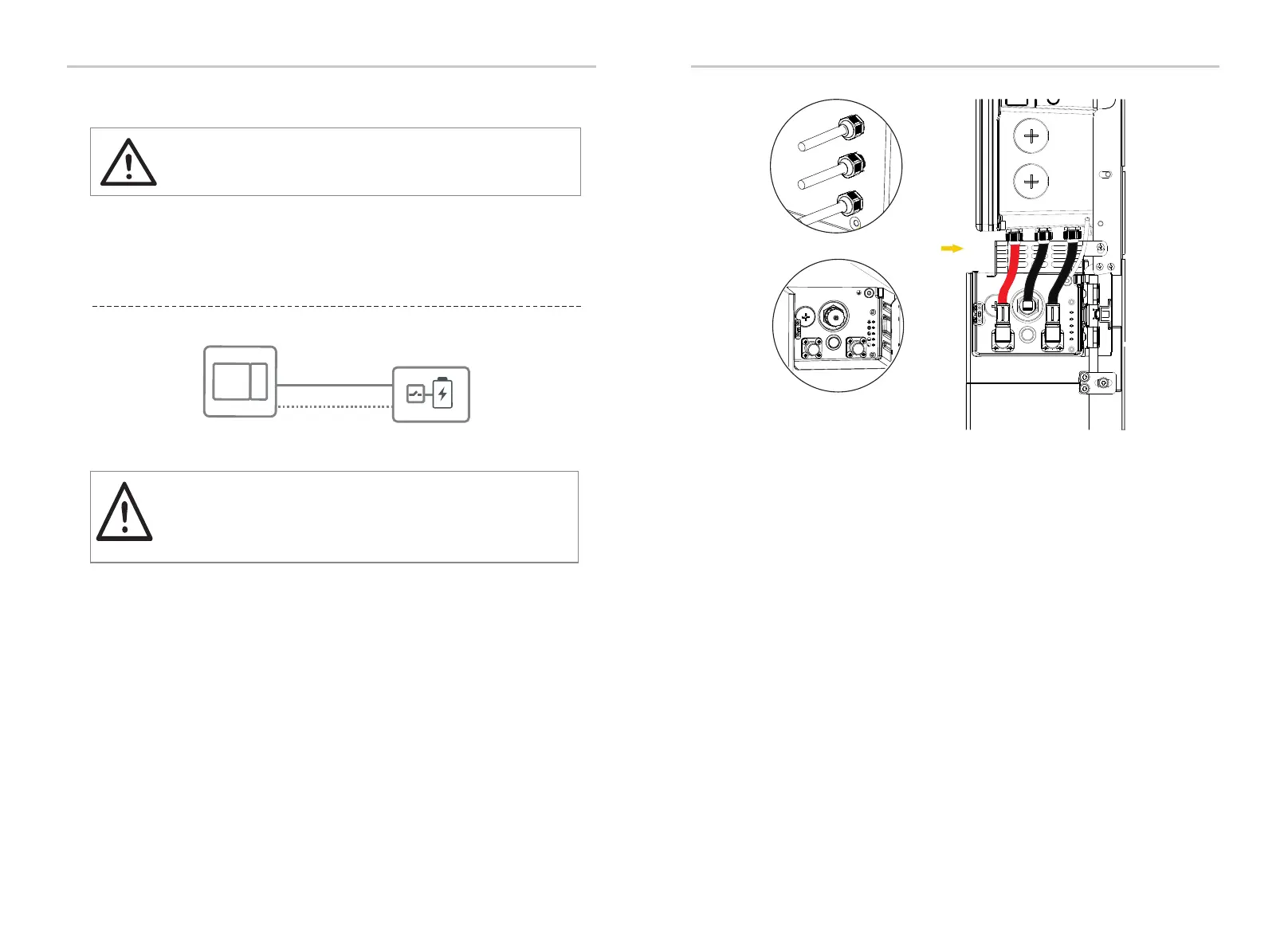
6.2.3 Battery Connection
Ÿ BAT terminal connection
CAUTION!
DANGER — HIGH VOLTAGE!
Make sure the breaker of battery is in OFF position.
Charging and Discharging system of EVERVOLT Hybrid inverter is designed for
high-voltage lithium-ion battery.
• Battery connection diagram for Lithium-ion battery
CAUTION!
Never reverse the polarity of the battery cables as this will
result in inverter damage. Always ensure correct polarity.
EVERVOLT Hybrid
Inverter
Lithium-ion Battery
BAT Port
BMS Port
Electrical Connection Electrical Connection
49
48
As a Lithium-ion battery will be connected with EVERVOLT Hybrid inverter, the
battery communication should be compatible with EVERVOLT Hybrid inverter and
the BMS must be connected between inverter and battery.
2 Make sure that both ends of the cables are connected correctly to the connector
on the right side of the BMS module.
A: BAT+ B: Communication connection C: BAT-
1 The BAT+ (red) , communication cable and BAT- (black) cables have been
already connected on the inverter’s side. Only connecting the other end of the
cables to the corresponding port of BMS is needed.
DIP
BMS
BAT+
BAT-
POWER
A
B
C
On the side of battery
Inverter
Battery
On the side of inverter







 To Next Page