EasyManua.ls Logo

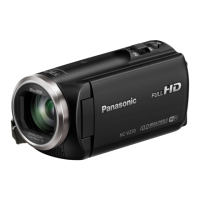
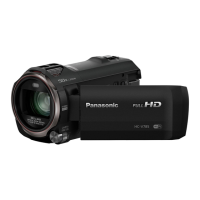
Panasonic HC-V270 - User Manual

Panasonic HC-V270
195 pages
Print Icon
To Next Page IconTo Next Page
Loading...
Owners Manual
High Definition Video Camera
Model No.
HC-V270
Please read these instructions carefully before using this product,
and save this manual for future use.
SQW0101
until
2014/11/27
Register online at www.panasonic.com/register (U.S. customers only)

Table of Contents

Other manuals for Panasonic HC-V270

Questions and Answers

  • K
    Kathryn MaySep 15, 2025
    Why do the color or brightness of the image change, or why do I see horizontal bars in the image on my Panasonic HC-V270?
    • C
      Christopher LaneSep 15, 2025
      Color or brightness of the image may change, or you may see horizontal bars in the image when the object is recorded under fluorescent light, mercury light or sodium light, etc., but this is not a malfunction. In Motion Picture Recording Mode, record in Intelligent Auto Mode/Intelligent Auto Plus Mode or set the shutter speed to 1/60 in areas where the power supply frequency is 60 Hz, or 1/100 in areas of 50 Hz. In Still Picture Recording Mode, this will not affect the recorded image.
  • B
    Brittany JonesAug 25, 2025
    How to fix Panasonic HC-V270 Camcorder that won't turn on or has short battery life?
    • D
      Dana AndersonAug 25, 2025
      If your Panasonic Camcorder won't turn on, stay on, or the battery drains quickly, try fully charging the battery. Keep in mind that batteries discharge faster in cold environments. Also, batteries have a limited lifespan, so if a fully charged battery still doesn't last, it likely needs replacing.
  • A
    Austin BurnettAug 25, 2025
    What to do if Panasonic HC-V270 is on but not working?
    • P
      Philip HowardAug 26, 2025
      If your Panasonic Camcorder is on but not working correctly, remove the battery or AC adapter, wait about a minute, and then reconnect it. Wait another minute before turning the camcorder back on. Note that doing this while the device is accessing media could corrupt the data. If this doesn't restore normal operation, disconnect the power and consult the dealer from whom you purchased the unit.
  • B
    Bradley McconnellAug 26, 2025
    Why are there no images or sounds from my Panasonic HC-V270 Camcorder when connected to a TV?
    • Z
      zlopezAug 27, 2025
      Please read the operating instructions of your TV and select the channel that matches the input used for the connection. Change the [TV ASPECT] setting to match the aspect ratio of the TV. The audio during playback mode is not output from this unit when connected to a TV. Sound levels cannot be adjusted using this unit, so adjust the sound on the TV.
  • M
    Meghan RamosSep 16, 2025
    What does “ENVIRONMENT TOO DARK, OR LENS COVER CLOSED.” mean on my Panasonic HC-V270?
    • K
      Kelly AllenSep 16, 2025
      Before turning on the unit, open the lens cover. This message may also be displayed when recording in a very dark location.
  • B
    Barbara MorganSep 23, 2025
    Why can't I play back scenes/still pictures on my Panasonic Camcorder?
    • G
      Gary Johnson MDSep 23, 2025
      Any scenes or still pictures where the thumbnails are displayed as cannot be played back on your Panasonic Camcorder.
  • A
    April WatkinsSep 7, 2025
    Why can't scenes/still pictures be played back on my Panasonic HC-V270 Camcorder?
    • G
      gfloresSep 8, 2025
      Any scenes/still pictures where the thumbnails are displayed as cannot be played back.
  • K
    Kenneth CrawfordSep 8, 2025
    Why won't the live broadcast screen display on my Panasonic Camcorder?
    • D
      Dennis JonesSep 9, 2025
      Make sure the “LUMIX CLUB” Login ID and Password have been input correctly. Use a PC or smartphone to make sure the USTREAM account registration is complete. “LUMIX CLUB” or USTREAM lines may be congested. Retry the live broadcast after waiting a short while.
  • R
    Randy GonzalezSep 2, 2025
    What to do if my Panasonic Camcorder displays 'ERROR OCCURRED'?
    • L
      Lori HayesSep 2, 2025
      If your Panasonic Camcorder displays the error message, it has automatically detected an error. Restart the unit by turning it off and then on again. If the unit isn't turned off and on, it will turn off automatically in about 1 minute. If the error message repeatedly appears after restarting, detach the power connected, and consult the dealer where you purchased the unit. Do not attempt to repair the unit yourself.
  • M
    Michelle KochAug 31, 2025
    How to fix the remaining battery indication on my Panasonic HC-V270 Camcorder?
    • D
      Donna FloresAug 31, 2025
      The remaining battery capacity indication is an approximation. If the remaining battery capacity indication is not displayed correctly, fully charge the battery, discharge it completely, and then charge it again.

Summary

Read this first

Cards that you can use with this unit

Lists compatible SD memory cards (SD, SDHC, SDXC) and their specifications.

Preparation

Names and Functions of Main Parts

Identifies and describes the main external parts of the video camera.

Power supply

Details about compatible batteries and power sources for the unit.

Recording to a card

Information on using SD cards for recording, including types and compatibility.

Turning the unit on;off

Instructions on how to power the unit on and off using the power button or LCD monitor.

Selecting a mode

Explains how to switch between recording and playback modes, and between motion/still picture modes.

Wi-Fi

Overview of Wi-Fi capabilities and usage precautions.

Basic

Recording motion pictures

Step-by-step guide to recording video, including screen indications.

Recording still pictures

Instructions for capturing still images, including focus indications.

Advanced (Recording)

Advanced (Playback)

Wi-Fi

Wi-Fi function

Overview of Wi-Fi capabilities and usage precautions.

Setting Up a Wi-Fi Connection

Guides on connecting the unit to wireless access points or smartphones.

With a PC

Others

Troubleshooting

Common problems and their solutions, categorized by power and operation.

Panasonic HC-V270 Specifications

General IconGeneral
Sensor typeMOS BSI
Total megapixels2.51 MP
Optical sensor size1/5.8 \
Effective megapixels (image)2.2 MP
Digital zoom3000 x
Optical zoom50 x
Image stabilizerNo
Focal length range2.06 - 103 mm
Focal length (35mm film equivalent)33.6 - 1740 mm
Camcorder media typeMemory card
Compatible memory cardsSD, SDHC, SDXC
Internal storage capacity- GB
Focus adjustmentManual
Built-in light-
Shutter speed (photo)1/2000 - 1/2 s
Shutter speed (video)1/8000 - 1/25 s
Built-in displayYes
Display diagonal2.7 \
Display resolution (numeric)230400 pixels
Camcorder typeHandheld camcorder
Minimum illumination1 lx
Supported aspect ratios3:2, 4:3, 16:9
Product colorBlack
Video formats supportedAVC, H.264, MPEG4
Maximum video resolution1920 x 1080 pixels
Image formats supportedJPG
Maximum image resolution4224 x 2376 pixels
Still image resolution(s)1920 x 1080, 3408 x 2272, 1728 x 1152, 3136 x 2352, 640 x 480
USB 2.0 ports quantity1
Component video (YPbPr/YCbCr) out0
Wi-Fi standards802.11b, 802.11g, Wi-Fi 4 (802.11n)
Battery voltage3.6 V
Battery capacity1940 mAh
Battery life (max)- h
Cables includedHDMI, USB
Weight and Dimensions IconWeight and Dimensions
Depth116 mm
Width530 mm
Height59 mm
Weight216 g

Related product manuals