EasyManua.ls Logo

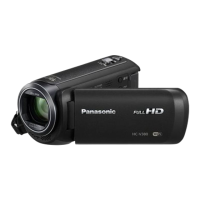
Panasonic HC-V380 - User Manual

Panasonic HC-V380
281 pages
Print Icon
To Next Page IconTo Next Page
Loading...
Basic Owners Manual
High Definition Video Camera
Model No.
HC-W580
HC-V380
SQT1139
until
2016/2/4
Please read these instructions carefully before using this product, and save this manual for future
use.
More detailed operating instructions are available in “Owner’s Manual
(PDF format)”. To read it, download it from the website.
https://eww.pavc.panasonic.co.jp/hdw/oi/W580/
Click the desired language.
If you have any questions, visit :
U.S.A. : http://shop.panasonic.com/support
Canada : www.panasonic.ca/english/support
Register online at http://shop.panasonic.com/support (U.S. customers only)
HC-W580&V380PP-SQT1139_mst.book 1 ペー 015年12月15日 火曜日 午前11時57分

Table of Contents

Other manuals for Panasonic HC-V380

Questions and Answers

  • M
    Melinda RodriguezSep 23, 2025
    Why can't I see the PDF operating instructions for HD Writer LE 3.1 for Panasonic HC-V380?
    • K
      kayla45Sep 23, 2025
      You will need Adobe Acrobat Reader 5.0 or later or Adobe Reader 7.0 or later to read the PDF operating instructions for HD Writer LE 3.1.
  • M
    Monica BrownAug 25, 2025
    What to do if my Panasonic HC-V380 won't operate even when it's turned on?
    • R
      Rebekah MorganAug 25, 2025
      If your Panasonic camcorder is on but not operating correctly, remove the battery or AC adapter, wait about 1 minute, and then reconnect it. After another minute, turn the unit on again. Note that performing this while the media is being accessed may damage the data on the media. If normal operation is still not restored, detach the power connected.
  • R
    Ryan PattersonAug 25, 2025
    Why does my Panasonic HC-V380 Camcorder battery run down quickly or not turn on?
    • Y
      ydavidsonAug 26, 2025
      If your Panasonic camcorder won't turn on, doesn't stay on long, or the battery runs down quickly, charge the battery again to ensure it is sufficiently charged.
  • Z
    zkingAug 26, 2025
    Why my Panasonic HC-V380 doesn't turn on or the battery drains fast?
    • C
      carolquinnAug 27, 2025
      If your Panasonic Camcorder cannot be turned on, does not stay on long enough, or the battery runs down quickly, try charging the battery again to ensure it is sufficiently charged. Note that in cold environments, battery life may be shorter. Also, batteries have a limited lifespan. If the operating time remains too short even after a full charge, the battery is likely worn out and needs replacement.
  • R
    Rebecca HenryAug 27, 2025
    What to do if Panasonic HC-V380 Camcorder is on but not working?
    • J
      josephgomezAug 27, 2025
      If your Panasonic Camcorder cannot be operated even when turned on, or if it is not operating normally, remove the battery or AC adapter, wait about 1 minute, and then reconnect it. Wait another minute, and then turn the unit on again. Note that doing this while the media is being accessed may damage the data. If normal operation is still not restored, disconnect the power and consult the dealer from whom you purchased the unit.
  • C
    Charles Reynolds MDSep 13, 2025
    Why is the remaining battery indication not displayed properly on my Panasonic Camcorder?
    • P
      pwuSep 13, 2025
      The remaining battery capacity indication is an approximation. If the remaining battery capacity indication is not displayed correctly, fully charge the battery, discharge it, and then charge it again.
  • M
    Micheal LambertSep 12, 2025
    Why does my Panasonic HC-V380 arbitrarily stop recording?
    • J
      Julie SchaeferSep 12, 2025
      Use an SD card that can be used for motion picture recording. The recordable time may have shortened due to the deterioration of the data writing speed or repeated recording and deletion. Format the SD card or built-in memory using the unit. If [AGS] is [ON], record in the normal horizontal position or set [AGS] to [OFF].
  • D
    Daniel SwansonSep 12, 2025
    What to do if my Panasonic HC-V380 cannot be operated though it is turned on?
    • R
      Richard HolmesSep 12, 2025
      Remove the battery or AC adaptor, wait about 1 minute, and then reconnect. Wait another minute before turning the unit on again. If normal operation is still not restored, detach the power and consult the dealer from whom you purchased the unit.
  • L
    lewiskathrynSep 4, 2025
    Why does the color or brightness change, or why do I see horizontal bars on the image of my Panasonic Camcorder?
    • F
      Felicia LawrenceSep 4, 2025
      Changes in color or brightness, or the appearance of horizontal bars in the image, can occur when recording under fluorescent, mercury, or sodium lighting. This is not a malfunction. In Motion Picture Recording Mode, use Intelligent Auto Mode/Intelligent Auto Plus Mode or set the shutter speed to 1/60 in areas where the power supply frequency is 60 Hz, or 1/100 in areas of 50 Hz. Note that in Still Picture Recording Mode, this will not affect the recorded image.
  • A
    Amanda MooreSep 2, 2025
    What to do if the SD card is not recognised when inserted in my Panasonic HC-V380?
    • D
      deckerrachelSep 2, 2025
      If the SD card is formatted on a PC, it may not be recognised by this unit. Use this unit to format SD cards.

Panasonic HC-V380 Specifications

General IconGeneral
Sensor typeMOS BSI
Total megapixels2.51 MP
Optical sensor size1/5.8 \
Effective megapixels (image)2.2 MP
Digital zoom3000 x
Optical zoom50 x
Image stabilizerYes
Focal length range2.06 - 103 mm
Interchangeable lens-
Image stabilizer typeHybrid Image Stabilization (HIS)
Maximum aperture number4.2
Minimum aperture number1.8
Focal length (35mm film equivalent)28 - 1740 mm
Camcorder typeHandheld camcorder
Minimum illumination1 lx
Supported aspect ratios3:2, 4:3, 16:9
On Screen Display (OSD) languagesARA, CHI (SIMPL), CHI (TR), ENG, HIN, PER, THA
Focus adjustmentAuto/Manual
Shutter speed (photo)1/2 - 1/2000 s
Camcorder media typeMemory card
Disc types supportedNo
Compatible memory cardsSD, SDHC, SDXC
Internal storage capacity- GB
Video resolutions960 x 540, 1280 x 720, 1920 x 1080 pixels
Supported video modes720p, 1080i, 1080p
Video formats supportedAVCHD, MP4, MPEG4
Maximum video resolution1920 x 1080 pixels
Charging sourceAC, Battery
Battery capacity1940 mAh
Battery life (max)- h
Video recording time1.25 h
Audio systemDolby Digital 2.0
Image formats supportedJPEG
Maximum image resolution4224 x 2376 pixels
Still image resolution(s)4224 x 2376, 1920 x 1080, 3408 x 2272, 1728 x 1152, 3136 x 2352, 640 x 480
Display diagonal3 \
USB 2.0 ports quantityUSB 2.0 ports have a data transmission speed of 480 Mbps, and are backwards compatible with USB 1.1 ports. You can connect all kinds of peripheral devices to them.
Mini HDMI ports quantity1
USB 3.2 Gen 1 (3.1 Gen 1) Type-A ports quantity0
Wi-Fi standards802.11b, 802.11g, Wi-Fi 4 (802.11n)
Cables includedMini-HDMI, USB
Product colorBlack
Weight and Dimensions IconWeight and Dimensions
Depth129 mm
Width60 mm
Height62 mm
Weight252 g

Related product manuals