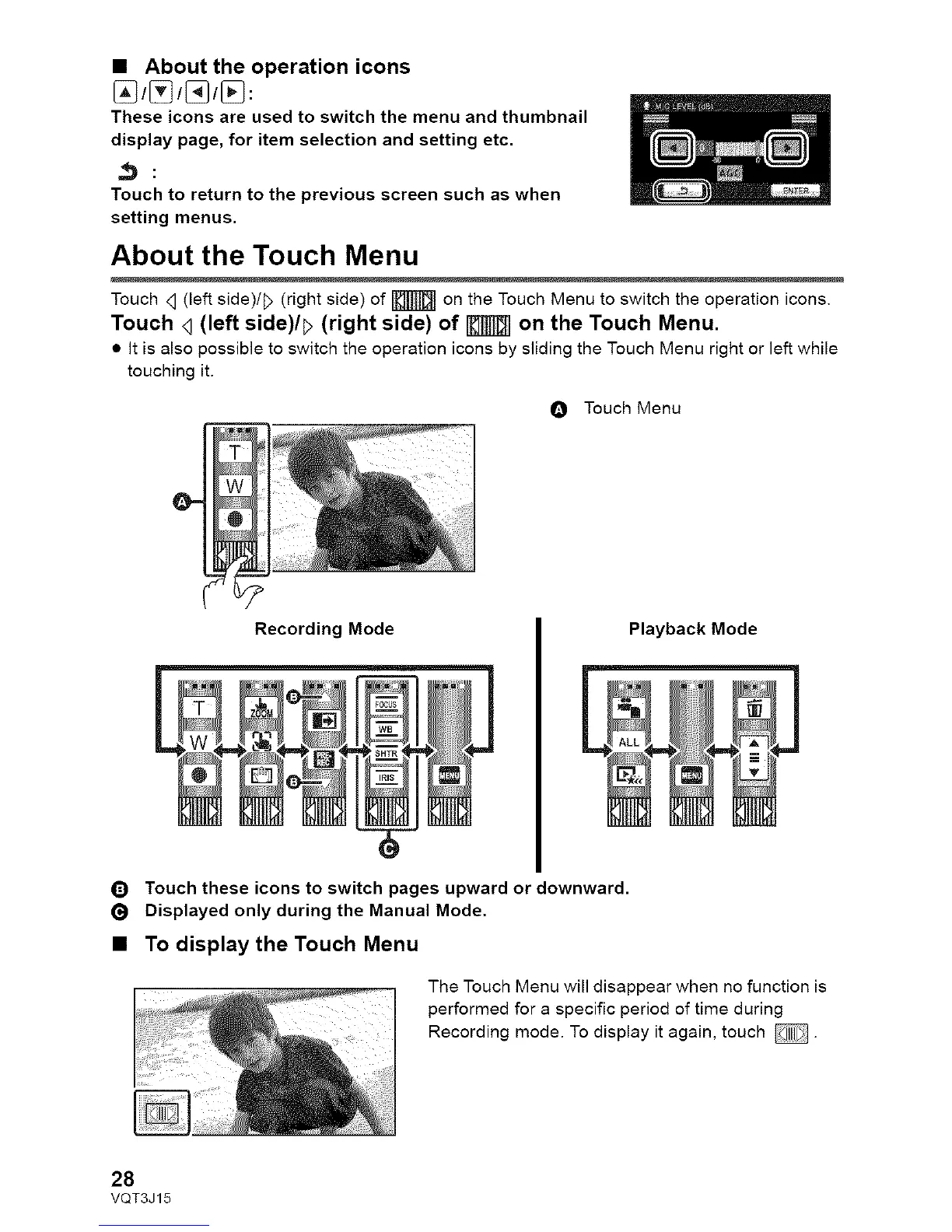
• About the operation icons
These icons are used to switch the menu and thumbnail
display page, for item selection and setting etc.
Touch to return to the previous screen such as when
setting menus.
About the Touch Menu
Touch <1(left side)/!> (right side) of _ on the Touch Menu to switch the operation icons.
Touch <](left side)/_ (right side) of | on the Touch Menu.
• It is also possible to switch the operation icons by sliding the Touch Menu right or left while
touching it.
Recording Mode
O Touch Menu
Playback Mode
_) Touch these icons to switch pages upward or downward.
Displayed only during the Manual Mode.
• To display the Touch Menu
The Touch Menu will disappear when no function is
performed for a specific period of time during
Recording mode. To display it again, touch _.
28
VQT3J15










 To Next Page