Whenabout5minuteshavepassedwithoutanyoperation,thisunitautomaticallyturnsoffto
savebatterylife.
• The Power Save function will not activate when:
connected to AC adaptor
using the USB cable for PC, DVD burner etc.
PRE-REC is used
The unit is put into recording pause approx. 1 second when the unit is turned on with the
mode set to _ or O.
• Depending on the recording conditions, start time may be longer than 1 second.
• In the Quick power on mode, the zoom magnification becomes 1×.
This unit is put into recording pause approx. 0.6 seconds after the LCD monitor is reopened.
• When in Quick start standby mode about 80% of the power used in Recording pause
mode is being consumed, so the recording time will be reduced,
• [ HDC-SD80 }
Quick start will not work if there is no SD card inserted.
• [ HDC-TM80 }/_
Quick start will not work if the [SD CARD] is selected in the [MEDIA SELECT], even if there
is no SD card inserted.
• Change the mode to _ or O.
1 Set [QUICK START] to [ON].
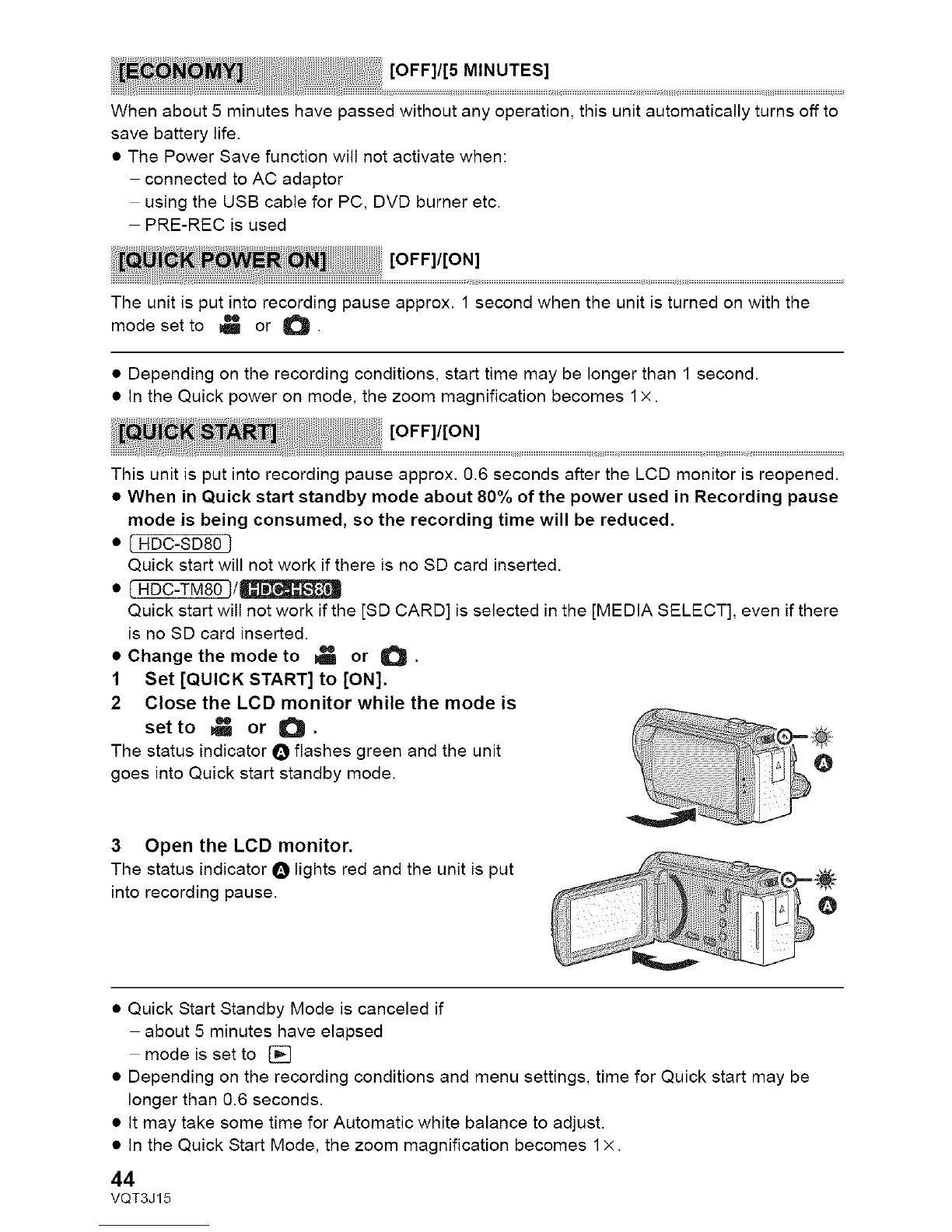
2 Close the LCD monitor while the mode is
set to _ or O.
The status indicator O flashes green and the unit
goes into Quick start standby mode.
3 Open the LCD monitor.
The status indicator O lights red and the unit is put
into recording pause.
• Quick Start Standby Mode is canceled if
about 5 minutes have elapsed
mode is set to []
• Depending on the recording conditions and menu settings, time for Quick start may be
longer than 0.6 seconds.
• It may take some time for Automatic white balance to adjust.
• In the Quick Start Mode, the zoom magnification becomes 1×.
44
VQT3J15



 To Next Page