Advanced(Recording) m O
Usetheimagestabilizertoreducetheeffectsofshakeduringrecording.
ThisunitisequippedwithHybridOpticalImageStabilizer.
HybridOpticalImageStabilizerisahybridofopticalandelectricalimagestabilizer.
• Pleaserefertopage53fordetailsabouttheOpticalImageStabilizerLock.
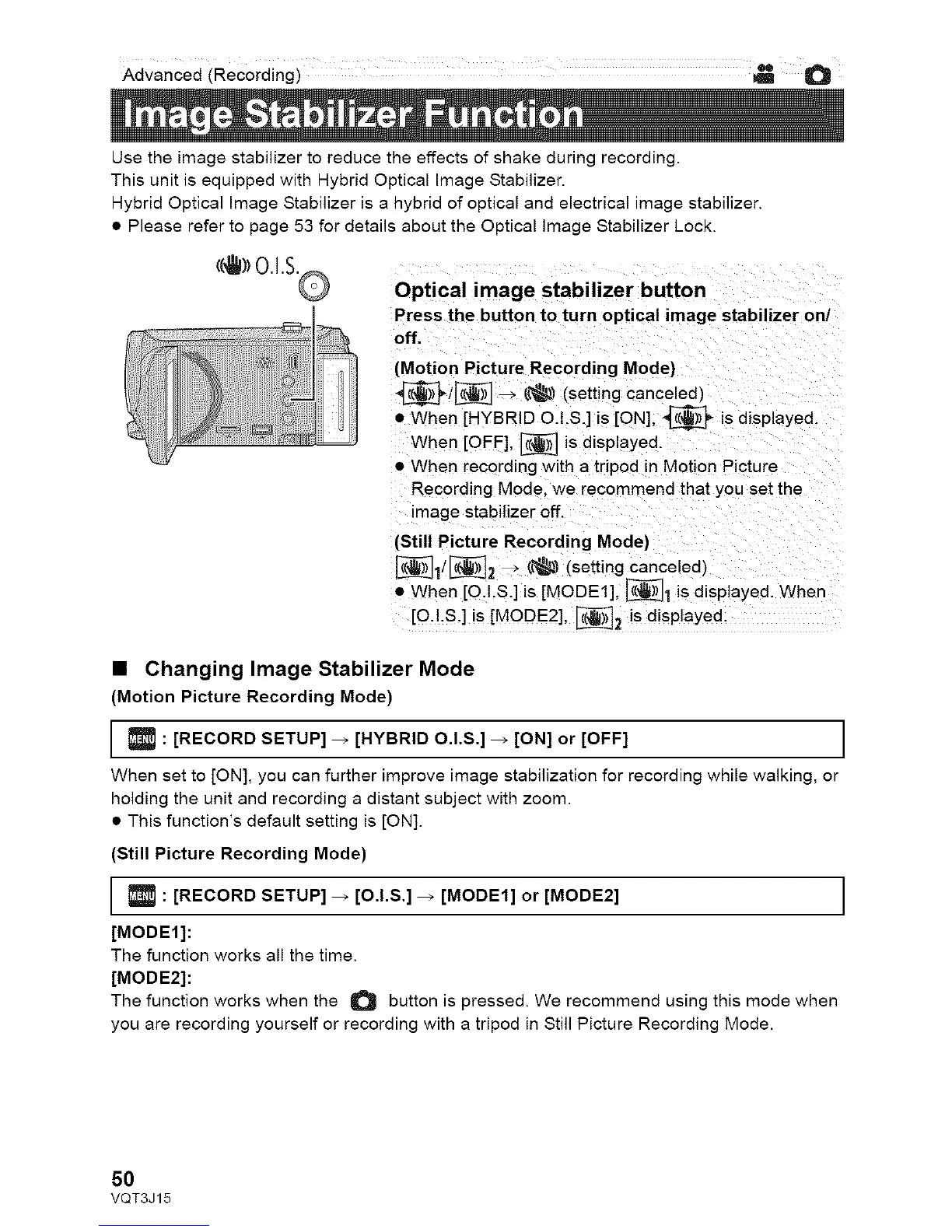
Optical image stabilizer button
Press the button to turn optical image stabilizer on/
off,
(Motion Picture Recording Mode)
_/_ _ (_ (setting canceled)
• When [HYBRID O.I.S.] is [ON], _ is displayed.
When [OFF], I_ is displayed.
• When recording with a tripod in Motion Picture
Recording Mode. we recommend that you set the
image stabilizer off.
(Still Picture Recording Mode)
_i/_2 _ (_ (setting canceled)
• When [QI.S.] is [MODE1] _1 is displayed. When
[O.I.S.] is [MODE2], _2 is displayed.
• Changing Image Stabilizer Mode
(Motion Picture Recording Mode)
: [RECORD SETUP] _ [HYBRID O.l.S.] _ [ON] or [OFF] I
When set to [ON], you can further improve image stabilization for recording while walking, or
holding the unit and recording a distant subject with zoom.
• This function's default setting is [ON].
(Still Picture Recording Mode)
: [RECORD SETUP] _ [O.I.S.] _ [MODE1] or [MODE2] I
[MODE1]:
The function works all the time.
[MODE2]:
The function works when the O button is pressed. We recommend using this mode when
you are recording yourself or recording with a tripod in Still Picture Recording Mode.
50
VQT3J15











 To Next Page