Preparation
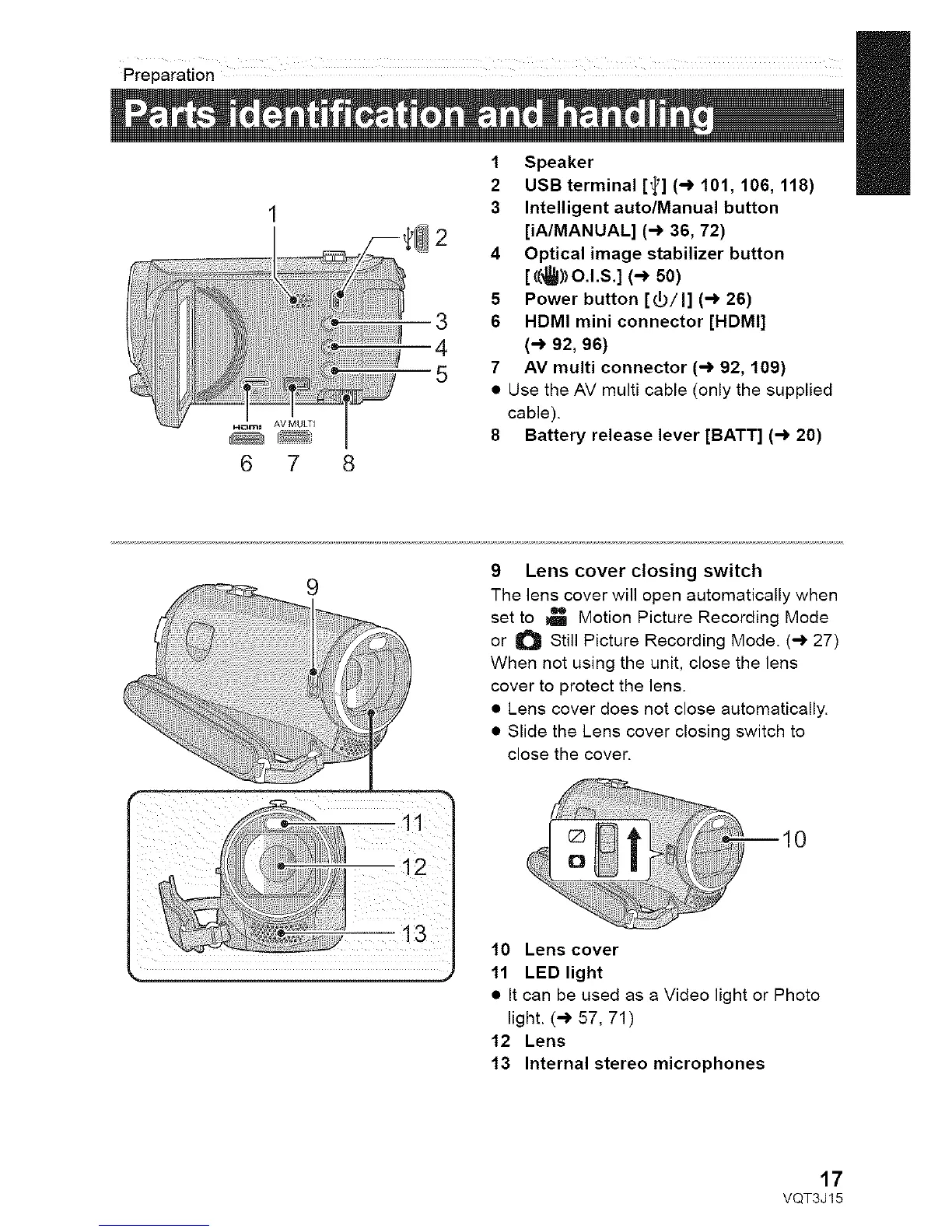
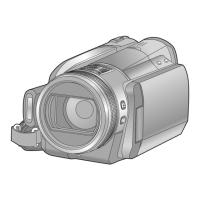
1 Speaker
2 USB terminal [_] (-) 101, 106, 118)
3 Intelligent auto/Manual button
[iA/MANUAL] (-) 36, 72)
4 Optical image stabilizer button
[((_)_o.l.s.](-_50)
5 Power button [_/I] (-) 26)
6 HDMI mini connector [HDMI]
(-_ 92, 96)
7 AV multi connector (-) 92, 109)
• Use the AV multi cable (only the supplied
cable).
8 Battery release lever [BATT] (-) 20)
_!_i_i_i_!_ii_i_ii_!i!i!!i!!i!!i!i_!i!i!i!i!_i!_i!_i!_i_!i!_i_i_!_!_!_i!_iiiiiiiii_iiiiiiiiiiiiiiiiiiiiiiiiiiiii_!_iiii_ii_!!ii!!i!ii!ii!i!_!_i__'li_;il_i;iii!!il
9 Lens cover closing switch
The lens cover will open automatically when
set to _ Motion Picture Recording Mode
or O Still Picture Recording Mode. (-_ 27)
When not using the unit, close the lens
cover to protect the lens.
• Lens cover does not close automatically.
• Slide the Lens cover closing switch to
close the cover.
10 Lens cover
11 LED light
• It can be used as a Video light or Photo
light. (-) 57, 71)
12 Lens
13 Internal stereo microphones
17
VQT3J15



 To Next Page