EasyManua.ls Logo

Panasonic HL-BD82S - User Manual

Panasonic HL-BD82S
38 pages
Print Icon
To Next Page IconTo Next Page
Loading...
Operating Instructions
Manuel d'utilisation
Manual del Funcionamiento
Model/Modèle/Modélo No. HL-BD82S
Please read these instructions carefully before using this product, and save
this manual for future use.
Avant d'utiliser l'appareil, lire attentivement le présent manuel et le conserver
pour référence ultérieure.
Lea estas instrucciones cuidadosamente antes de usar este producto y
por favor guarde este manual para el uso futuro.
Attached Installation Instructions
Instructions d'installation ci-jointes
Adjuntas Instrucciones de Instalación
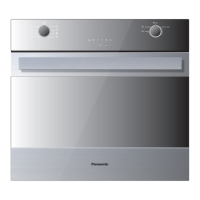
ELECTRIC BUILT-IN OVEN
FOR DOMESTIC USE ONLY
FOUR ENCASTRABLE ÉLECTRIQUE
POUR USAGE
DOMESTIQUE SEULEMENT
HORNO ELÉCTRICO DE PARED
SÓLO PARA USO DOMÉSTICO

Table of Contents

Other manuals for Panasonic HL-BD82S

Questions and Answers

  • S
    slarsonSep 2, 2025
    How do I resolve a short circuit error (F10) on my Panasonic Oven's display board?
    • L
      Leonard JonesSep 2, 2025
      If your Panasonic Oven has a possible short circuit on display board circuits (F10), it could be due to humidity causing condensation, a short circuit on display board connectors, or a short circuit on the display board itself. Remove power and dry the board, check connectors and clean or replace the board to board cables, or replace the display board.
  • J
    Joshua MilesAug 31, 2025
    What causes display board eeprom data error (F11) in Panasonic HL-BD82S Oven?
    • J
      Jerry BowmanAug 31, 2025
      If your Panasonic Oven shows error (F11) - display board eeprom data error, it could be due to the first power up, a new board installed, memory access issues, a bad cable connection, or a defective circuit on the display board. You can configure the oven model, replace the power board, check or replace the cable, or replace the display board.
  • S
    Samantha ParkerAug 29, 2025
    How to fix short circuit error (F09) on Panasonic HL-BD82S Oven display board?
    • K
      Kelly SinghAug 29, 2025
      If your Panasonic Oven has a possible short circuit on display board micro pins (F09), it might be due to humidity causing condensation on the circuits or a short circuit on the display board. Remove power and dry the board, or replace the display board.
  • C
    Cory KruegerAug 28, 2025
    Why Panasonic Oven is not operative and has no power?
    • H
      hleblancAug 28, 2025
      If your Panasonic Oven is not operative and has no power supply, the issue might be with the main breaker or fuses, or a short circuit. You should replace the fuses and find and remove any short circuits.
  • L
    laurenrodriguezAug 27, 2025
    What causes over temperature error (F07) during self-clean in Panasonic HL-BD82S Oven?
    • D
      Dawn StaffordAug 27, 2025
      If your Panasonic Oven detects over temperature during self-clean (F07), it's likely that one or more relays are stuck, which are driving the heating elements. Check the contact of the relay and replace the power board.
  • A
    Ann McclainAug 25, 2025
    How to troubleshoot latch mechanism error (F03) in Panasonic HL-BD82S Oven?
    • J
      jaredwhiteAug 25, 2025
      If your Panasonic Oven displays a latch mechanism error (F03), the cause may be a latch motor problem, a broken door micro switch during self-clean, bad connections, or a defective power board. Consider the following: * Replace the motor. * Replace the door micro switch. * Check the motor and micro switch connections. * Replace the power board.
  • J
    John HowellAug 22, 2025
    What to do if Panasonic Oven displays over temperature error (F05)?
    • D
      Dr. Bradley MannAug 22, 2025
      If your Panasonic Oven shows an over temperature error (F05) while cooking, it's possible that one or more relays are stuck, driving the heating elements. Check the contact of the relay and consider replacing the power board.

Summary

General Appliance and Oven Safety Precautions

Warnings

Read all instructions carefully to reduce the risk of burns, electric shock, fire, and injury.

Cautions

Do not store items above the oven; avoid flammable materials and grease fires.

Oven Safety Specifics

Safety for the Oven

Tie hair, avoid touching hot elements/surfaces, and do not heat unopened containers.

Safety for the Cleaning Oven

Do not leave items in oven during Self-Cleaning; clean door gasket carefully.

Oven Features and Accessories

Features of your Oven

Identifies key components like vents, elements, lights, and control panel.

Accessories

Lists and illustrates oven racks, broiler pan, extendable rack, and meat probe.

The Control Panels

General Oven Information

Before Using Your Oven

Instructions for initial setup and preparation before the first use.

Access Lock Features

Explains how to use child lock, user lock, and auto lock features.

Oven Operation Indicators

Describes noises, symbols, and beeps indicating oven status.

General Oven Tips

Default Settings

Explains default cooking temperatures and user options for saving settings.

Oven Condensation and Temperature

Discusses moisture evaporation and accurate temperature maintenance.

Operational Suggestions and Utensils

Provides advice on using charts, opening the door, interior lights, and selecting cookware.

Oven Racks

Details rack guides, positions, and proper placement for baking.

Oven Rack Handling

Setting the Clock and Timer

Cooking with the Convection Oven

Advantages of Convection Cooking

Lists benefits like even browning, juiciness, and time savings.

Oven Modes Overview

Quick Tips for Convection Cooking

Oven Mode Operation

Setting Cooking Mode and Temperature

Steps for selecting a cooking mode and adjusting the temperature.

Setting Low Temperature Modes

Explains how to use Dehydrate, Defrost, Proof, and Warming modes.

Preheat and Fast Preheat

Describes the preheating process and the fast preheat function.

Cooking Time Operation

Setting Cooking Time

Step-by-step instructions for setting a specific cooking duration.

Delay Start Cooking

Guide on scheduling the oven to start cooking at a later time.

Setting the Meat Probe

Convection Bake Tips and Techniques

Recommended Foods for Convection Bake

Lists food items suitable for the Convection Bake mode.

Rack Positioning and Recipe Conversion

Illustrates rack positions and offers tips on adjusting standard baking recipes for convection.

Convection Bake Chart

Bake Tips and Techniques

General Baking Guidelines

Provides essential tips for successful baking, including rack usage and utensil selection.

Bake Chart

A reference table for baking temperatures, rack positions, and cooking times for various food items.

Convection Broil Tips and Techniques

Convection Broil Chart

A table of food items, rack positions, temperatures, and times for convection broiling.

Broil Tips and Techniques

Broil Chart

A reference table for broiling settings, rack positions, and cooking times for various foods.

Food Safety Temperature Guidelines

USDA guidelines for safe internal cooking temperatures for various meats and dishes.

Convection Roast Tips and Techniques

Convection Roast Chart

A table providing recommended temperatures, times, and internal temperatures for roasting various meats.

Pizza Tips and Techniques

Pizza Chart

A reference table for pizza cooking temperatures and times.

Dehydrate Tips and Techniques

Dehydrate Chart

A table detailing preparation, drying times, and doneness tests for various foods.

Special Features

Sabbath Mode Instructions

Oven Care and Cleaning

Self-Cleaning the Oven

Explains the pyrolytic self-cleaning function and its operation.

Preparing for Self-Cleaning

Steps to take before initiating the self-cleaning cycle.

Setting the Self-Cleaning Mode

General Oven Care and Cleaning

Using the Cleaning Chart

Instructions on how to interpret and use the provided cleaning chart.

Oven Finishes Cleaning Methods

Oven Door Removal and Replacement

Replacing an Oven Light

Solving Baking and Roasting Problems

Solving Operational Problems

Panasonic Limited Warranty

Warranty Service and Contact Information

Provides contact details for warranty assistance and locating service centers.

Specifications

Panasonic HL-BD82S Specifications

General IconGeneral
TypeMicrowave Oven
TurntableYes
Voltage230 V
Frequency50 Hz
Cooking Levels5
ColorSilver

Related product manuals