EasyManua.ls Logo

Panasonic KX-TG1611FX - User Manual

Panasonic KX-TG1611FX
36 pages
Print Icon
To Next Page IconTo Next Page
Loading...
Thank you for purchasing a Panasonic product.
Please read these operating instructions before using the unit and save them for
future reference.
This unit is compatible with Caller ID. You must subscribe to the appropriate service
offered by your service provider/telephone company.
(For Czech and Slovakia)
This cordless telephone is possible to use according to General licence No.:
VO-R/8/08.2005-23 (for Czech), VPR-7/2001 (for Slovakia).
Before initial use, see “Getting Started”
on page 9.
Operating Instructions
Model No. KX-TG1611FX
KX-TG1612FX
KX-TG1613FX
KX-TG1711FX
KX-TG1712FX
Digital Cordless Phone
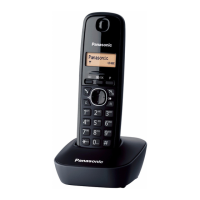
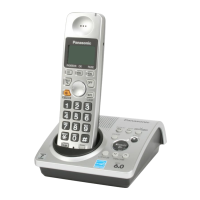
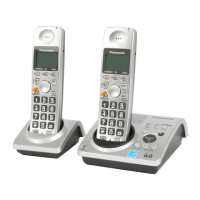
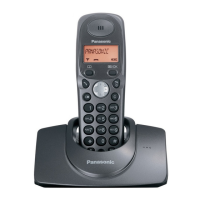
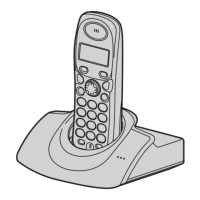
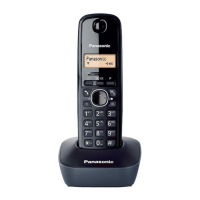
Model shown is KX-TG1611.
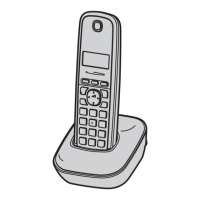
Model shown is KX-TG1711.
TG161x_171xFX(e).book Page 1 Monday, February 28, 2011 9:11 AM

Other manuals for Panasonic KX-TG1611FX

Questions and Answers

  • A
    amber19Sep 23, 2025
    Why I cannot use the intercom feature on my Panasonic KX-TG1611FX?
    • R
      Robert KellySep 23, 2025
      This feature is available between the handsets. Although the handset displays “Intercom”, this feature is not available for single handset models.
  • Z
    zortizAug 23, 2025
    What to do if I cannot hear a dial tone on my Panasonic KX-TG1611FX?
    • R
      Ross SuarezAug 23, 2025
      If you cannot hear a dial tone on your Panasonic Cordless Telephone, ensure you are using the supplied telephone line cord, as older cords may have different wiring. Also, check that the base unit’s AC adaptor and telephone line cord are properly connected. If the issue persists, disconnect the base unit from the telephone line and connect the line to a known working telephone to determine if the problem lies with the phone or your service provider.
  • S
    Shawn HensonAug 25, 2025
    What to do if my Panasonic KX-TG1611FX unit does not work?
    • M
      Michael HarrisAug 26, 2025
      If your Panasonic Cordless Telephone unit isn't working, first, make sure the batteries are correctly installed and fully charged. Check all connections to ensure they are secure. Try unplugging the base unit’s AC adaptor to reset the unit, turning off the handset, then reconnecting the adaptor and turning the handset back on. You can also try removing and reinstalling the batteries from the handset. Finally, ensure the handset is registered to the base unit.
  • C
    Carla HoffmanAug 26, 2025
    What to do if the Panasonic KX-TG1611FX handset display is blank?
    • K
      Kenneth WatsonAug 27, 2025
      To resolve a blank handset display on your Panasonic Cordless Telephone, turn the power on.
  • J
    Jessica PowellAug 27, 2025
    Why I cannot hear a dial tone on my Panasonic KX-TG1611FX Cordless Telephone?
    • D
      Daniel VegaAug 27, 2025
      If you cannot hear a dial tone, make sure you are using the supplied telephone line cord, as your old one may have a different wiring configuration. Check that the base unit’s AC adaptor or telephone line cord is connected properly. Disconnect the base unit from the telephone line and connect the line to a known working telephone.
  • J
    jeffreygonzalezSep 17, 2025
    How to fix slow caller ID display on Panasonic KX-TG1611FX Cordless Telephone?
    • A
      Adam BlackburnSep 17, 2025
      If caller information is slow to display, it may be because your phone service provider displays the caller’s information at the 2nd ring or later. Also, try moving closer to the base unit.
  • K
    Kathleen PhillipsSep 14, 2025
    Why can't I use the intercom feature on my Panasonic Cordless Telephone?
    • K
      Kevin BrewerSep 14, 2025
      Although the handset displays “Intercom”, this feature is not available for this model.
  • N
    Nancy FordSep 15, 2025
    What to do if liquid entered my Panasonic Cordless Telephone handset/base unit?
    • S
      Steven BakerSep 15, 2025
      If liquid or moisture has entered your Panasonic Cordless Telephone handset/base unit, disconnect the AC adaptor and telephone line cord from the base unit. Remove the batteries from the handset and leave to dry for at least 3 days. After drying, reconnect the AC adaptor and telephone line cord, insert the batteries and charge fully before use.
  • N
    Nicole WashingtonSep 6, 2025
    How to fix shifted time on Panasonic KX-TG1611FX Cordless Telephone?
    • R
      Raymond DixonSep 6, 2025
      If the time on the unit has shifted, set the time adjustment to “Manual” (off).
  • J
    Johnny Walker MDSep 3, 2025
    What to do if my Panasonic KX-TG1611FX Cordless Telephone handset does not turn on?
    • C
      carltorresSep 3, 2025
      If the handset does not turn on even after installing charged batteries, place the handset on the base unit or charger to turn it on.

Summary

Important Information and Safety

General Safety Precautions

Guidelines for safe product use, power connection, and installation.

Operating Safeguards and Medical

Safe operation rules and RF energy information for medical devices.

Performance, Environment, and Battery

Base Unit Location and Environment

Tips for optimal base unit placement and environmental considerations.

Battery Handling and Charging

Recommendations and precautions for using and charging batteries.

Getting Started

Setting Up Connections

Instructions for connecting the base unit and charger.

Making and Answering Calls

Phonebook Management

Programming Features

Caller ID Service

Using Caller ID Service

How to subscribe and use Caller ID features for incoming calls.

Useful Information

Troubleshooting and Error Messages

Solutions for common problems and explanations for display messages.

Panasonic KX-TG1611FX Specifications

General IconGeneral
BrandPanasonic
ModelKX-TG1611FX
CategoryCordless Telephone
LanguageEnglish

Related product manuals