EasyManua.ls Logo

Panasonic KX-TG1611AL - User Manual

Panasonic KX-TG1611AL
32 pages
Print Icon
To Next Page IconTo Next Page
Loading...
Thank you for purchasing a Panasonic product.
Please read these operating instructions before using the unit and save them for
future reference.
This unit is compatible with Caller ID. You must subscribe to the appropriate service
offered by your service provider/telephone company.
Before initial use, see “Getting Started”
on page 8.
Please access our online customer survey:
http://panasonic.net/pcc/tel/q
Operating Instructions
Model No. KX-TG1611AL
KX-TG1612AL
Digital Cordless Phone
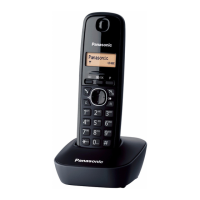
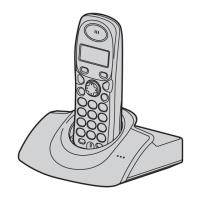
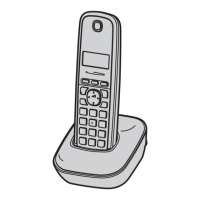
Model shown is KX-TG1611.
TG161xAL(e).book Page 1 Thursday, February 17, 2011 5:23 PM

Questions and Answers

  • M
    Margaret MoraAug 19, 2025
    What to do if my Panasonic KX-TG1611AL is not working?
    • M
      Monique MooreAug 20, 2025
      If your Panasonic Cordless Telephone is not working, ensure the batteries are correctly installed. Fully charge the batteries. Check all connections to ensure they are properly connected. Try unplugging the base unit’s AC adaptor to reset the unit, then turn the handset off and on. You can also try removing and reinstalling the batteries from the handset. Ensure the handset is registered to the base unit.
  • J
    Jessica NelsonAug 21, 2025
    Why can't I hear a dial tone on my Panasonic KX-TG1611AL?
    • R
      Richard ClarkAug 21, 2025
      If you cannot hear a dial tone on your Panasonic Cordless Telephone, ensure you are using the supplied telephone line cord, as older cords may have different wiring. Check that the base unit’s AC adaptor and telephone line cord are properly connected. To further diagnose the issue, disconnect the base unit from the telephone line and connect the line to a known working telephone. If the working telephone operates properly, contact service personnel to have the unit repaired. If the working telephone does not operate properly, contact your service provider/telephone company.
  • D
    debra11Aug 23, 2025
    Why is my Panasonic Cordless Telephone battery not charging properly?
    • J
      Jaime PierceAug 25, 2025
      If you have fully charged the batteries of your Panasonic Cordless Telephone, but the battery level does not increase or the operating time seems shorter, clean the battery ends and the charge contacts with a dry cloth and charge again. If the issue persists, it may be time to replace the batteries.
  • C
    Carmen MillerAug 26, 2025
    Why is my Panasonic KX-TG1611AL not ringing?
    • M
      Melissa BrooksAug 27, 2025
      If your Panasonic Cordless Telephone handset does not ring, adjust the ringer volume.
  • V
    vguerreroAug 28, 2025
    Why does my Panasonic KX-TG1611AL Cordless Telephone have static and cut out?
    • J
      James VincentAug 28, 2025
      If you are experiencing noise or sound cutting in and out on your Panasonic Cordless Telephone, it might be due to electrical interference. Try re-positioning the base unit and use the handset away from potential sources of interference. Moving closer to the base unit can also improve the sound quality. If you use a DSL/ADSL service, consider connecting a filter to the telephone line. As an additional step, you can unplug the base unit’s AC adaptor to reset the unit, then turn it back on.
  • P
    Paula WangAug 30, 2025
    Why does my Panasonic KX-TG1611AL Cordless Telephone beep and/or display 8?
    • K
      karenbaxterAug 30, 2025
      If your Panasonic Cordless Telephone handset beeps and/or displays 8, fully charge the batteries.
  • L
    lharrisSep 1, 2025
    How to turn on Panasonic KX-TG1611AL Cordless Telephone handset?
    • K
      Kristin LawrenceSep 1, 2025
      If your Panasonic Cordless Telephone handset does not turn on even after installing charged batteries, place the handset on the base unit or charger to turn it on.
  • T
    Tonya HallSep 3, 2025
    What to do if my Panasonic Cordless Telephone display is blank?
    • T
      Teresa SmallSep 3, 2025
      If the handset display of your Panasonic Cordless Telephone is blank, turn the power on.
  • P
    Patricia ChristensenSep 5, 2025
    Why does the time keep changing on my Panasonic KX-TG1611AL?
    • M
      Mallory JohnsonSep 5, 2025
      If the time on your Panasonic Cordless Telephone has shifted, set the time adjustment to “Manual” (off).
  • E
    Elizabeth IbarraSep 7, 2025
    Why is caller ID not showing on my Panasonic Cordless Telephone?
    • K
      Kristi HouseSep 7, 2025
      To ensure caller information is displayed on your Panasonic Cordless Telephone, verify that you have subscribed to a Caller ID service with your service provider or telephone company. If the unit is connected to additional telephone equipment, remove it and plug the unit directly into the wall socket. If you use a DSL/ADSL service, connecting a filter to the telephone line between the base unit and the telephone line socket may help. Also, other telephone equipment may be interfering with the unit, so disconnect it and try again.

Summary

Important Information

Safety, Operation, and Installation

Covers critical safety, operational safeguards, and installation advice.

Getting Started

Unit Setup and Connections

Guides through connecting the base unit, charger, and telephone line.

Battery Installation and Charging

Explains how to install and charge the handset batteries.

Controls and Display Overview

Identifies handset/base unit controls and display items.

Making and Answering Calls

Basic Call Operations

Instructions for making, answering, and ending calls.

Phonebook Management

Adding and Editing Entries

Guides on adding new contacts and modifying existing ones.

Finding and Calling Contacts

How to locate and dial numbers from the phonebook.

Programming Features

Caller ID Service

Using Caller ID Features

Explains how to view incoming call information.

Intercom and Locator

Useful Information

Troubleshooting and Error Messages

Lists common errors and provides solutions for problems.

Panasonic KX-TG1611AL Specifications

General IconGeneral
TypeCordless Telephone
Number of Handsets1
Frequency1.9 GHz
DECTYes
GAP compatibleYes
Talk TimeUp to 10 hours
Battery TypeNi-MH
Caller IDYes
Call WaitingYes
SpeakerphoneYes
IntercomNo
Answering MachineNo
Power SourceAC Adapter
DisplayLCD
Phonebook Capacity50
Redial Memory10 numbers
ExpandableUp to 6 handsets
Ringtones10

Related product manuals