EasyManua.ls Logo

Panasonic KX-TG2431. - User Manual

Panasonic KX-TG2431.
72 pages
Print Icon
To Next Page IconTo Next Page
Loading...
This unit is compatible with Caller ID. To use this feature, you must
subscribe to the appropriate service offered by your service provider.
Please read these Operating Instructions before using the unit and save
for future reference.
For assistance, visit our website: http://www.panasonic.com for
customers in the U.S.A. or Puerto Rico.
Charge the battery for 6 hours before initial use.
2.4 GHz Digital Cordless Answering System
Model No.
KX-TG2431
Operating Instructions
2.4 GHz Digital Cordless Answering System
with Dual Handsets
Model No.
KX-TG2432
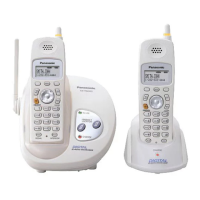
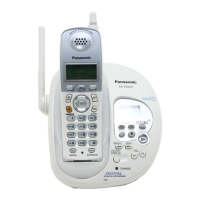
Model shown is KX-TG2431.
TG2431_2432(e).book Page 1 Thursday, February 3, 2005 5:01 PM

Table of Contents

Questions and Answers

  • S
    Scott PorterSep 15, 2025
    How to automatically edit caller ID on my Panasonic Cordless Telephone?
    • T
      Thomas WellsSep 15, 2025
      If the caller list/incoming phone numbers on your Panasonic Cordless Telephone are not edited automatically, the Caller ID number auto edit feature may be turned off. Turn it on and try again. You may also need to call back the edited number to activate Caller ID number auto edit.
  • R
    Ryan MckenzieAug 25, 2025
    Why does my Panasonic KX-TG2431. Cordless Telephone say 'Recharge battery'?
    • A
      amandageorgeAug 25, 2025
      If your Panasonic Cordless Telephone displays “Recharge battery”, 7 flashes, or the handset beeps intermittently, the suggested solution is to fully charge the battery.
  • N
    Nathaniel PowersAug 25, 2025
    How to fix a blank display on my Panasonic KX-TG2431. Cordless Telephone?
    • Q
      qbarrettAug 26, 2025
      If your Panasonic Cordless Telephone handset display is blank, confirm that the battery is properly installed and fully charged.
  • A
    Alexa BrownAug 26, 2025
    Why is my Panasonic Cordless Telephone not ringing?
    • J
      Jacob FreemanAug 27, 2025
      If your Panasonic Cordless Telephone handset does not ring, adjust the ringer volume, because it may be turned off.
  • B
    Brittany DanielsSep 16, 2025
    Why can't I dial edited numbers on my Panasonic KX-TG2431. Cordless Telephone?
    • G
      Geoffrey GonzalezSep 16, 2025
      If you cannot dial the phone number edited in the caller list on your Panasonic Cordless Telephone, the phone number you dialed might have an incorrect edited pattern (for example, the long distance “1” or the area code is missing). Edit the phone number with another pattern.
  • M
    Mrs. Cynthia PadillaSep 23, 2025
    Why doesn't the charge light go off on my Panasonic KX-TG2431. Cordless Telephone?
    • N
      nelsonlaurenSep 23, 2025
      This is normal; the CHARGE indicator on your Panasonic Cordless Telephone does not go out after the battery has been charged.
  • A
    Ashley ReedSep 7, 2025
    What to do if my Panasonic KX-TG2431. Cordless Telephone won't work during a power outage?
    • S
      Susan NguyenSep 7, 2025
      If your Panasonic Cordless Telephone unit will not function, this product is not designed to make calls in the event of a power failure. It is recommended to connect a standard telephone to the same telephone line in the event that emergency calls need to be made during a power failure.
  • J
    Julie SmithSep 8, 2025
    What happens when my Panasonic KX-TG2431. Cordless Telephone rings while programming?
    • A
      Anthony McfarlandSep 8, 2025
      If, while programming your Panasonic Cordless Telephone, the handset starts to ring, a call is being received. Answer the call and start again from the beginning after hanging up.
  • S
    Steven BellSep 2, 2025
    What to do if Panasonic KX-TG2431. still says 'Recharge battery' after charging?
    • M
      Michael FlemingSep 2, 2025
      If you have fully charged the battery of your Panasonic Cordless Telephone, but “Recharge battery” is still displayed and/or 7 continues to flash, or “Charge for 6h” and 8 are displayed, clean the charge contacts and charge again. The battery may also need to be replaced.
  • D
    Dorothy SmithAug 31, 2025
    How to correct the date and time on my Panasonic KX-TG2431. answering machine?
    • S
      saracurtisAug 31, 2025
      When you play back messages or turn on the answering system, and the base unit and handset of your Panasonic Cordless Telephone announce the day and time incorrectly, set the date and time again.

Panasonic KX-TG2431. Specifications

General IconGeneral
TypeCordless Telephone
Frequency1.9 GHz
Number of Handsets1
Handsets Supported6
RangeUp to 1000 feet
Caller IDYes
SpeakerphoneYes
Battery TypeNi-MH
DisplayLCD
Call WaitingYes
Answering MachineNo
IntercomYes
Color OptionsBlack, Silver
Phonebook Capacity50 Names & Numbers

Related product manuals