EasyManua.ls Logo

Panasonic KX-TGD324AL - User Manual

Panasonic KX-TGD324AL
52 pages
Print Icon
To Next Page IconTo Next Page
Loading...
Operating Instructions
Digital Cordless Answering System
Model No.
KX-TGD320AL
KX-TGD322AL
KX-TGD323AL
KX-TGD324AL
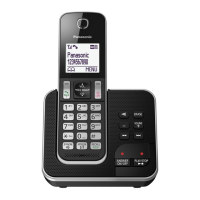
Model shown is KX-TGD320.
Before initial use, see “Getting Started”
on page 9.
Thank you for purchasing a Panasonic product.
Please read these operating instructions before using the unit and save them for
future reference.
TGD32xAL(en)_1103_ver021.pdf 1 3/11/2015 1:59:46 PM

Questions and Answers

  • A
    Anthony StewartSep 12, 2025
    Why can't I activate eco mode on my Panasonic KX-TGD324AL?
    • M
      melissa42Sep 13, 2025
      If you cannot activate the eco mode on your Panasonic Answering Machine, it is because you have set the repeater mode to 'On'. Set the repeater mode to 'Off'.
  • L
    louisjeffersonAug 25, 2025
    How to turn on Panasonic KX-TGD324AL handset?
    • C
      Christopher MortonAug 25, 2025
      If the Panasonic Answering Machine handset does not turn on even after installing charged batteries, place the handset on the base unit or charger to turn on the handset.
  • L
    lewismichaelAug 25, 2025
    How to fix Panasonic Answering Machine not recording messages?
    • J
      Jeanette HaydenAug 26, 2025
      If your Panasonic Answering Machine is not recording new messages, ensure the answering system is turned on. Also, check if the message memory is full and erase any unwanted messages. Verify that the recording time is not set to “Greeting Only”, and adjust the setting if needed. Ensure that other devices, such as handsets, are not engaged in a call, as the answering system will not answer incoming calls during that time. Finally, your phone service provider’s voicemail service may be answering calls before the unit; in this case, change the unit’s number of rings setting to a lower value.
  • A
    Ashley BradleySep 23, 2025
    What to do if my Panasonic Answering Machine got wet?
    • C
      Cynthia LarsonSep 23, 2025
      If liquid or other form of moisture has entered the handset/base unit of your Panasonic Answering Machine, disconnect the AC adaptor and telephone line cord from the base unit. Remove the batteries from the handset and leave to dry for at least 3 days. After the handset/base unit are completely dry, reconnect the AC adaptor and telephone line cord. Insert the batteries and charge fully before use. If the unit does not work properly, contact an authorised service centre.
  • M
    Michael DavisSep 13, 2025
    Why can't I register a handset to the base unit on my Panasonic Answering Machine?
    • V
      Vanessa SmithSep 13, 2025
      Here are possible solutions if you cannot register a handset to a base unit of your Panasonic Answering Machine: 1. The maximum number of base units (4) is already registered to the handset, so cancel unused base unit registrations from the handset. 2. The maximum number of handsets (6) is already registered to the base unit, so cancel unused handset registrations from the base unit. 3. If you entered the wrong PIN, contact an authorised service centre if you forget your PIN.
  • S
    Sean NicholsonSep 22, 2025
    Why can't I register my Panasonic Answering Machine handset?
    • S
      Stephen SmithSep 22, 2025
      If you cannot register a handset to a base unit on your Panasonic Answering Machine, it may be because the maximum number of base units (4) is already registered to the handset; cancel unused base unit registrations from the handset. The maximum number of handsets (6) may already be registered to the base unit; cancel unused handset registrations from the base unit. Alternatively, you may have entered the wrong PIN.
  • L
    Laura BellSep 6, 2025
    Why are the batteries on my Panasonic KX-TGD324AL Answering Machine still flashing after charging?
    • P
      peter36Sep 6, 2025
      If you fully charged the batteries of your Panasonic Answering Machine, but it still flashes or the operating time seems to be shorter, clean the battery ends and the charge contacts with a dry cloth and charge again. It may also be time to replace the batteries.
  • R
    Rachel JonesSep 7, 2025
    What does it mean when my Panasonic Answering Machine displays the symbol?
    • K
      Karen LeeSep 7, 2025
      If your Panasonic Answering Machine is displaying , the handset is too far from the base unit, so move closer. Ensure the base unit’s AC adaptor is properly connected by reconnecting it to the base unit. The handset may not be registered to the base unit, so register it. Activating eco mode reduces the range of the base unit in standby mode, so turn eco mode off if required.
  • G
    gcowanSep 23, 2025
    Why is my Panasonic KX-TGD324AL not ringing enough times?
    • G
      Gina BlackburnSep 23, 2025
      If the unit does not emit the specified number of rings on your Panasonic Answering Machine, it is because if the first ring is turned off, the number of rings decreases by 1 from the specified number of rings.
  • T
    Timothy SolomonAug 31, 2025
    Why is my Panasonic Answering Machine base unit not ringing?
    • M
      Mark RodgersAug 31, 2025
      If the base unit of your Panasonic Answering Machine does not ring, the ringer volume may be turned off. Adjust the ringer volume.

Panasonic KX-TGD324AL Specifications

General IconGeneral
Frequency1.9 GHz
Answering SystemYes
Number of Mailboxes1
Caller IDYes
Call Waiting Caller IDYes
SpeakerphoneYes
IntercomYes
Battery TypeNi-MH
Talk TimeUp to 10 hours
TypeCordless
ExpandableYes (up to 6 handsets)
Phonebook Capacity100 names/numbers
DisplayLCD

Related product manuals