Setting up
C
onnections
R If you do not connect the telephone line cord and use only cellular lines, set the cellular line
only mode to use this unit more conveniently (page 36).
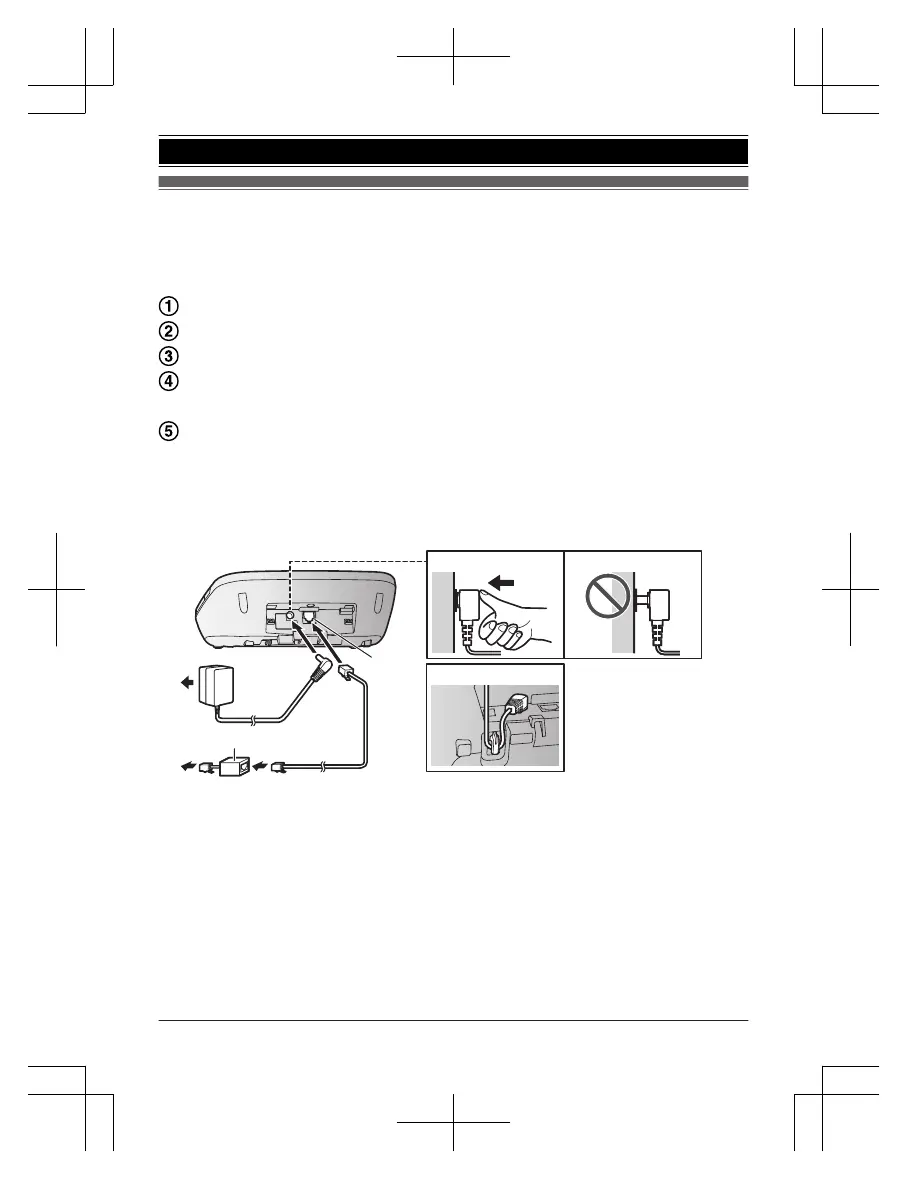
Connect the AC adaptor to the unit by pressing the plug firmly.
Fasten the cord by hooking it.
Connect the AC adaptor to the power outlet.
Connect the telephone line cord to the unit, then to the
s
ingle-line telephone jack (RJ11C) until you hear a click.
A DSL/ADSL filter (not supplied) is required if you have a DSL/
A
DSL service.
Note:
R The AC adaptor and telephone line cord come connected to the base unit at the time of
shipment.
R Use only the supplied Panasonic AC adaptor PNLV226.














 To Next Page