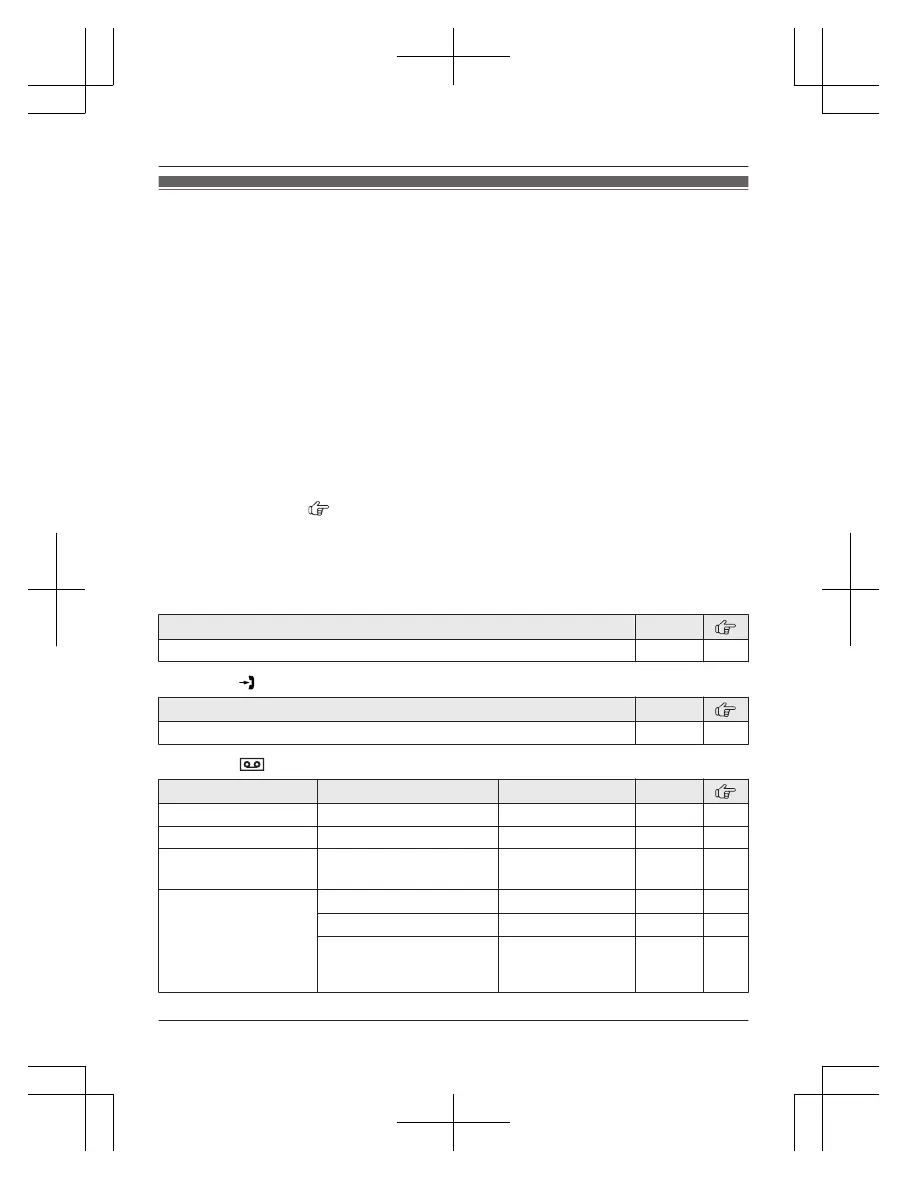
Menu list
T
o access the features, there are 2 methods.
n Scrolling through the display menus
1 MMENUN
2 Press MCN or MDN to select the desired main menu. a MSELECTN
3 Press MCN or MDN to select the desired item from the next sub-menus. a MSELECTN
4 Press MCN or MDN to select the desired setting. a MSAVEN
n Using the direct command code
1 MMENUN a Enter the desired code.
Example: Press MMENUN#101.
2 Select the desired setting. a MSAVEN
Note:
R To exit the operation, press MOFFN.
R In the following table, < > indicates the default settings.
R In the following table,
indicates the reference page number.
R D
isplay menu order and sub-menu may vary depending on your model.
Display menu tree and direct command code table
Main menu: W “Phonebook”
Operation Code
Viewing the phonebook entry. #280 48
Main menu: “C
aller list”
Operation Code
Viewing the caller list. #213 63
Main menu: “A
nswering device”
Sub-menu 1 Sub-menu 2 Settings Code
Play new message
– – #323 72
Play all message
– – #324 72
Erase all
m
essage
*1
– – #325 73
Greeting
Record greeting
*
1
– #302 71
Check greeting
– #303 72
Pre-recorded
*
1
(Reset to pre-recorded
greeting)
– #304 72
For assistance, please visit http://shop.panasonic.com/support
51
Programming














 To Next Page