MZN
(SP-PHONE: Speakerphone)
SP-PHONE indicator (Z)
Message indicator
Microphone
M N
(PLAY/STOP)
New Message/Play indicator (
)
MA
NSWER ON/OFFN
ANSWER ON/OFF indicator (
)
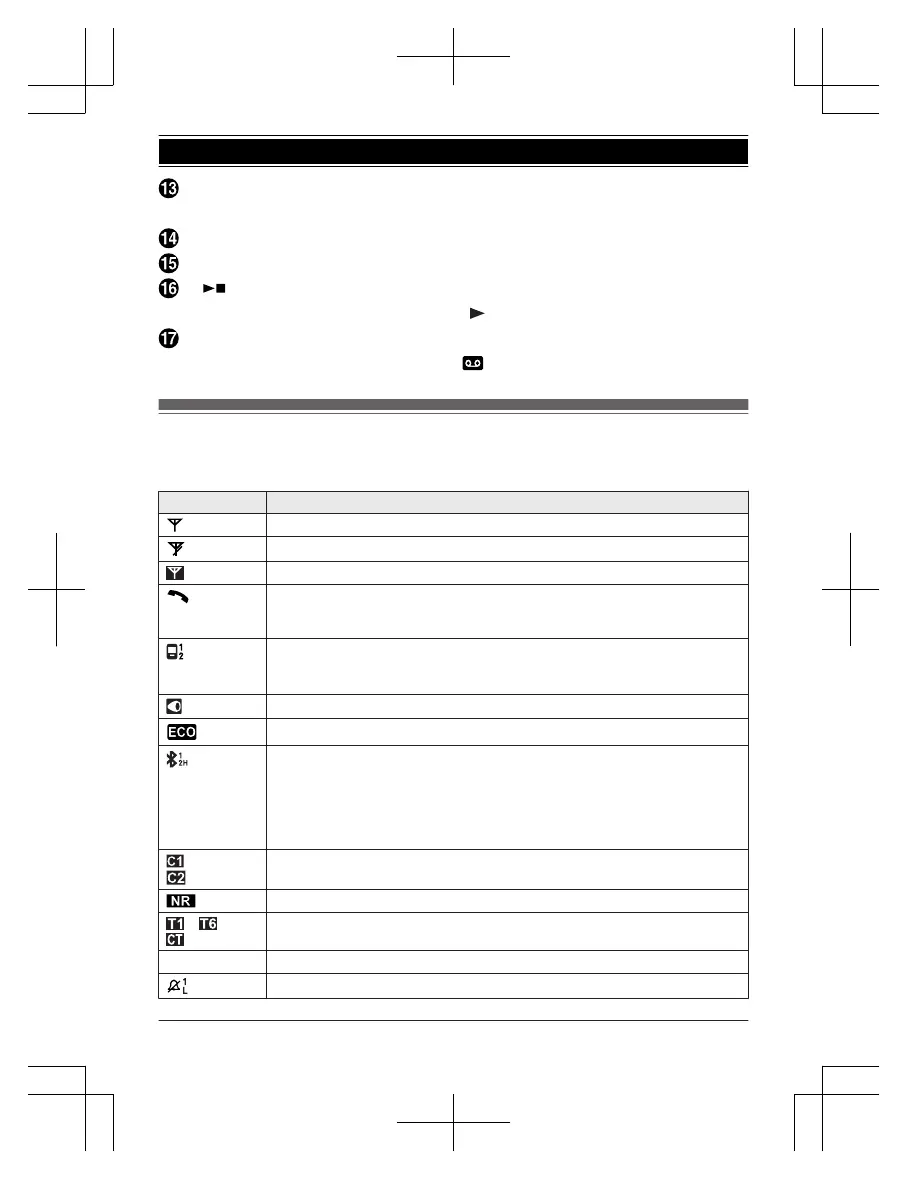
Display icons/Indicators
H
andset display items
Item Meaning
Within base unit range
Out of base unit range
Sound enhancer is on. (page 41)
The landline is in use.
R W
hen flashing: The call is put on hold.
R When flashing rapidly: An incoming call is now being received.
A cellular line is in use.
*
1
R When flashing: The cellular call is put on hold.
R When flashing rapidly: A cellular call is being received.
Speech booster is on. (page 29)
Eco mode is on.
*
2
(page 17)
1, 2: A cellular phone is connected.
*
3
Ready to make/receive cellular calls.
H: Bluetooth headset is connected.
*3
Ready to make/receive landline calls
with your headset.
R When 1, 2, or H are not displayed:
A cellular phone (1, 2) or Bluetooth headset (H) is not connected to the
base unit. (page 36)
– A cellular call is in progress on that line.
–
The cellular line is selected for the setting.
Noise reduction is set. (page 41)
– Tone control level (Tone 1-6 or Custom tone)
Z Speakerphone is on. (page 38)
Ringer volume is off.
*
4
(page 40, 53, 55)
For assistance, please visit http://shop.panasonic.com/support
21
Getting Started














 To Next Page