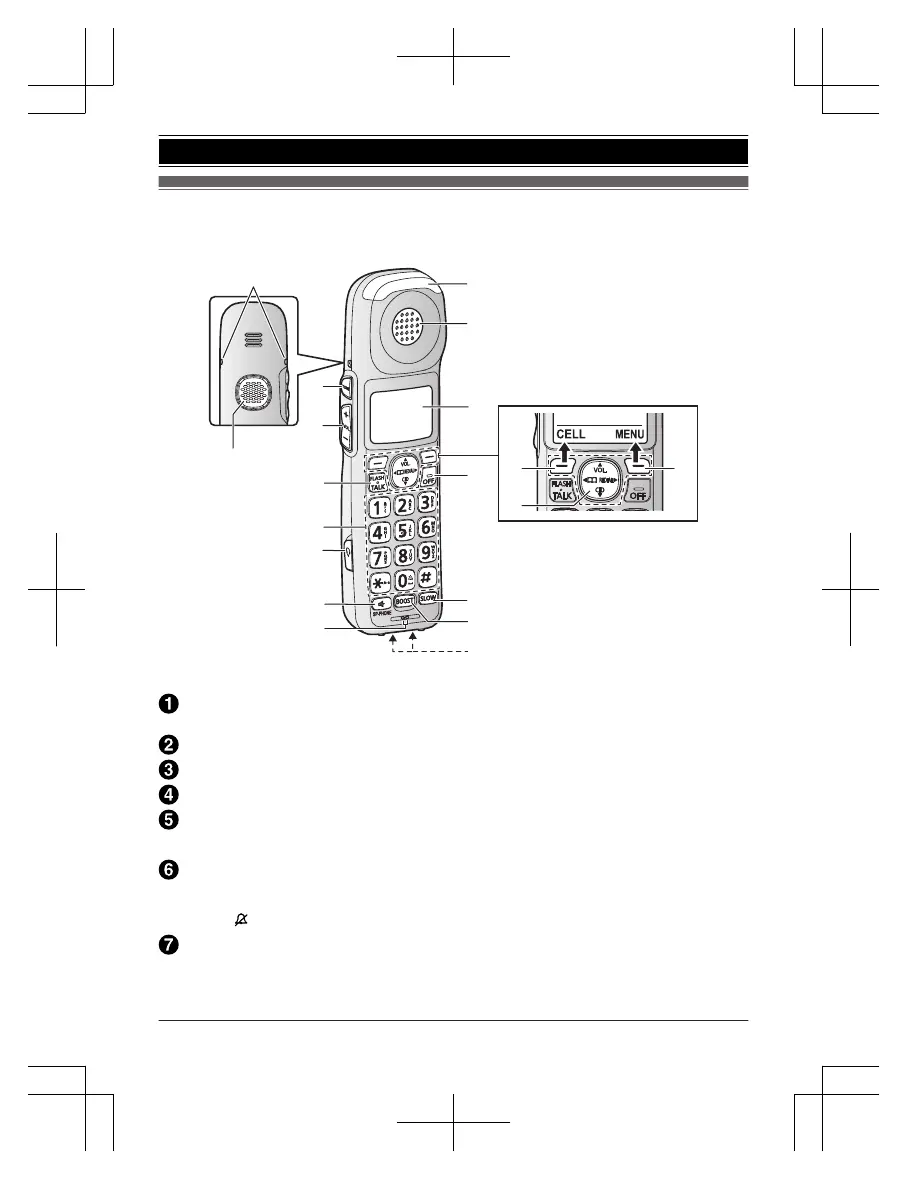
Belt clip holes
R T
he belt clip comes attached to the handset at the time of shipment.
Speaker
MT
ONEN (Tone control)
MjN/M
kN (VOL.: Volume up/down)
MF
LASHN
MTALKN
Dial keypad
*:
Temporary tone dialing
0: (
) Ringer off
Headset jack
R T
his jack is used to connect an optional headset (page 4) or a user-supplied neckloop to
the handset. You must set the “Headset type” setting to match the type of device
connected (page 33).
18
For assistance, please visit http://shop.panasonic.com/support
Getting Started














 To Next Page