Preparation
- 16 -
Setting Date/Time (Clock Set)
• The clock is not set when the camera is shipped.
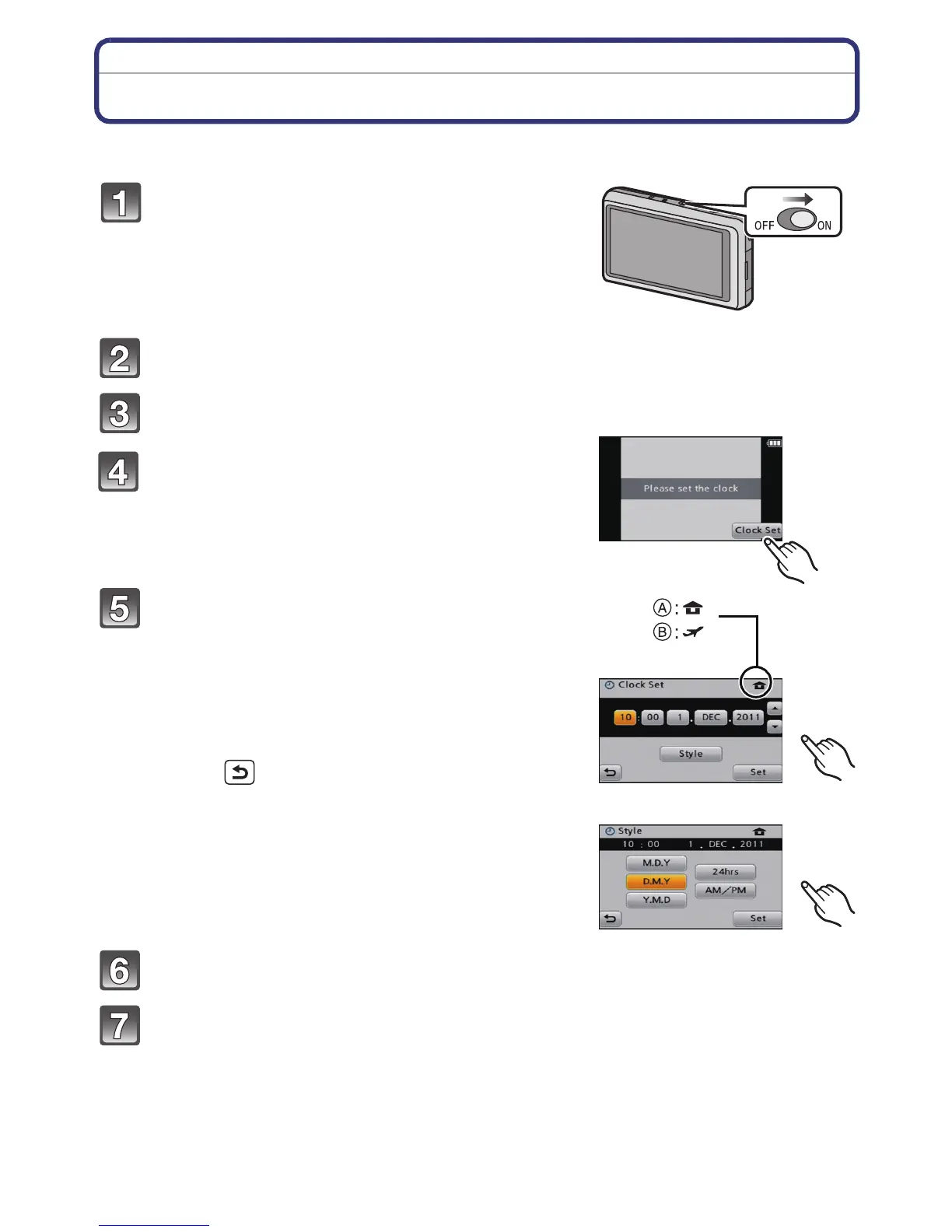
Touch [Language Set].
Select the language, and then touch [Set].
Touch [Clock Set].
Touch the items you wish to set (Year/
Month/Day/Hours/Minutes), and set using
[3]/[4].
A: Time at the home area
B: Time at the travel destination
•
You can continue to switch the settings by
continuously touching [3]/[4].
• Touch [ ] to cancel the date and time settings
without setting a date and time.
To set the display order and the
time display format.
•
Touch [Style] to display the settings screen for setting
display order/time display format.
Touch [Set] to set.
Touch [Set] in the confirmation screen.
Turn the camera on.
• If the language select screen is not displayed, proceed
to step
4.


 To Next Page
 Loading...