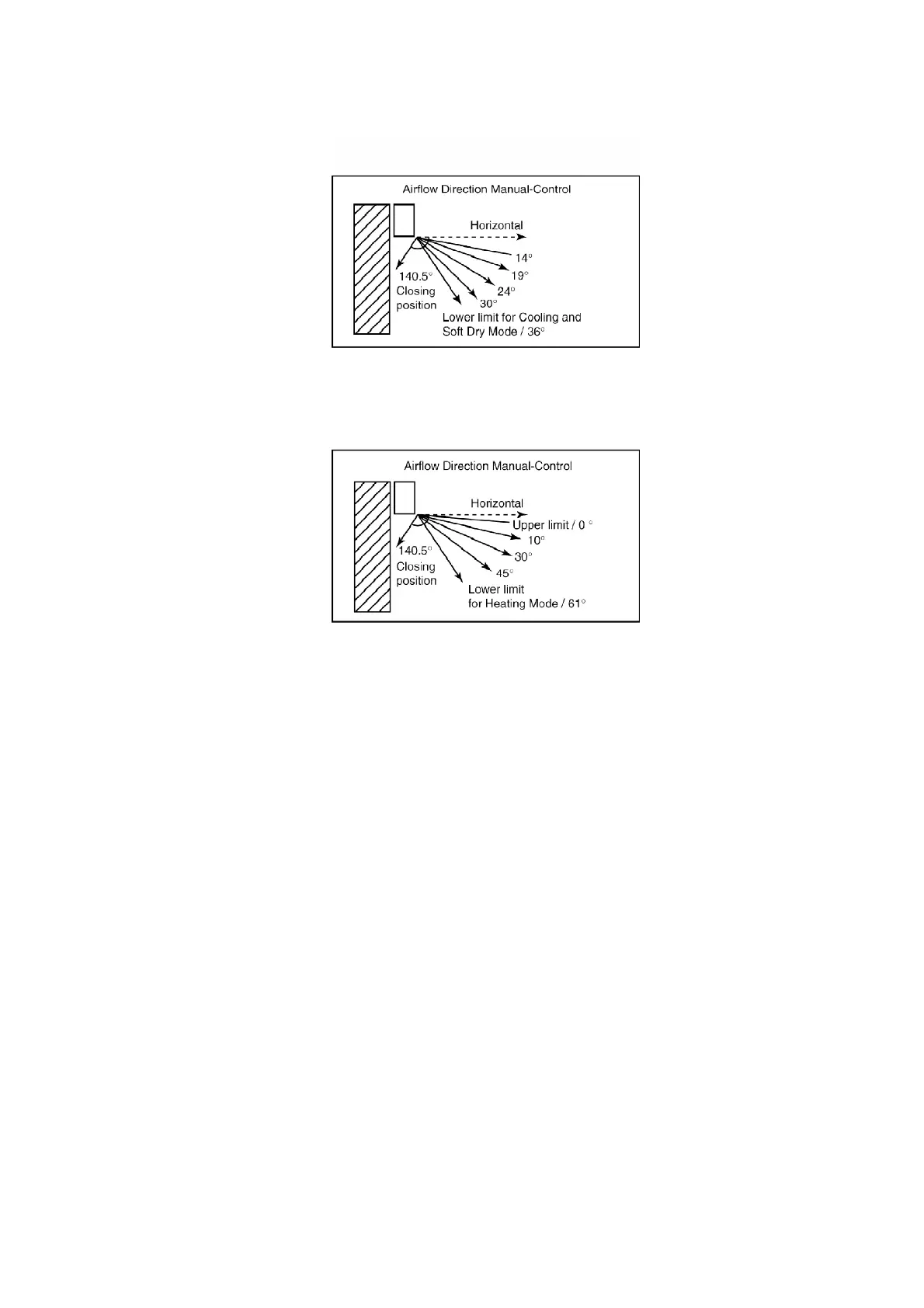
- The louver can be selected between 14° - 36° (as shown
above) when pressing Manual Airflow Direction Selection
Button.
- The louver can be selected between 0° - 61° (as shown above)
when pressing Manual airflow Direction Selection Button.
3. Horizontal Airflow Direction
- The left and right airflow direction louvers can be adjusted
manually.
8.11. Economy Mode Operation
Purpose of this operation is to save or reduced electrical power consumption of the room air
conditioner.
However consumer is advised to use Economy Mode operation after the room temperature
reaches the desired temperature.
1. Cooling and Soft Dry Mode
- When the Economy Mode is set, the set temperature will be
automatically increased 0.5°C against the present setting
temperature. This operation automatically will be running
under Random Fan speed.
- Vertical Airflow Direction:-
In “Manual” or “Auto” setting, the vane will automatically
38



 To Next Page