EasyManua.ls Logo

Panasonic NV-HD100EA - Audio Dubbing

Panasonic NV-HD100EA
35 pages
Print Icon
To Next Page IconTo Next Page
To Previous Page IconTo Previous Page
Loading...
24
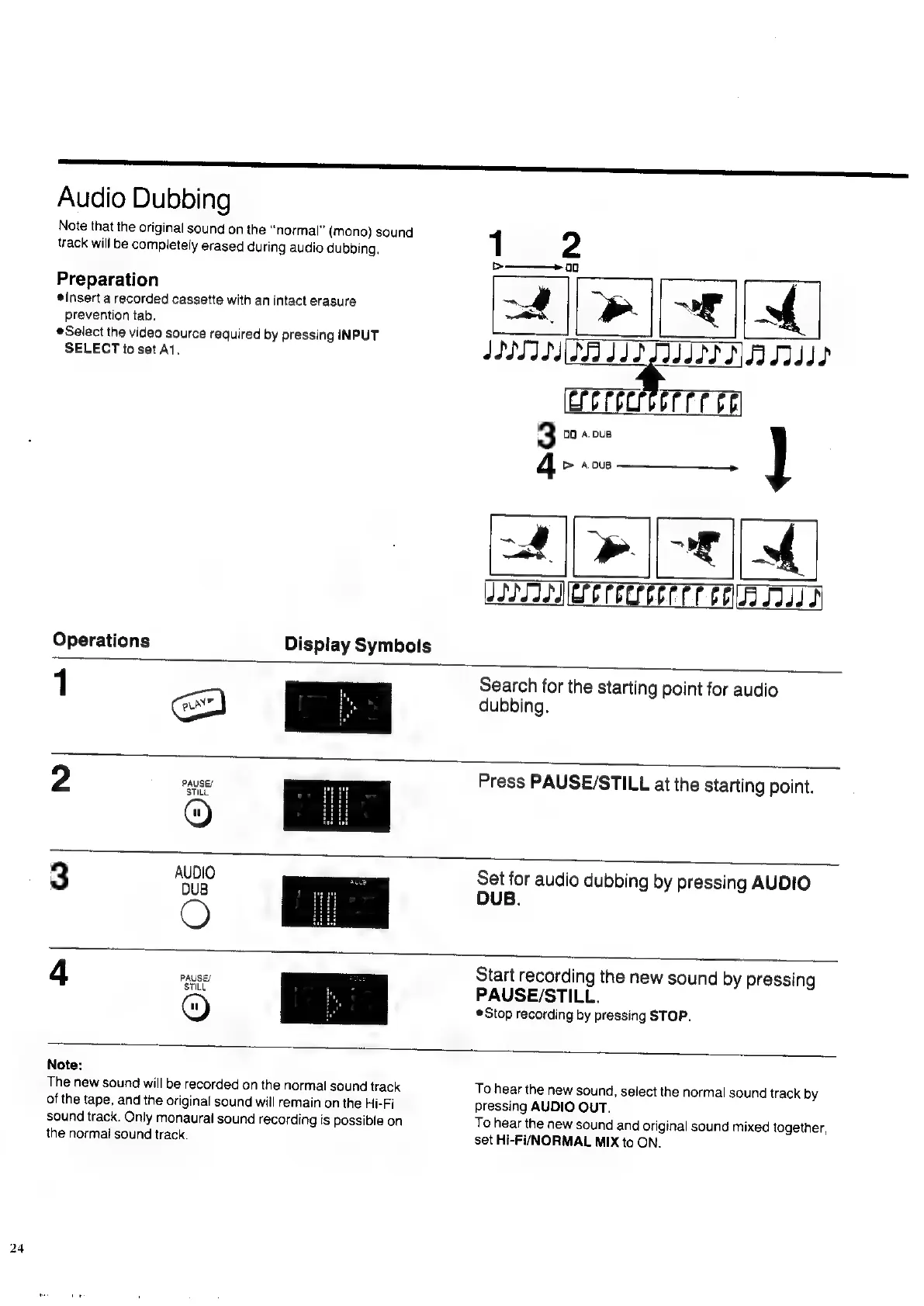
Audio
Dubbing
Note
that
the
original
sound
on
the
“normal”
(mono)
sound
track
will
be
completely
erased
during
audio
dubbing.
Preparation
insert
a
recorded
cassette
with
an
intact
erasure
prevention
tab.
Select
the
video
source
required
by
pressing
INPUT
SELECT
to
set
A1.
Operations
1
Display
Symbols
IIITIS
SI
IS
SIIIII
NAT
CoPoCrerr
ree
3
00
A.DuB
4
tb
A
0uB
TERE
JISSIIIC
OP
CCCC
PTE
COW
ID
Search
for
the
starting
point
for
audio
dubbing.
2
PAUSES
STILL
Press
PAUSE/STILL
at
the
starting
point.
3
Set
for
audio
dubbing
by
pressing
AUDIO
DUB.
4
PAUSE/
STILL
Start
recording
the
new
sound
by
pressing
PAUSE/STILL.
Stop
recording
by
pressing
STOP.
Note:
The
new
sound
will
be
recorded
on
the
normal
sound
track
of
the
tape,
and
the
original
sound
will
remain
on
the
Hi-Fi
sound
track.
Only
monaural
sound
recording
is
possible
on
the
normal
sound
track.
To
hear
the
new
sound,
select
the
normal
sound
track
by
pressing
AUDIO
OUT.
To
hear
the
new
sound
and
original
sound
mixed
together,
set
Hi-Fi/NORMAL
MIX
to
ON.

Related product manuals