EasyManua.ls Logo

Panasonic NV-HD100EA - Timer Recording

Panasonic NV-HD100EA
35 pages
Print Icon
To Next Page IconTo Next Page
To Previous Page IconTo Previous Page
Loading...
18
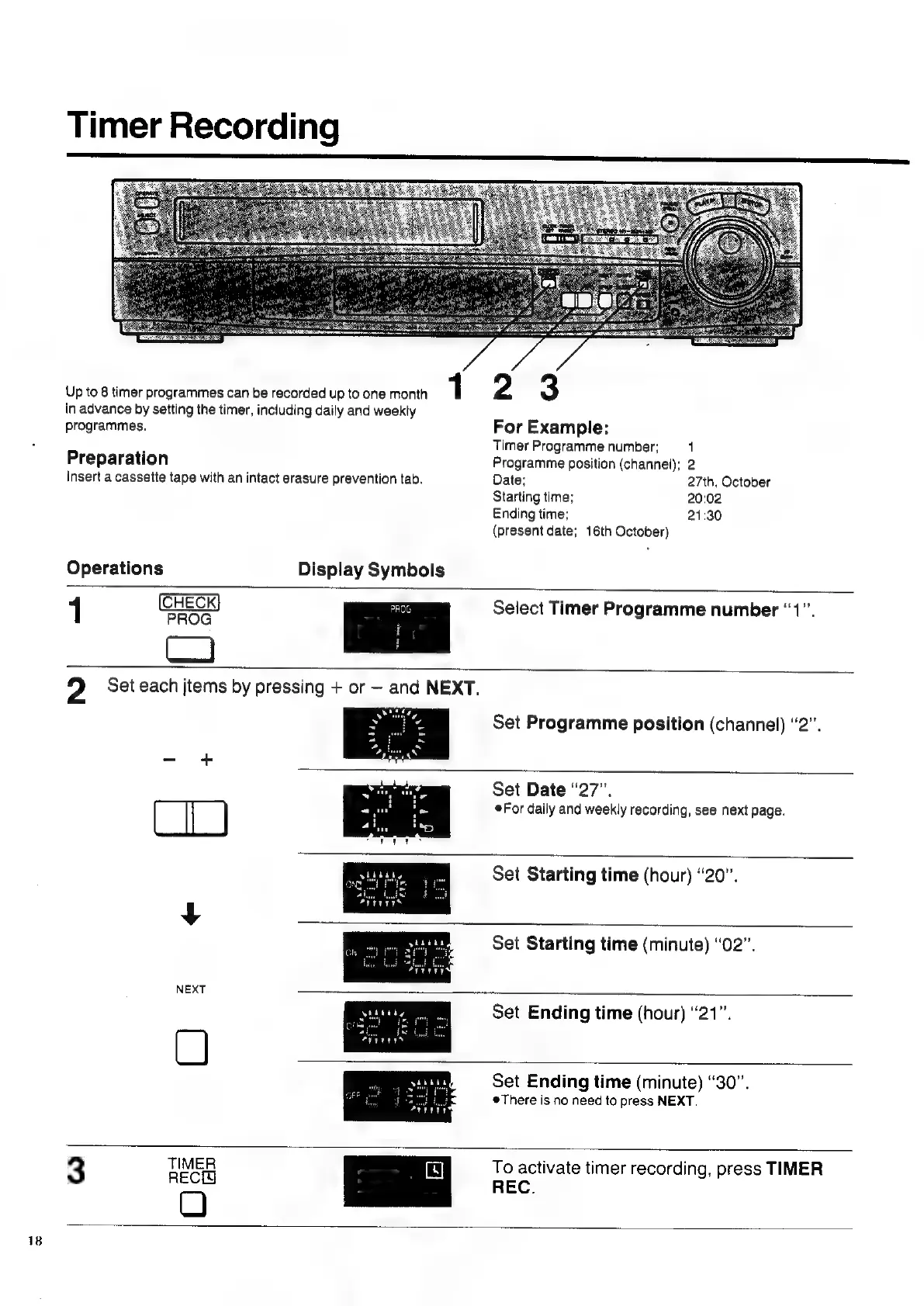
Timer
Recording
Up
to
8
timer
programmes
can
be
recorded
up
to
one
month
1
in
advance
by
setting
the
timer,
including
daily
and
weekly
programmes.
Preparation
Insert
a
cassette tape
with
an
intact
erasure
prevention
tab.
Operations
Display
Symbols
2
3
For
Example:
Timer
Programme
number;
1
Programme
position
(channel);
2
Date;
27th,
October
Starting
time;
20:02
Ending
time;
21:30
(present
date;
16th
October)
1
Select
Timer
Programme
number
“1”.
Set
Programme
position
(channel)
“2”.
Set
Date
“27”.
For
daily
and
weekly
recording,
see
next
page.
Set
Starting
time
(hour)
“20”.
Set
Starting
time
(minute)
“02”.
O
Set
Ending
time
(hour)
“21”.
Set
Ending
time
(minute)
“30”.
#There
is
no
need
to
press
NEXT.
3
TIMER
RECH
O
To
activate
timer
recording,
press
TIMER
REC.

Related product manuals