EasyManua.ls Logo

Panasonic NV-HD100EA - Page 19

Panasonic NV-HD100EA
35 pages
Print Icon
To Next Page IconTo Next Page
To Previous Page IconTo Previous Page
Loading...
Setting
for
Daily
and
Weekly
Timer
Recording
In
the
Date
setting
step,
press
button
repeatedly
until
the
desired
day(days)
is
displayed.
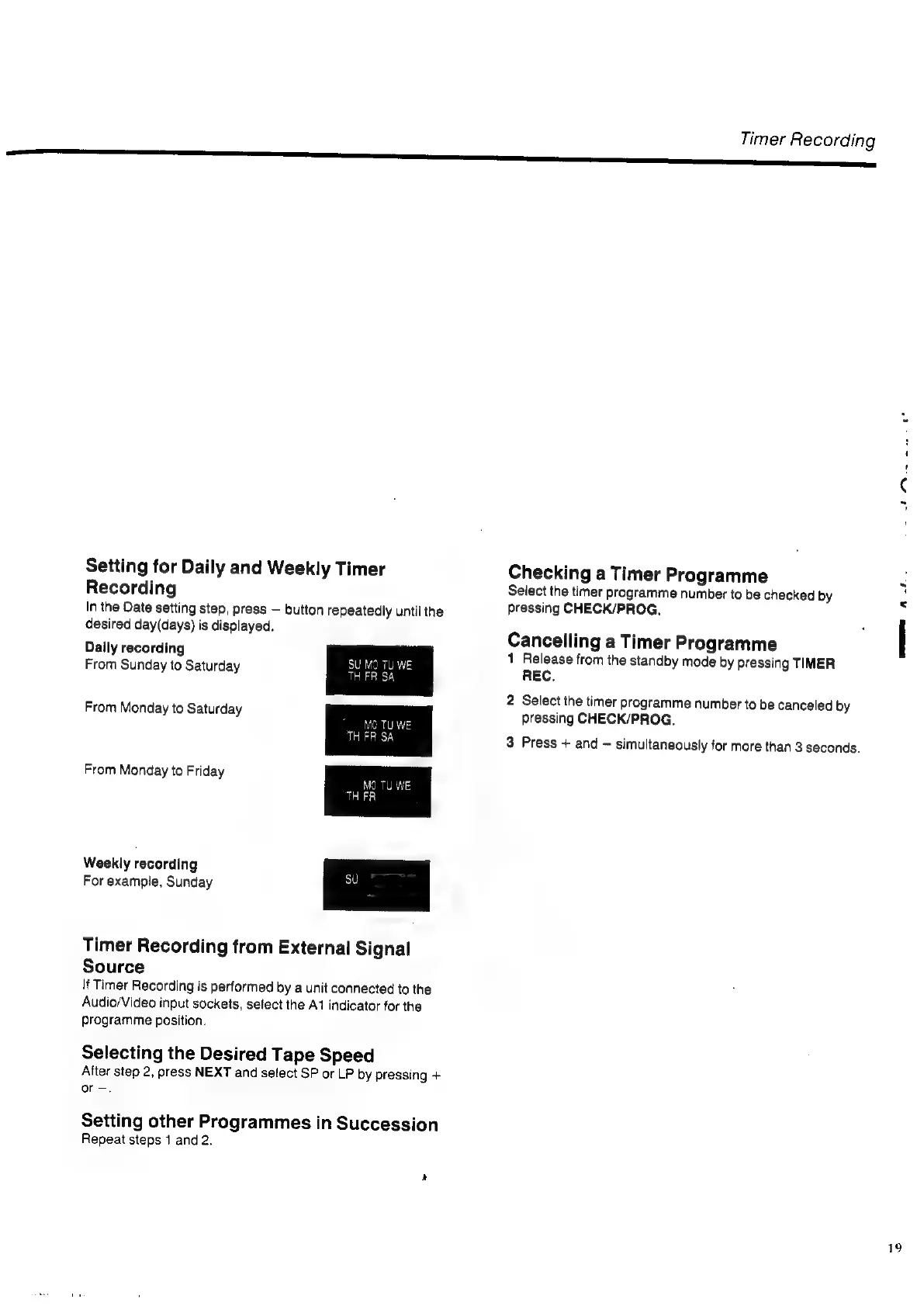
Daily
recording
From
Sunday
to
Saturday
From
Monday
to
Saturday
From
Monday
to
Friday
Weekly
recording
For
example,
Sunday
Timer
Recording
from
External
Signal
Source
If
Timer
Recording
is
performed
by
a
unit
connected
to
the
Audio/Video
input
sockets,
select
the
A1
indicator
for
the
programme
position.
Selecting
the
Desired
Tape
Speed
After
step
2,
press
NEXT
and
select
SP
or
LP
by
pressing
+
or
-.
Setting
other
Programmes
in
Succession
Repeat
steps
1
and
2.
Timer
Recording
St
eee,
Checking
a
Timer
Programme
Select
the
timer
programme
number
to
be
checked
by
pressing
CHECK/PROG.,
Cancelling
a
Timer
Programme
1
Release
from
the
standby
mode
by
pressing
TIMER
REC.
2
Select
the
timer
programme
number
to
be
canceled
by
pressing
CHECK/PROG.
3
Press
+
and
~
simultaneously
for
more
than
3
seconds.
me
At
19

Related product manuals