EasyManua.ls Logo

Panasonic NV-HD100EA - Test Signal

Panasonic NV-HD100EA
35 pages
Print Icon
To Next Page IconTo Next Page
To Previous Page IconTo Previous Page
Loading...
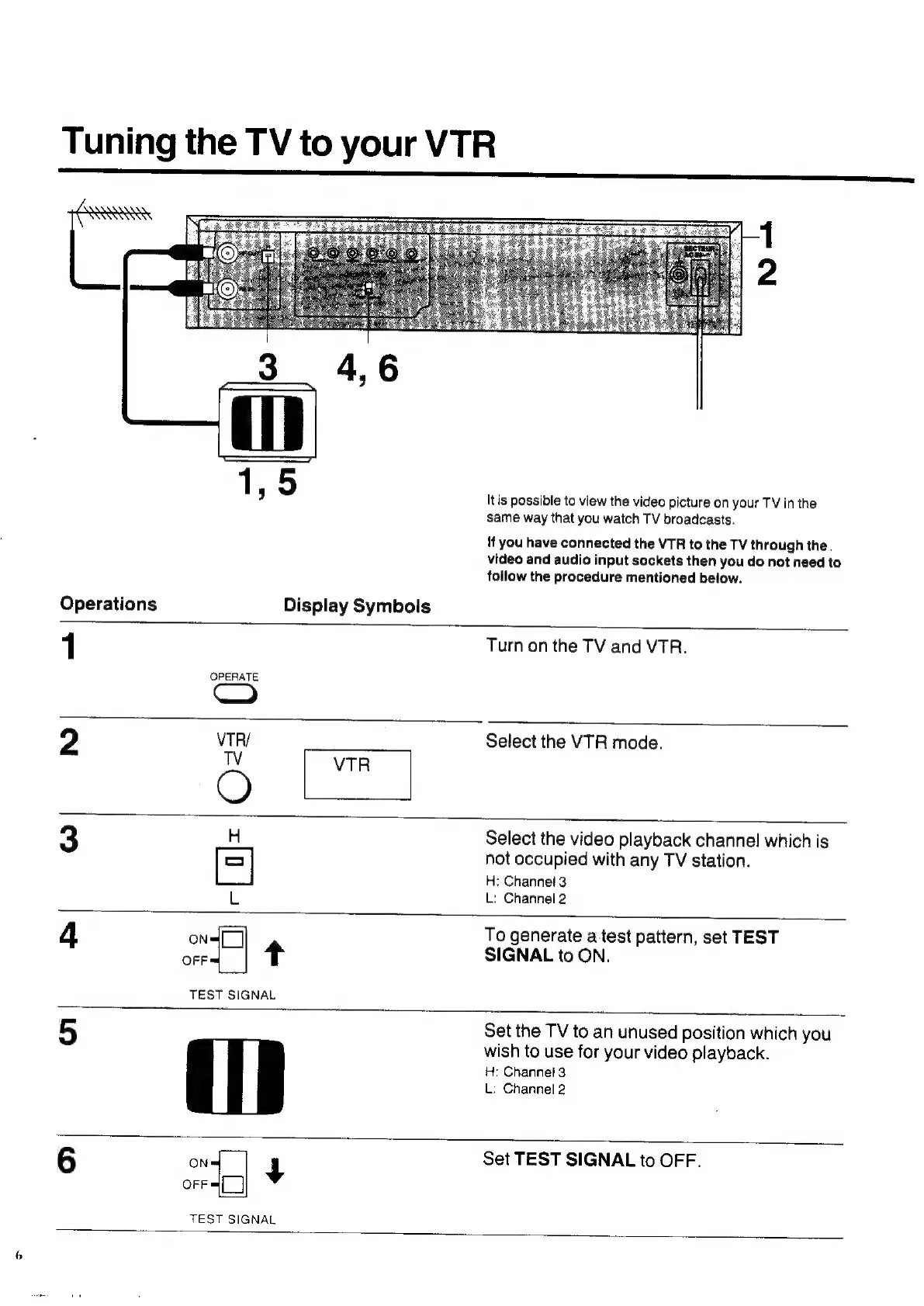
Tuning
the
TV
to
your
VTR
Itis
possible
to
view
the
video
picture
on
your
TV
in
the
same
way
that
you
watch
TV
broadcasts.
!f
you
have
connected
the
VTR
to
the
TV
through
the.
video
and
audio
input
sockets
then
you
do
not
need
to
follow
the
procedure
mentioned
below.
Operations
Display
Symbols
1
Turn
on
the
TV
and
VTR.
OPERATE
2
VTR/
Select
the
VTR
mode.
O
H
Select
the
video
playback
channel
which
is
[=]
not
occupied
with
any
TV
station.
H:
Channel
3
L:
Channel
2
L
4
ON
To
generate
a
test
pattern,
set
TEST
OFF
+
SIGNAL
to
ON.
TEST
SIGNAL
5
Set
the
TV
to
an
unused
position
which
you
wish
to
use
for
your
video
playback.
H:
Channei
3
L:
Channel
2
6
ON
+
Set
TEST
SIGNAL
to
OFF.
OFF
TEST
SIGNAL

Related product manuals