EasyManua.ls Logo

Panasonic NV-HD100EA - Page 7

Panasonic NV-HD100EA
35 pages
Print Icon
To Next Page IconTo Next Page
To Previous Page IconTo Previous Page
Loading...
Setting
the
Clock
of
the
VTR
senia
neces
ne
ea
ee
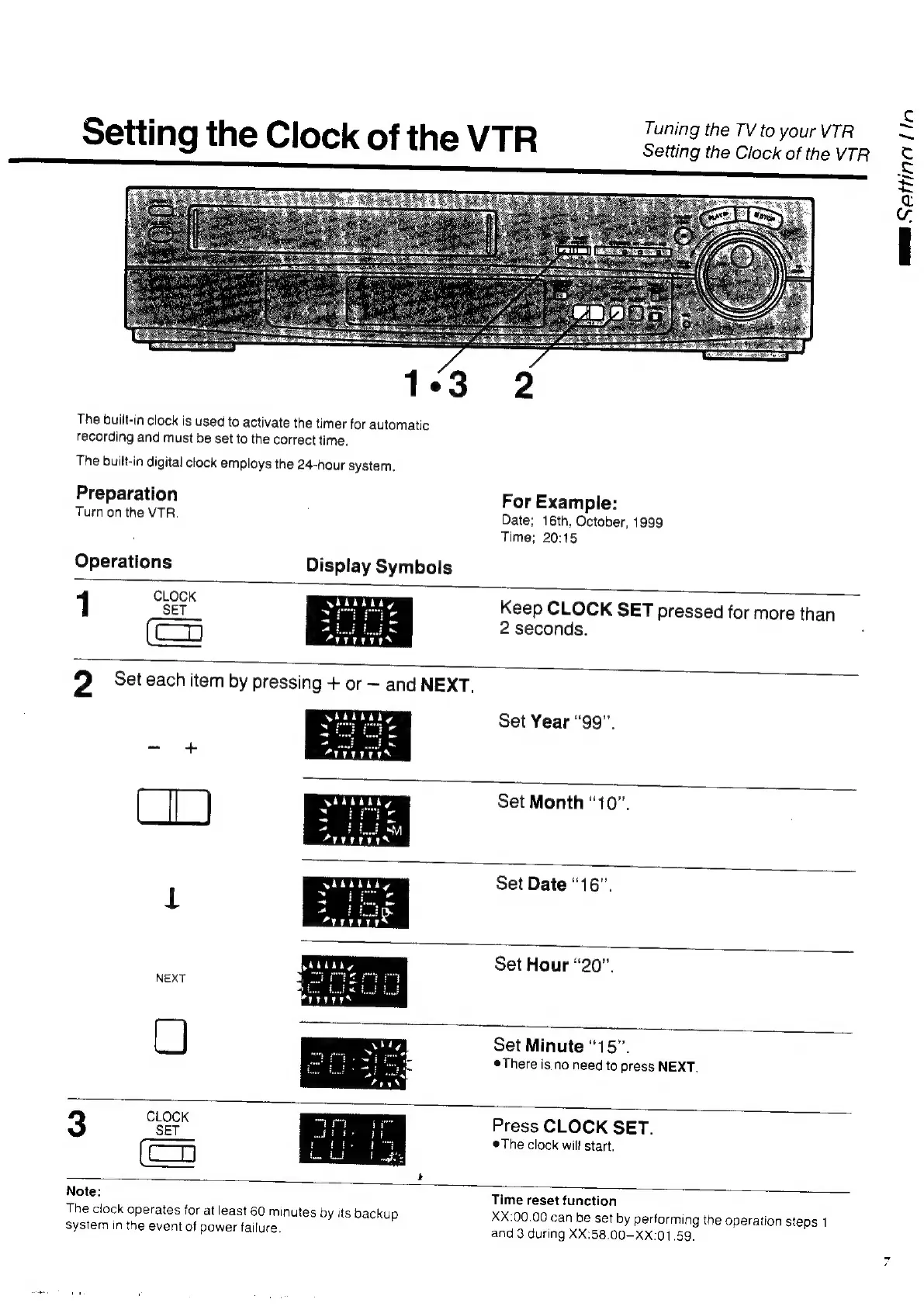
The
built-in
clock
is
used
to
activate
the
timer
for
automatic
recording
and
must
be
set
to
the
correct
time.
The
built-in
digital
clock
employs
the
24-hour
system.
Preparation
For
Example:
Turn
on
the
VTR.
Date;
16th,
October,
1999
Time;
20:15
Operations
Display
Symbols
CLOCK
SET
1
Keep
CLOCK
SET
pressed
for
more
than
2
seconds.
Set
Year
“99”.
Set
Month
“10”.
Set
Date
“16”.
Set
Hour
“20”,
NEXT
L)
Set
Minute
“15”.
There
is
no
need
to
press
NEXT.
CLOCK
3
SET
Press
CLOCK
SET.
©The
clock
will
start.
(ea
Note:
Time
reset
function
The
clock
operates
for
at
least
60
minutes
by
its
backup
XX:00.00
can
be
set
by
performing
the
operation
steps
1
system
in
the
event
of
power
failure.
and
3
during
XX:58.00-XX:01.59.
ma
Setting
Lin

Related product manuals