EasyManua.ls Logo

Panasonic NV-HD100EA - Page 8

Panasonic NV-HD100EA
35 pages
Print Icon
To Next Page IconTo Next Page
To Previous Page IconTo Previous Page
Loading...
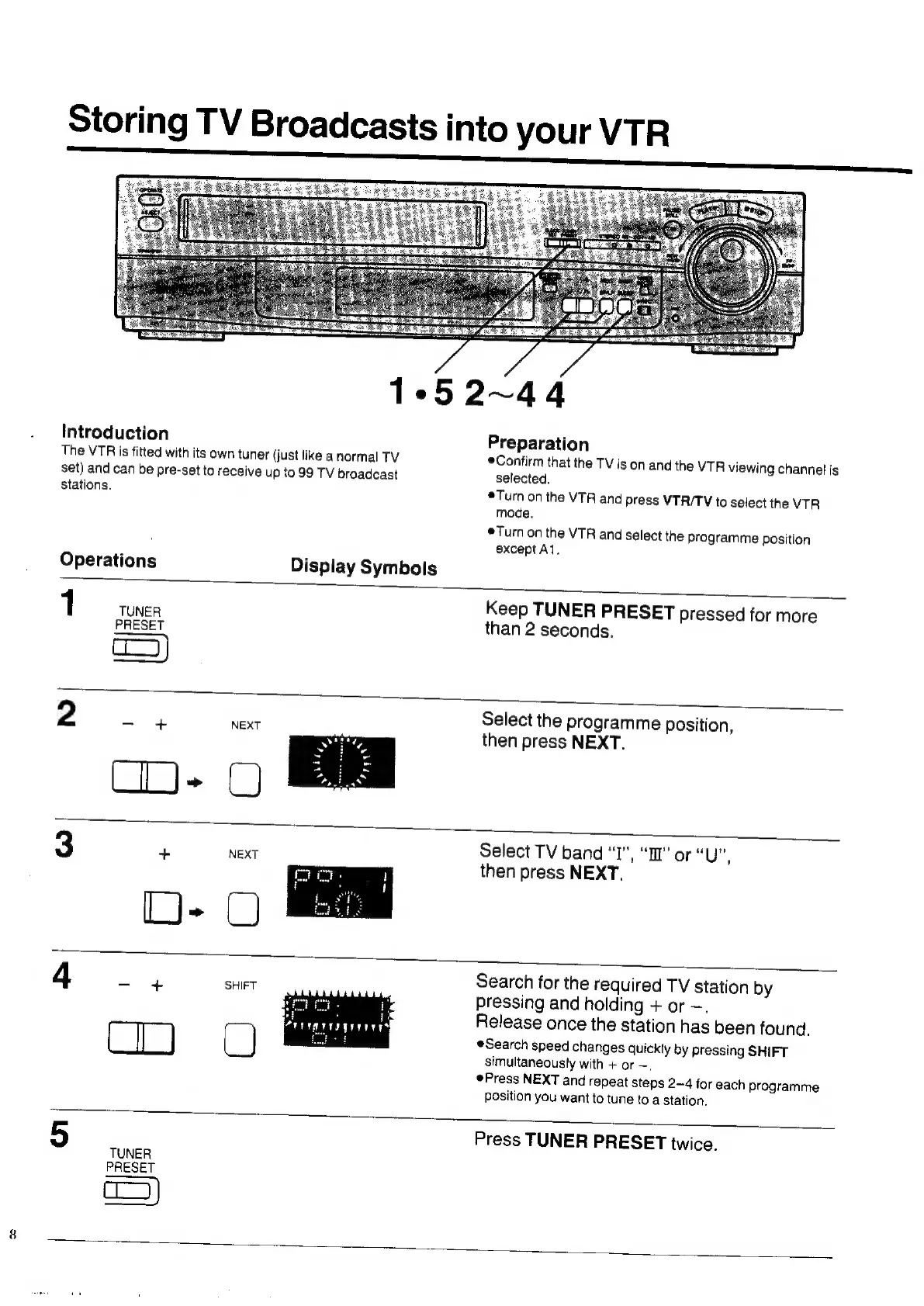
Storing
TV
Broadcasts
into
your
VTR
1°52~44
Introduction
The
VTR
is
fitted
with
its
own
tuner
(just
like
a
normal
TV
set)
and
can
be
pre-set
to
receive
up
to
99
TV
broadcast
stations.
Operations
Preparation
Confirm
that
the
TV
is
on
and
the
VTR
viewing
channet
is
selected.
®Turn
on
the
VTR
and
press
VTR/TV
to
select
the
VTR
mode.
Turn
on
the
VTR
and
select
the
programme
position
except
Al.
Display
Symbols
1
Keep
TUNER
PRESET
pressed
for
more
one
than
2
seconds.
qc)
2
-
+
NEXT
Select
the
programme
position,
then
press
NEXT.
Select
TV
band
“I”,
“II”
or
“UP,
then
press
NEXT.
Search
for
the
required
TV
station
by
pressing
and
holding
+
or
—.
Release
once
the
station
has
been
found,
Search
speed
changes
quickly
by
pressing
SHIFT
simultaneously
with
+
or
—,
@Press
NEXT
and
repeat
steps
2~4
for
each
programme
Position
you
want
to
tune
to
a
station.
TUNER
PRESET
Press
TUNER
PRESET
twice.

Related product manuals